2) Registration Information of Character Object
If any character object is selected, the registration information of character object will appear in the left of the
screen.
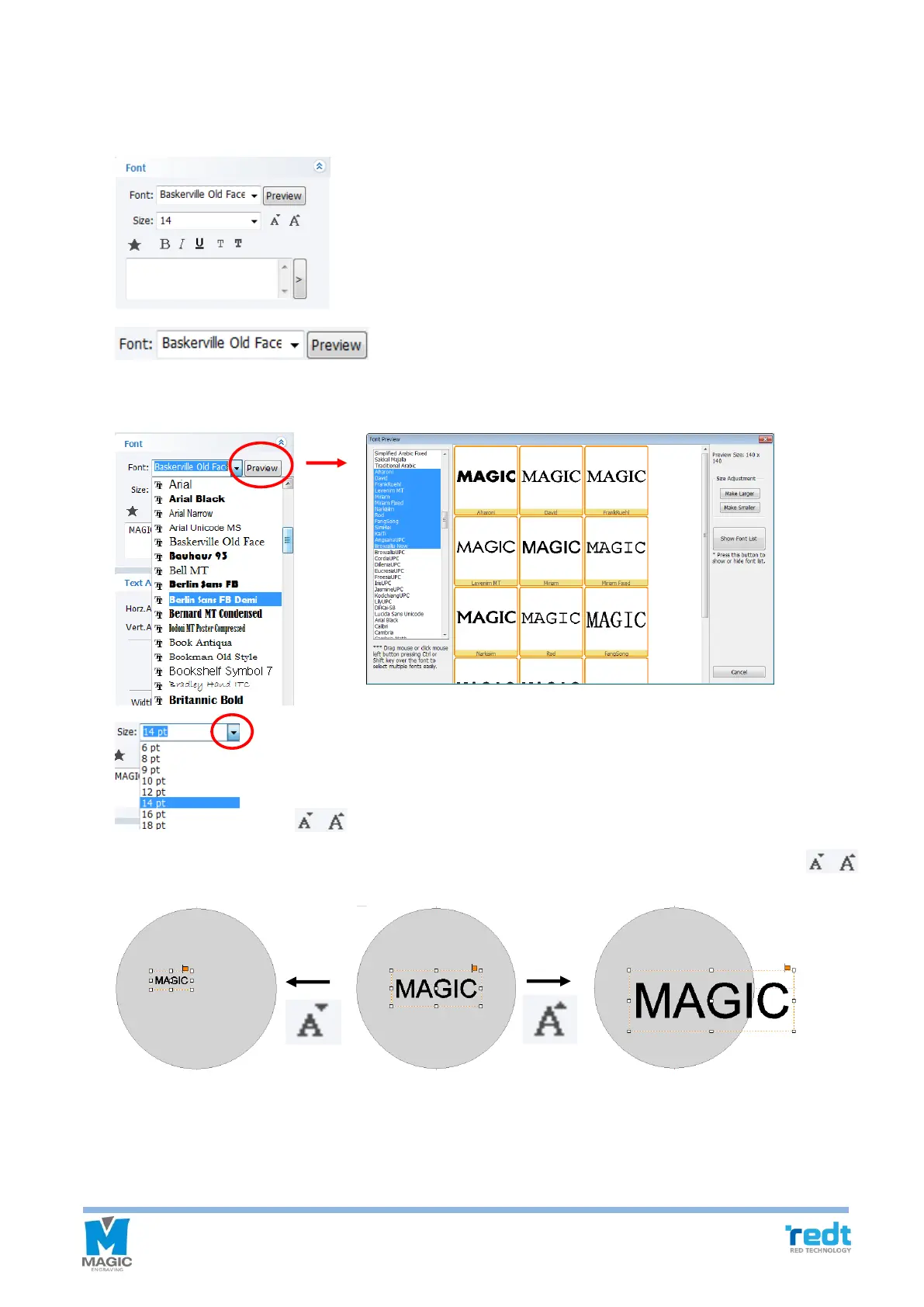
[Font]
Designate font.
Either click the font’s arrow or click Preview button to designate font.
[Size]
Adjust the size of the selected character size. Either press the size arrow button to select or press
[size] button to adjust the size by one level.



 To Next Page