Origin Point Calibration
※ The machine is initially set up at factory. Please contact reseller before changing the machine
settings.
※ Calibrate the machine by using tip(Carbide, Diamond). The machine cannot be calibrated by using
endmill, cutter, etc.
※ Calibrate the machine while Engraver pressure lock is not fixed. The nose, tool, and material can
be damaged if you calibrate the machine while the head is fixed.
1) Tool Calibration (touch)
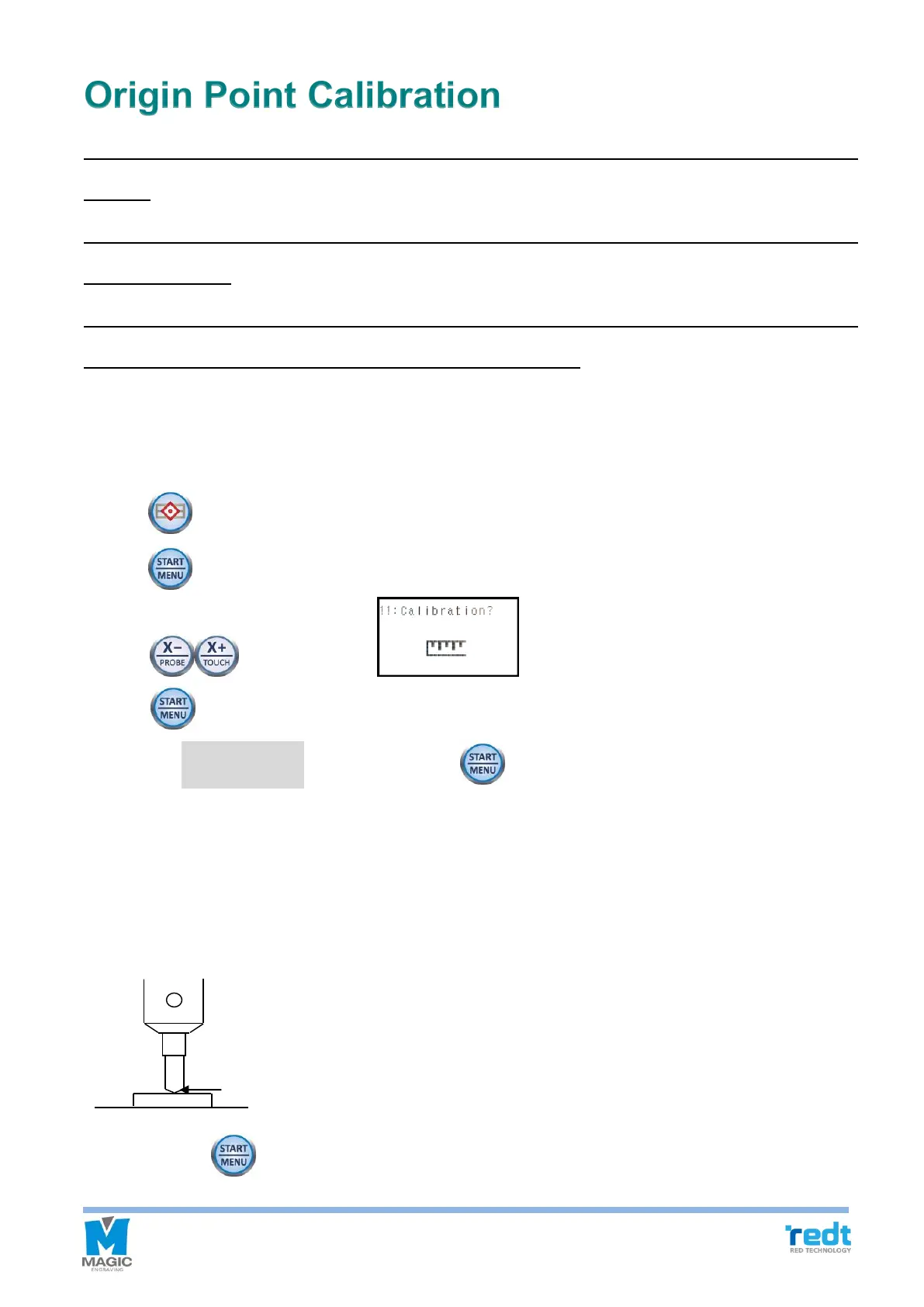
1. Fix a material of flat surface on the clamp.
2. Fix the tool short enough.
3. Press button to move the tool to the clamp.
4. Press button and go to the menu mode.
5. Press button, and when menu appears on the LCD window, then press
and hold button until it beeps (more than 3 seconds) to run the menu.
6. Select the “1.Touch Sensor” then press and hold button until it beeps (more than 3 seconds) to run
the menu.
7. The tool will be lowered down to the material hold in the center of the clamp.
8. Lower the tool manually by loosening the fixing bolt of the tool with a wrench, or raise the materials you're your
hands to make the tool and materials touch as shown in the picture below.
9. Press and hold button until it beeps (more than 3 seconds) to confirm that the setting is saved, then the
tool will measure the material’s height.



 To Next Page