Import a File in SVG Type
Magic Art supports vector graphic (SVG) files. So files saved as SVG type can be imported. If you save a design
as SVG type from design program Illustrator or CorelDraw, you can import the file to the Magic Art.
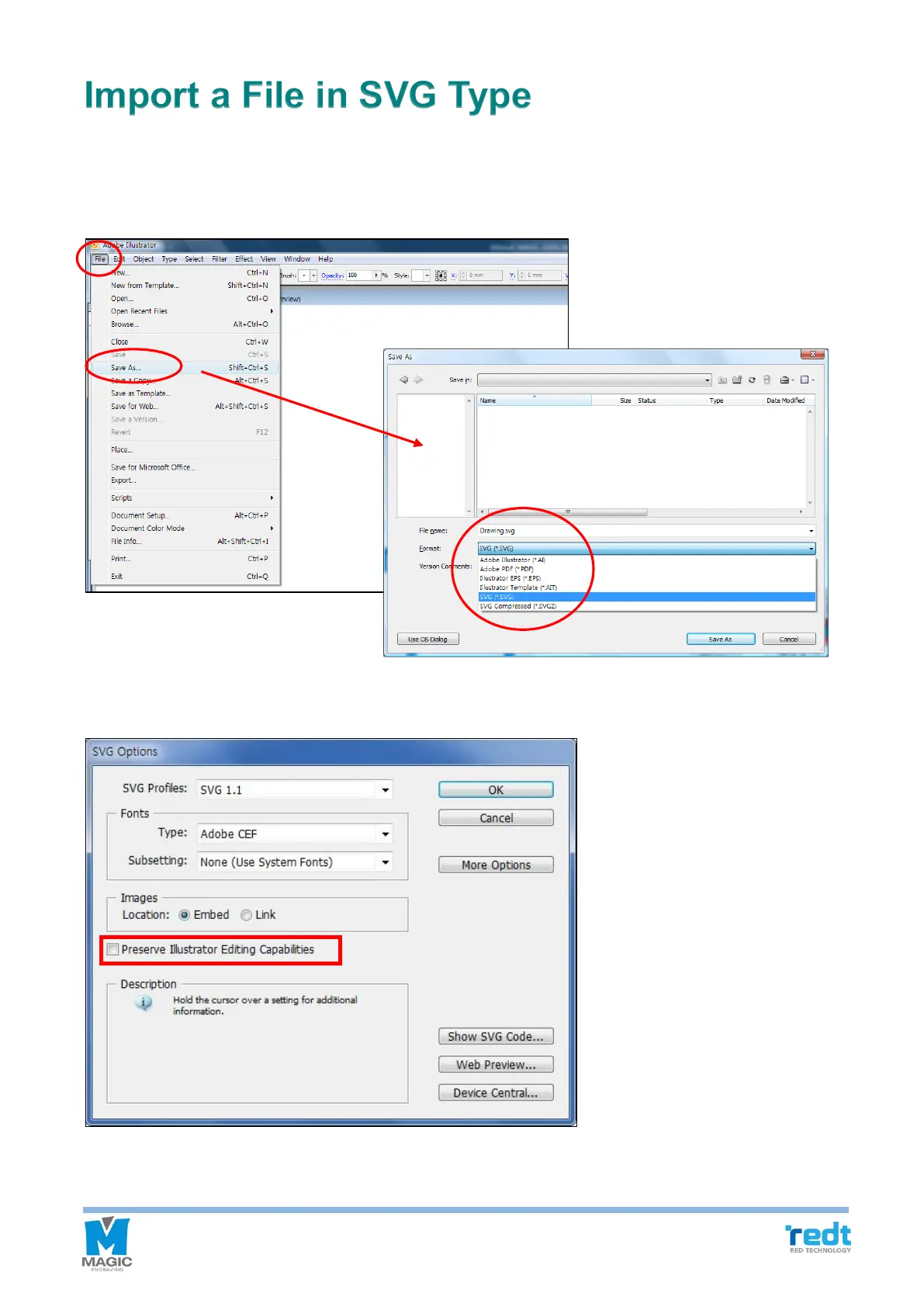
1. Click “File” → “Save As” button from Illustrator program menu to save a file in SVG type.
2. SVG option window appears; uncheck the checkbox next to “Preserve Illustrator Editing Capabilities”. Then
press the “OK” button to complete the save.



 To Next Page