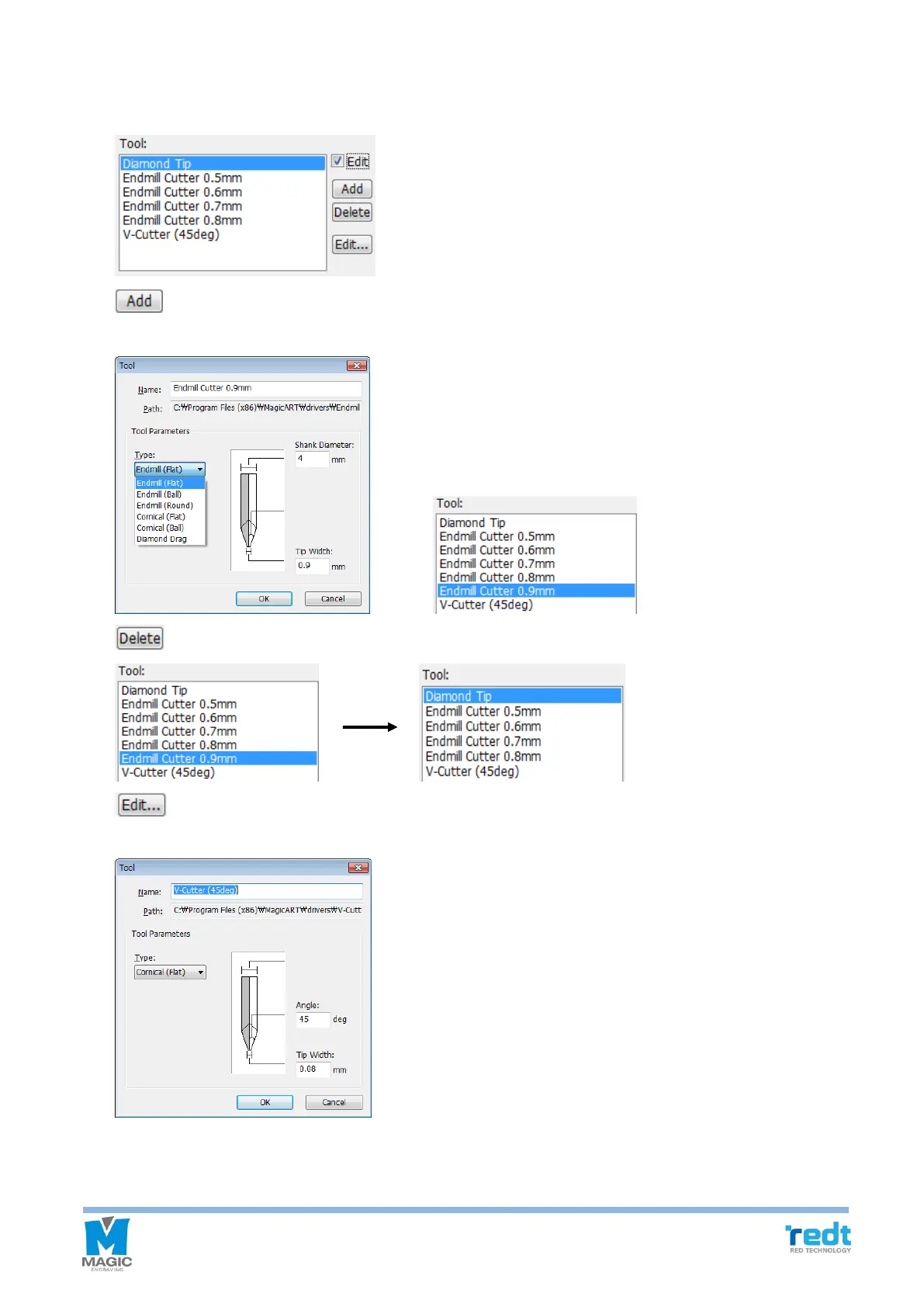
5-2) Add/Delete/ Edit Tool
If “Edit” button is checked, Add/Delete/Edit button will appear.
Designate the name of a tool to be added along with its type, end width and click “OK” button. The
tool will be added to the tool selection list.
Select a tool from the list and click “Delete” button to delete the selected tool from the list.
Select a tool to be modified and click “Edit” button. If “OK” button is clicked after a setting value such
as edge width is modified, the modified setting value will be saved.



 To Next Page