7) Changing Tools
◈Spindle
1. Press button and go to the menu mode.
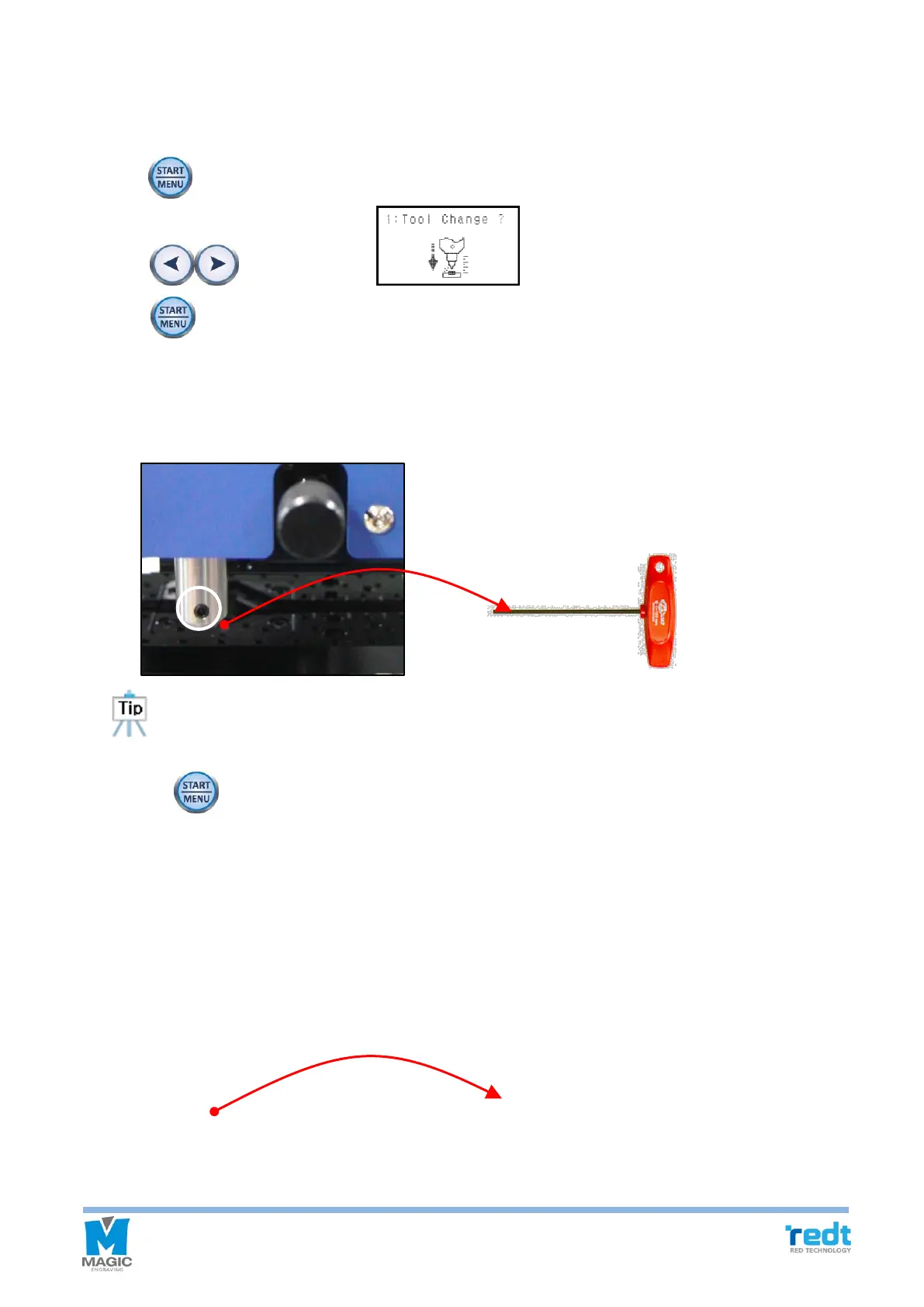
2. Press button, and when menu appears on the LCD window, then press
and hold button until it beeps (more than 3 seconds) to run the menu.
3. Just like the below figure, insert it to 1mm wrench on tool fixing bolt. Turn wrench to the left and loosen bolt.
Grab tool by hands in advance in order that tool is not fallen on the bottom and pull out tool downward by pushing
tool from the top. After changing tool, tighten it by using wrench bolt and fix it
When loosing tool fixing bolts, hold the tool with your hands and loose the bolts to avoid
dropping the tool on the floor and causing damage to it.
4. Press the button until it beeps (more than 3 seconds) to measure tool’s lengh automatically.
◈ L-Tool
Just like the below figure, insert it to 1mm wrench on tool fixing bolt. Turn wrench to the left and loosen bolt.
Grab tool by hands in advance in order that tool is not fallen on the bottom and pull out tool downward by
pushing tool from the top. After changing tool, tighten it by using wrench bolt and fix it.



 To Next Page