Program Usage Description
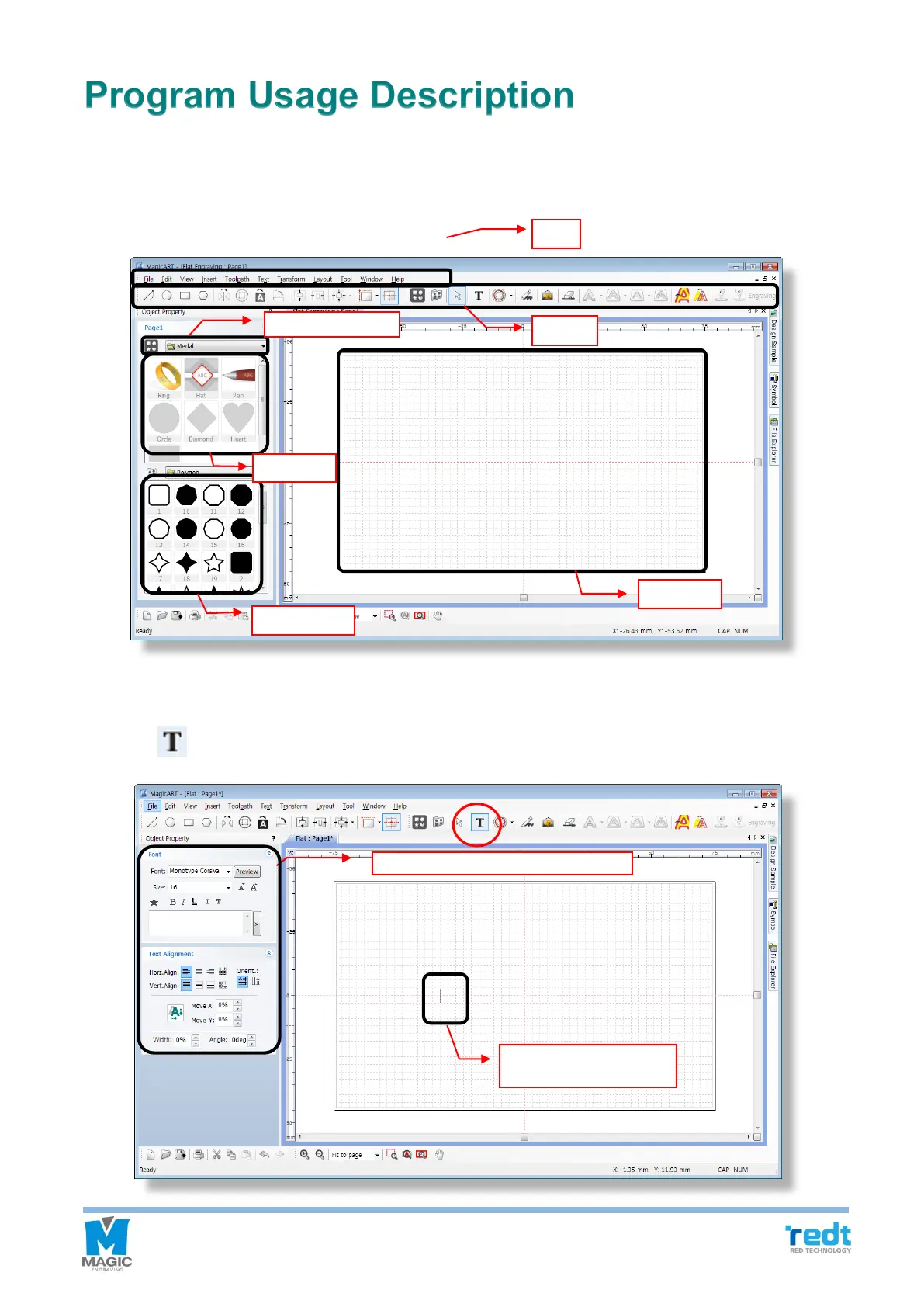
Run the program, then a window show up as below. The program window is different between when an object is
selected and not selected. The names of parts for each case are as follows.
◈ Program screen
◈ Character input mode
Press [Text Input] button and click the screen or double click mouse left button on the selection mode
to switch to character input mode.



 To Next Page