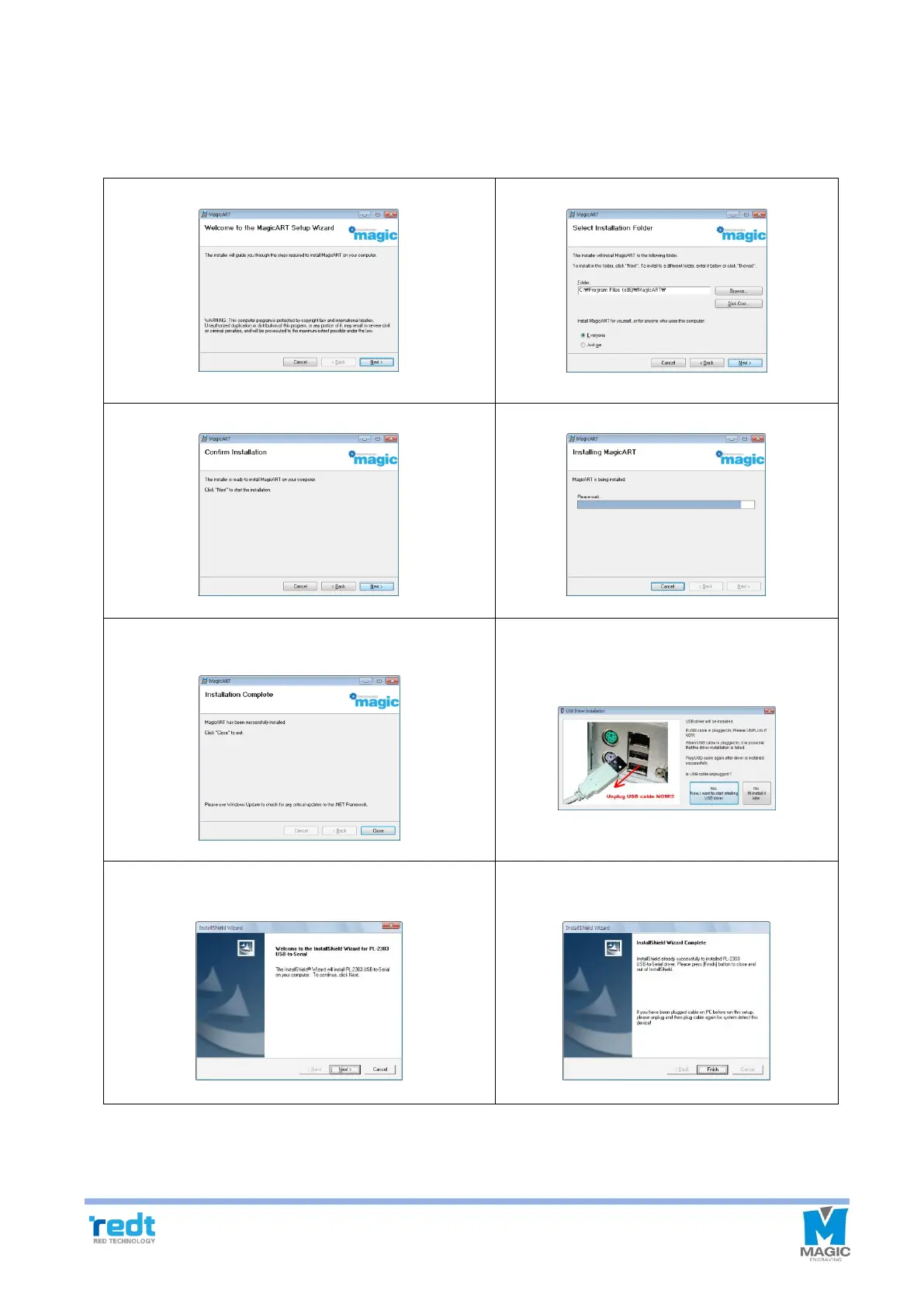
3) MagicArt S/W Program Installation
Place the CD in your computer`s CD driver, Follow the below instructions to install the S/W. Install program will be
automatically executed and program installation will be progressed in the following order. If Install program is not
automatically executed after CD is entered, execute Install program on My Computer’s CD drive.
2. Select installation folder
4. The file is copied onto the hard disk.
5. Click “Close” button to complete program
installation.
6. Once program installation is completed, USB
driver Install window appears. Click “Yes”
button after taking out USB cable.
8. Click “Finish” button to complete installation
and re-boot the computer.



 To Next Page