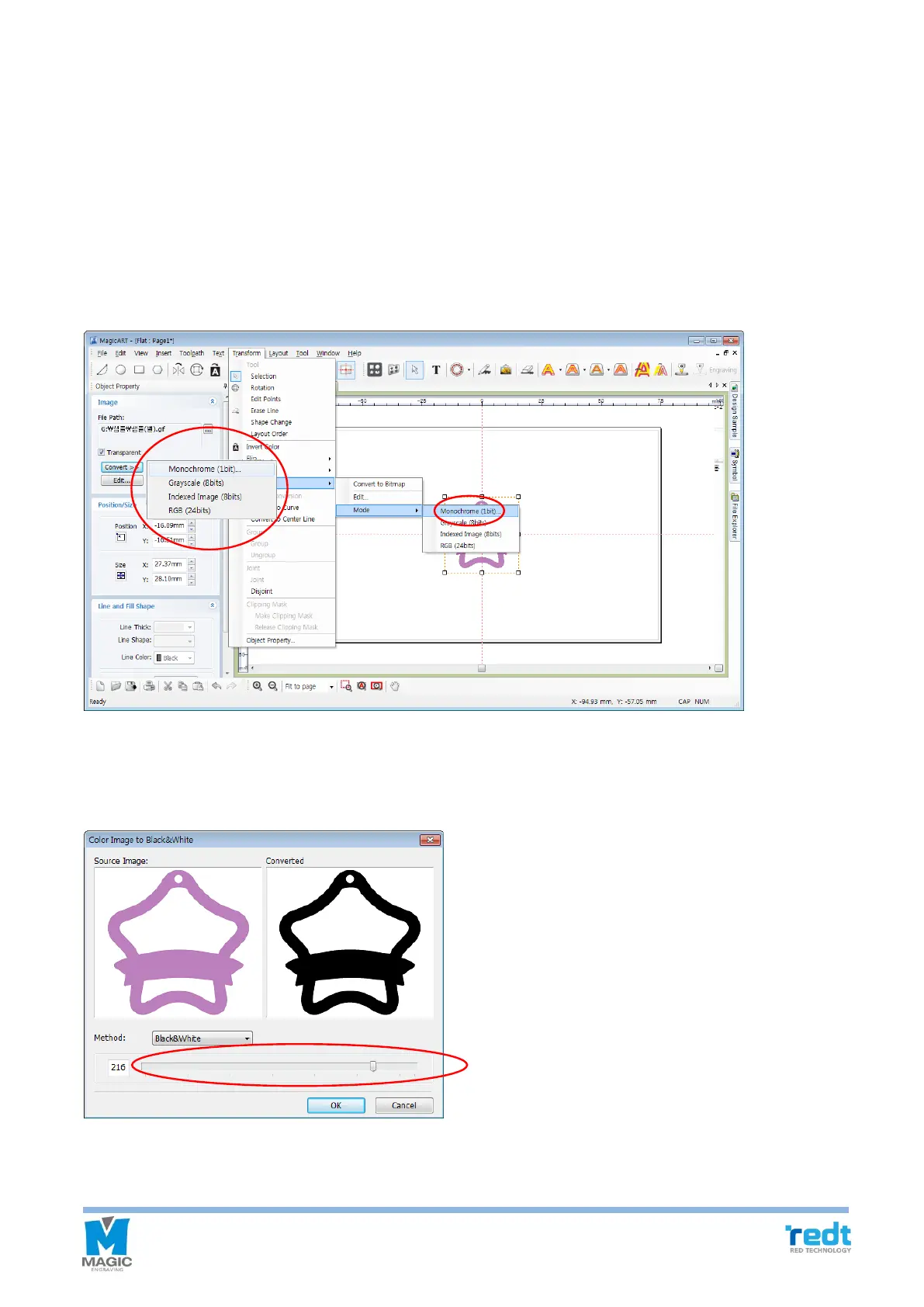
2) Convert and edit picture file
Only single color image can be engraved. Since color image cannot be engraved by this engraver, it should be
converted to single color (1 bit) image.
[Convert single color image]
1. Select the image object you want to convert using mouse, and click “Transform” → “Bitmap” → “Mode” →
“Monochrome (1bit)…” or “Convert” button in the image object registration information window to select
“Monochrome (1bit).”
2. The window to convert it to single color image appears as below. Adjust the slider to change it to the single color
you want, and click “OK” button.



 To Next Page