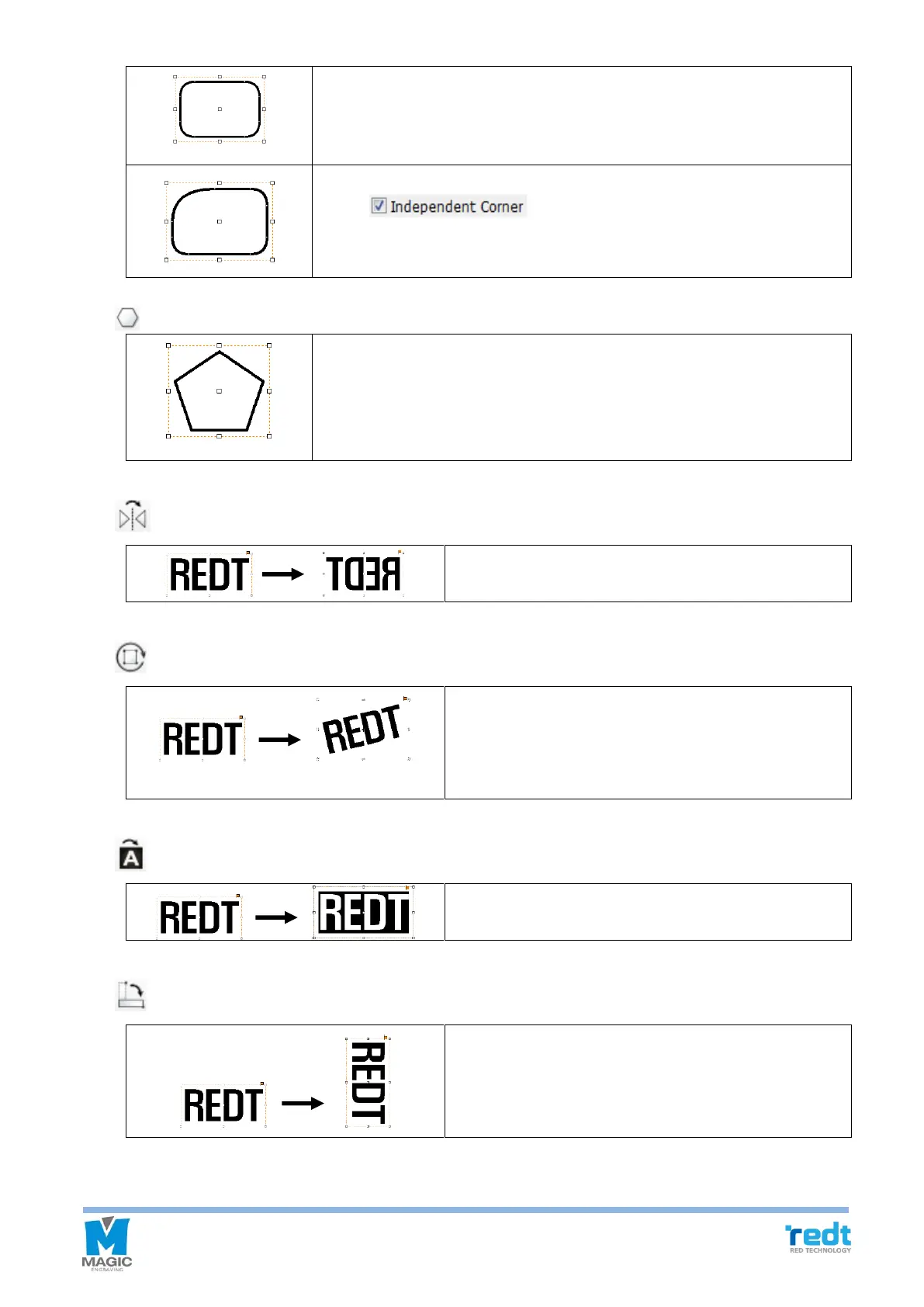
Determine the curvature of each edge on the rectangular object registration
information or drag the rectangular edge with the mouse to transform it into
a round rectangle with round corners.
Click button on the rectangular object registration
information and adjust the curvature of each corner individually.
Click and hold the work area with the mouse and drag it to designate the size
of a polygon.
At this time, specify the number of vertical on the polygon object registration
information to change it.
Left/right reverse the selected object.
If the selected object is clicked once more with the mouse,
it will convert to the object rotation mode. Then, rotate the
object by dragging it with the mouse or arrow keys on the
keyboard.
Reverse the color of the selected object.
Rotate the selected object by 90˚.



 To Next Page