SEATS (1/3)
Massage
Driver Passenger
Massage
Tonic
Relaxing
Lumbar
Intensity
Speed
3
On
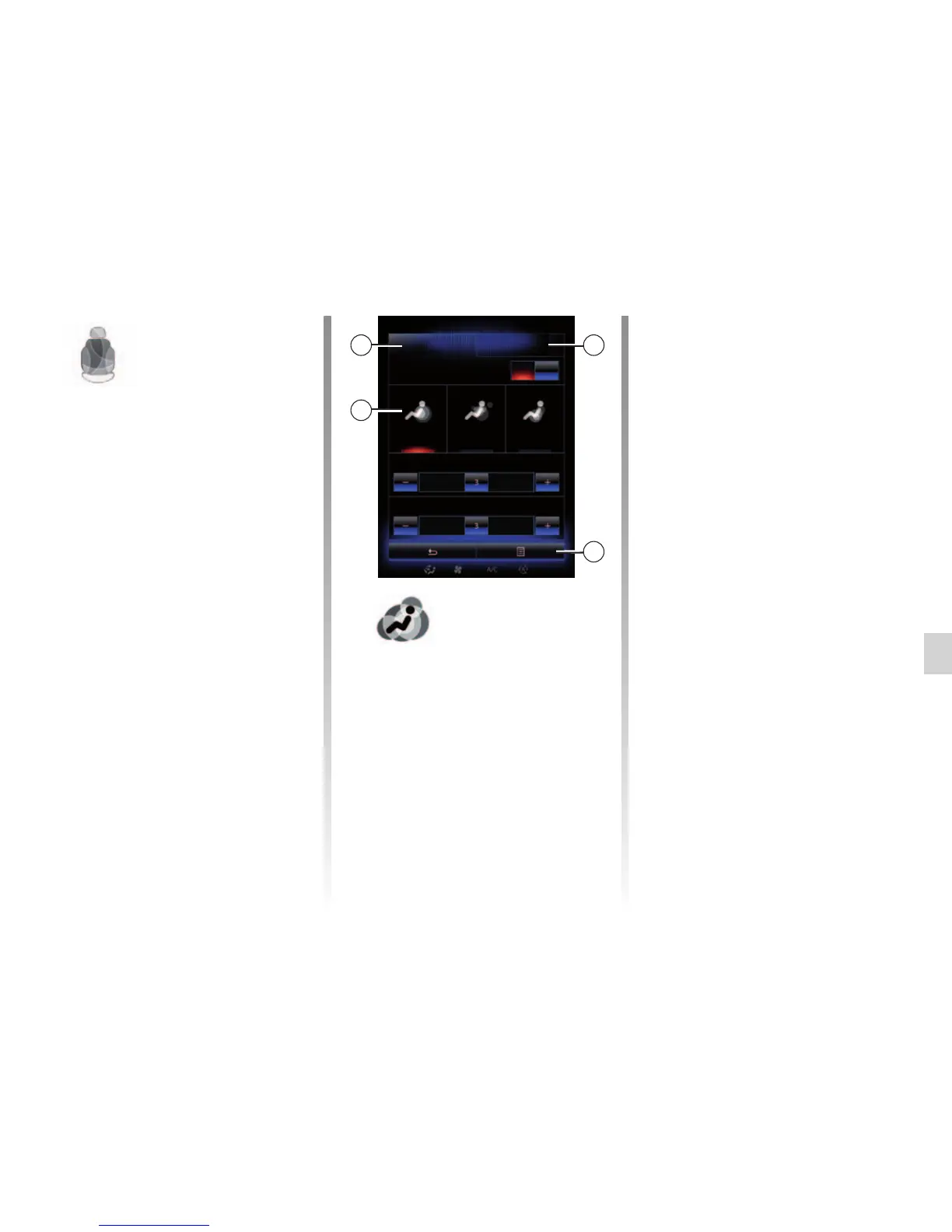
“Seats” menu
From the home screen, press “Menu”,
“Vehicle” then “Seats” to access the fol-
lowing three sub-menus:
– “Massage”;
– “One-touch folding”;
– “Settings”.
Note: to save the settings you want on
your user profile, make these adjust-
ments from the “Multi-Sense" menu.
For further information, please refer to
the section on “Multi-Sense”.
– 4 Current selected programme.
You can select one of the three fol-
lowing programmes:
– “Tonic”;
– “Relaxing”;
– “Lumbar”.
Press + or – to adjust the “Intensity”
and “Speed” of the massage.
Note: only the “Perso” mode in the
“Multi-Sense” menu can be used to
save the driver seat massage set-
tings. The passenger seat massage
settings cannot be saved.
Pop-up menu
To reset your selection, press 3 and
then press “Reset”.
1 2
4
“Massage”
Select this menu to control massage
seat.
– “Driver” or “Passenger”.
Select “Driver” 1 or “Passenger” 2
to adjust the operation of the mas-
sage seat.
– “On”/“OFF”.
Press “Massage”, then “On” or
“OFF” to activate or deactivate the
driver’s or passenger’s massage
seat depending on the tab se-
lected previously.



 To Next Page