map
scale.................................................................(current page)
map
map symbols ....................................................(current page)
map
display .............................................(up to the end of the DU)
navigation system .................................(up to the end of the DU)
guidance
map .................................................(up to the end of the DU)
MAP (1/4)
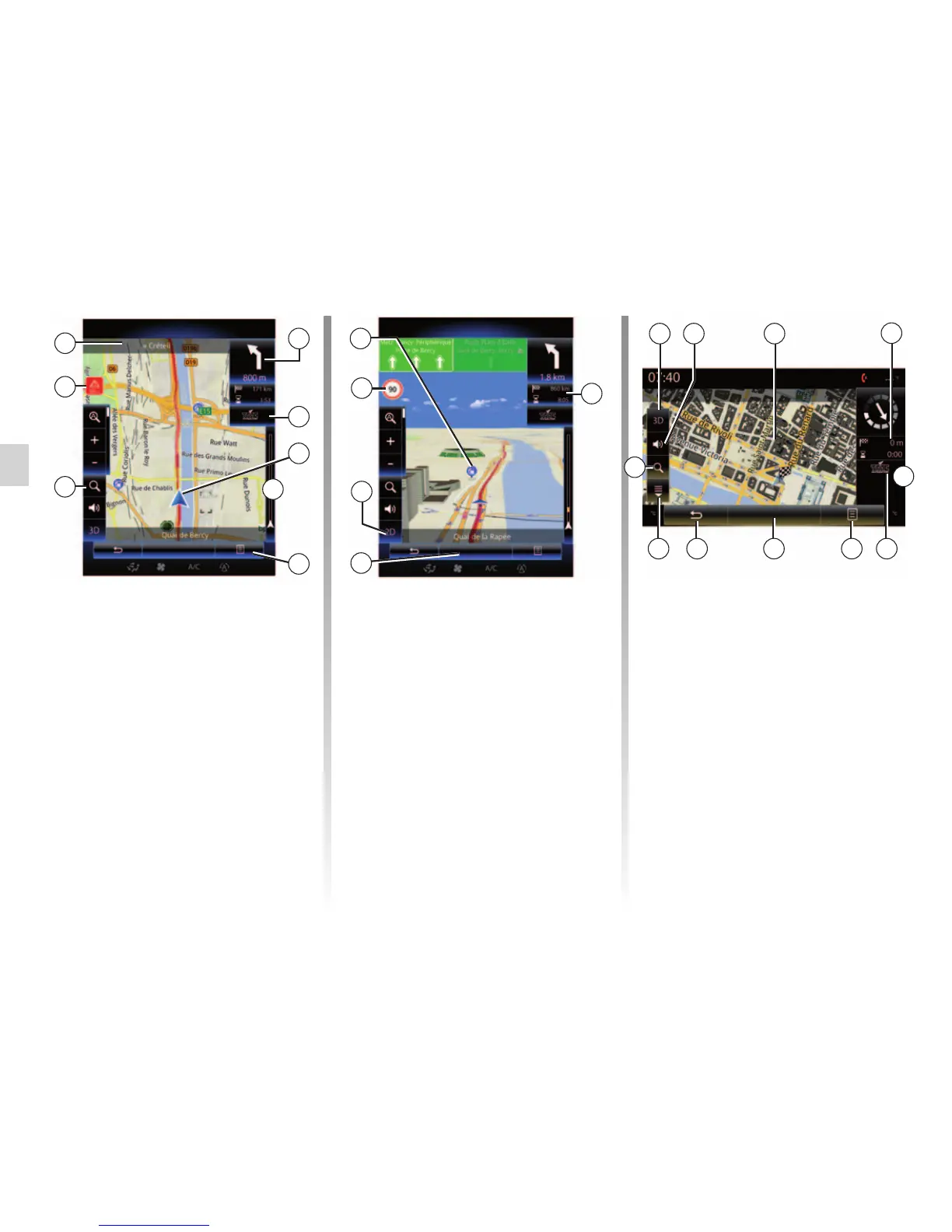
Map key
A Name of the next main road or road
sign information, if applicable.
B Display: remaining distance to travel
and indication of the next manoeu-
vre.
Press: shortcut giving access to dif-
ferent information about your route.
C Display: traffic information icon.
Press: this shortcut provides a list of
traffic incidents along your route.
D Current location.
E Traffic information bar for your route.
F
B
L Back to main menu of navigation.
M 2D/3D and 2D North modes (the
map always displays North at the top
of the screen).
N Sign giving the speed limit (the
speed given depends on the unit
chosen). For more information on
choosing the unit type, please see
the “System” section.
P Symbols for points of interest (POI)
displayed on the navigation map.
Q Display/hide the drop-down flap.
D
F Pop-up menu.
G Back to previous screen or back to
navigation menu.
H Activate/deactivate the guidance in-
structions.
I Zoom: touch the magnifying glass to
display the zoom-in and zoom-out
buttons. Use this button to activate or
deactivate the zoom function in auto-
matic mode.
J Sign indicating a high risk area.
K Journey information such as arrival
time, total distance remaining and
the possibility of reaching your des-
tination (green flag or red flag with
lightning symbol) / Route summary.
K
M
Menu
Menu
L
P
Q
Nav
M
L FG
D
K
C
Guidance map Guidance map
N
C
I
J
H
A
E
E
I



 To Next Page