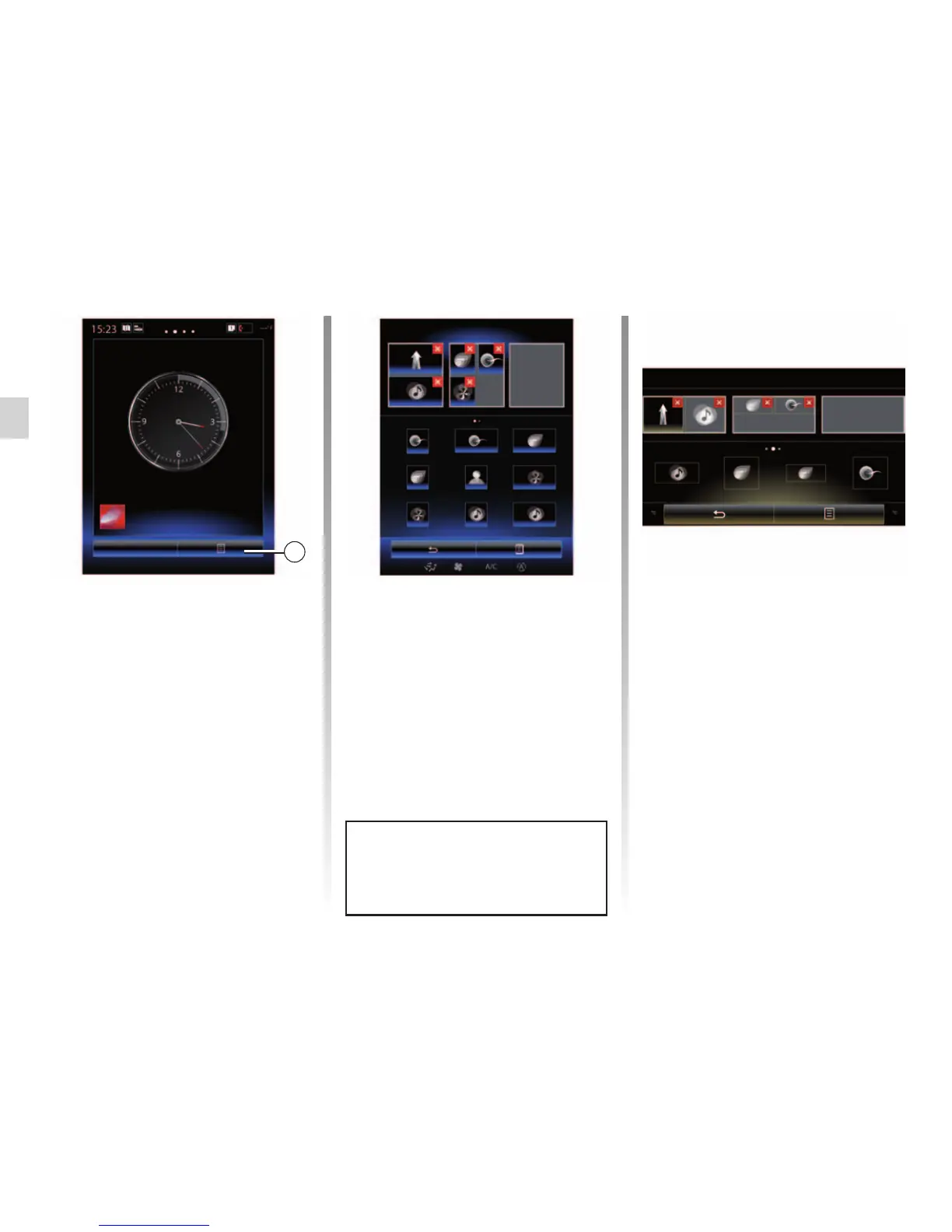
ADD, MANAGE WIDGETS (1/2)
Add widgets
From the home page, press 1 then
select “Change home pages” from the
list.
Add a widget
Press and hold your finger on the
widget to be added, then slide and drop
it to the location of your choice at the
top of the screen.
Menu
1
Air quality
Configuration of home pages
Driving Eco2
Driving Eco2
Favourites Multi-Sense
Multi-Sense
Multimedia
Multimedia
The home pages are the default
screens for your multimedia system.
Your system has four home pages,
three of which are customisable, includ-
ing a number of widgets leading to func-
tions, such as navigation, radio, etc.
You can change the configuration of the
home page by adding widgets.
Press on the home page widget to di-
rectly access the main screen for the
function or, in certain cases, directly
control them from one of the main
screens (changing the radio station, for
example).
Camille
Configuration of home pages
Multimedia
Driving Eco2
Driving Eco2
When user profile changes, the
widget layout is also changed ac-
cordingly.
Customise the size of the widgets
There are two sizes of widget (small
and big). Some applications may only
have one size. The number of widg-
ets displayed on the home screen may
vary depending on the format of the
multimedia screen.
Note: some widgets can be used only
once depending on their size.
Air quality
Air quality



 To Next Page