USING VOICE RECOGNITION (10/11)
Using the phone’s voice
recognition with the
multimedia system
To use your phone’s voice recognition
system with your multimedia system
you should:
– connect your telephone to the mul-
timedia system (refer to the section
on “Connecting, disconnecting a tel-
ephone”);
– ensure that your phone has a voice
recognition function compatible with
your multimedia system.
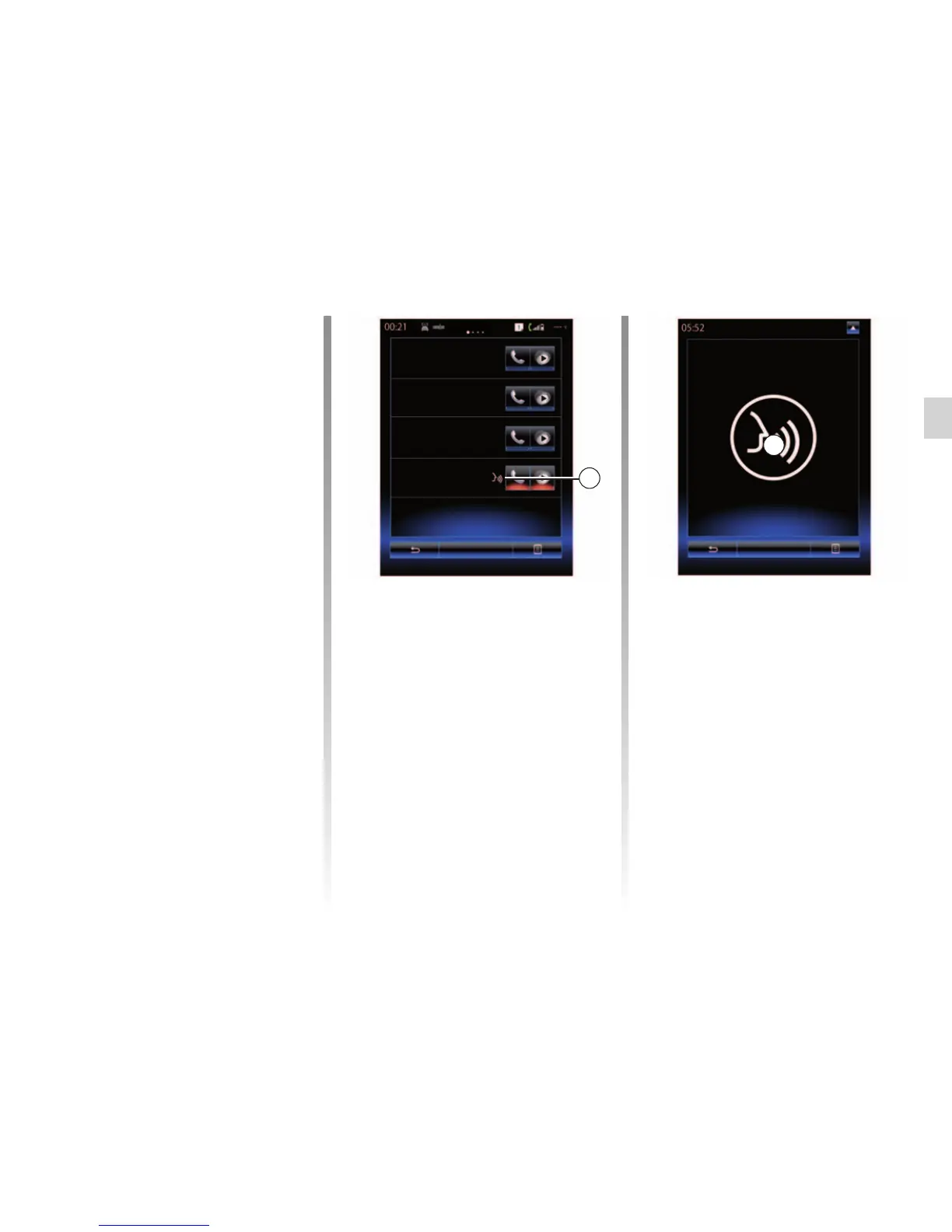
Note: If the voice recognition from your
phone is compatible with the multime-
dia system, the 9 pictogram appears
from the “Paired devices list” menu.
For more information, please refer
to “Connecting/disconnecting a tele-
phone”.
Note: if you wish to use your phone's
voice recognition with the multimedia
system, make sure that you are located
in a network coverage area.
To activate your phone’s voice recogni-
tion system with the multimedia system,
press and hold your vehicle’s voice rec-
ognition button
.
The multimedia screen displays your
telephone’s main voice control menu
on the B screen.
Bastien's phone
Gary
Phone Caro
Amandine
Add device
9
Cancel
To reactivate your phone’s voice rec-
ognition system with the multime-
dia system, briefly press your vehi-
cle’s voice recognition button
or
screen B.
To deactivate your phone’s voice rec-
ognition system with the multimedia
system, press and hold your vehicle’s
voice recognition button
.
Note: to access the B screen, press
“Phone” from the main screen, then
“Smartphone”.
B



 To Next Page