Latest map guarantee
Once your new vehicle has been de-
livered, you will have a limited time in
which to update the map for free. Once
this time has elapsed, you will need to
pay for updates.
For further information, please contact
an Authorised Dealer of brand.
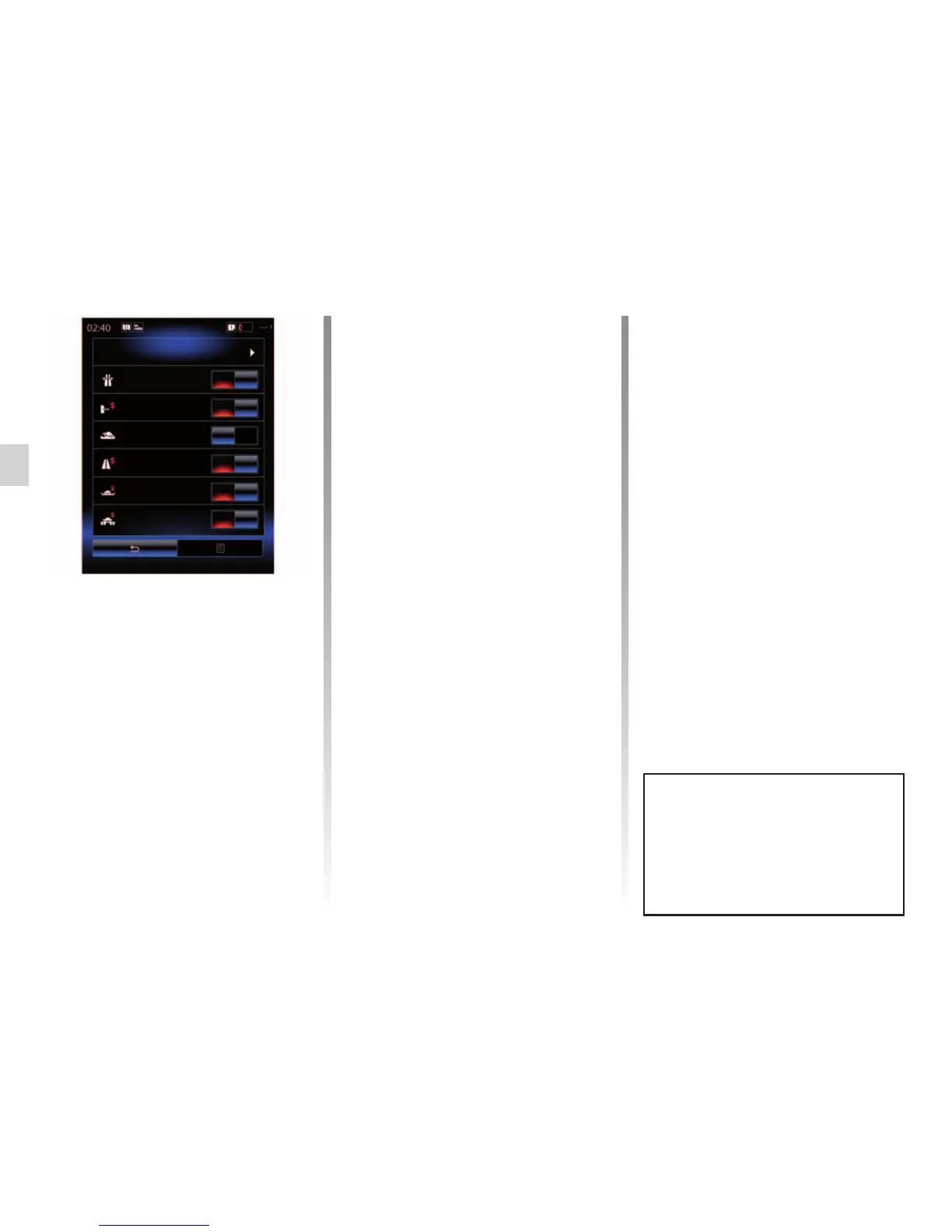
Route
Route Planning Method
Short.
Motorways
Period charge
Toll roads
Ferries
Unpaved
roads
Car shuttle train
On
On
OFF
On
On
On
Updates (especially of maps) are
published regularly. In some cases,
it is possible that roads alter and that
the mapping is not yet up to date.
ENTERING A DESTINATION (7/7)
Route preferences
The route preferences are restrictions
which affect the route calculation. For
further information, please refer to the
“Map” section.
“Route Alternatives”
This function makes it possible to add
the route previously entered in the ad-
dress book on the multimedia system.
“Route”
“Route Planning Method”
This function allows you to change the
route calculation method. By choosing
a route calculation method, you also
define this route calculation method by
default for your nearby destinations.
To understand the various methods for
calculating the route, please refer to the
section on “Map”.



 To Next Page