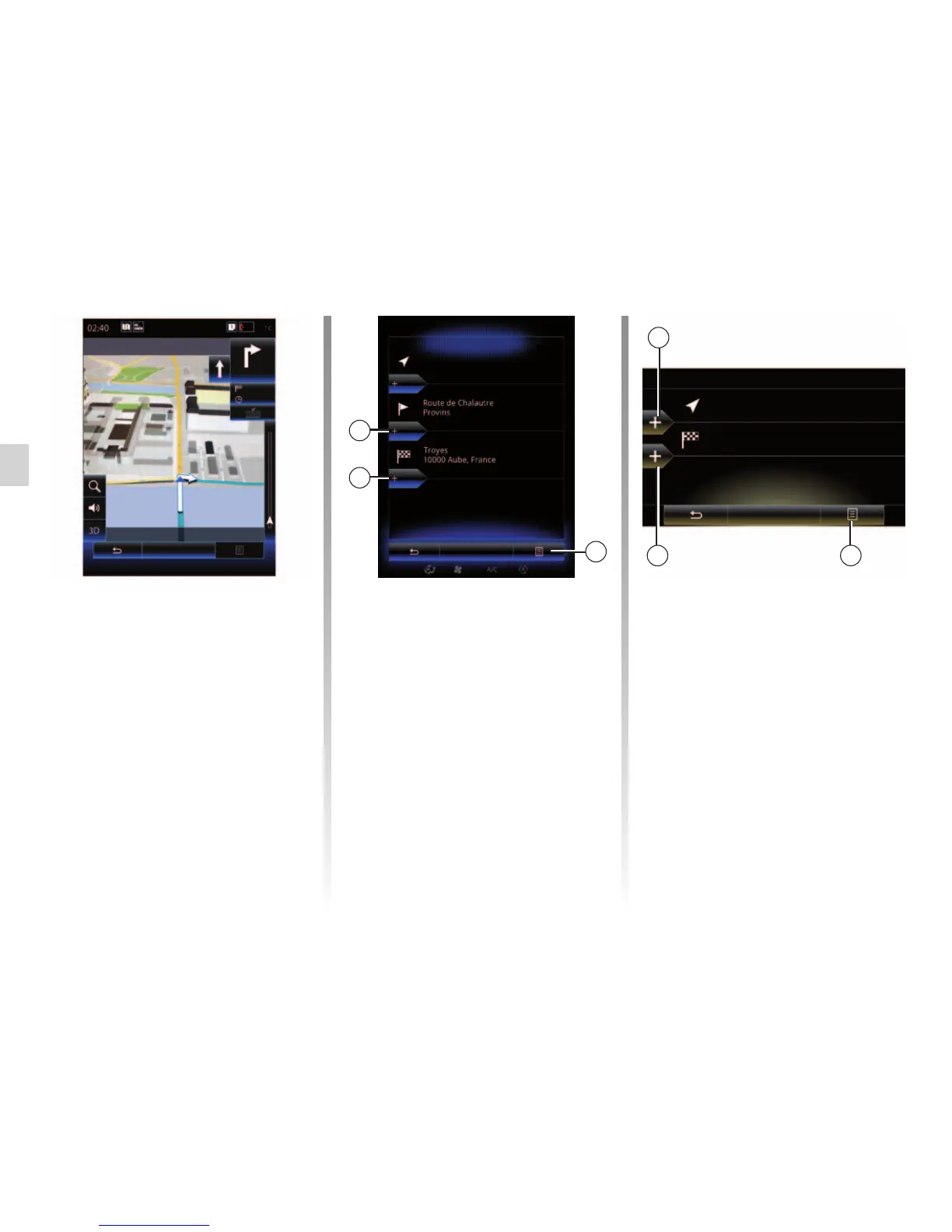
Pop-up menu 2
The pop-up menu 2 grants access to
the following functions:
– “Select and delete”: This function
can be used to delete specific way-
points along the route, or the entire
route.
– “Reorder”: you can manually reorder
your list of waypoints.
To confirm your route, press “Go” at the
bottom of the screen. The system cal-
culates the new route and the naviga-
tion guidance will begin.
ROUTE (2/4)
Edit route
Current GPS Position
Once your starting position is defined,
you can simulate the route from start to
finish by selecting “Simulate”.
Press “Controls” to display the control
bar.
Adding a destination
To set a new destination, press 3 then
enter a destination. You can select a
point of interest (POI) as detailed pre-
viously.
3
4
Edit route
Current GPS Position
Route de Chalautre
Provins
Go
3
4
Go
2
2
Adding a waypoint
Press 4 between the start point and
end point to insert waypoints along
your route (e.g. if you wish to travel
via a specific location in order to pick
somebody up). Choose the location the
same way as you choose a destination.
Your system will calculate a new route
that passes the waypoint(s) you chose
before reaching your final destination.
Simulation
Check
Pont Notre Dame
Quai de la Corse



 To Next Page