22
eRev. 1.08/15/2023
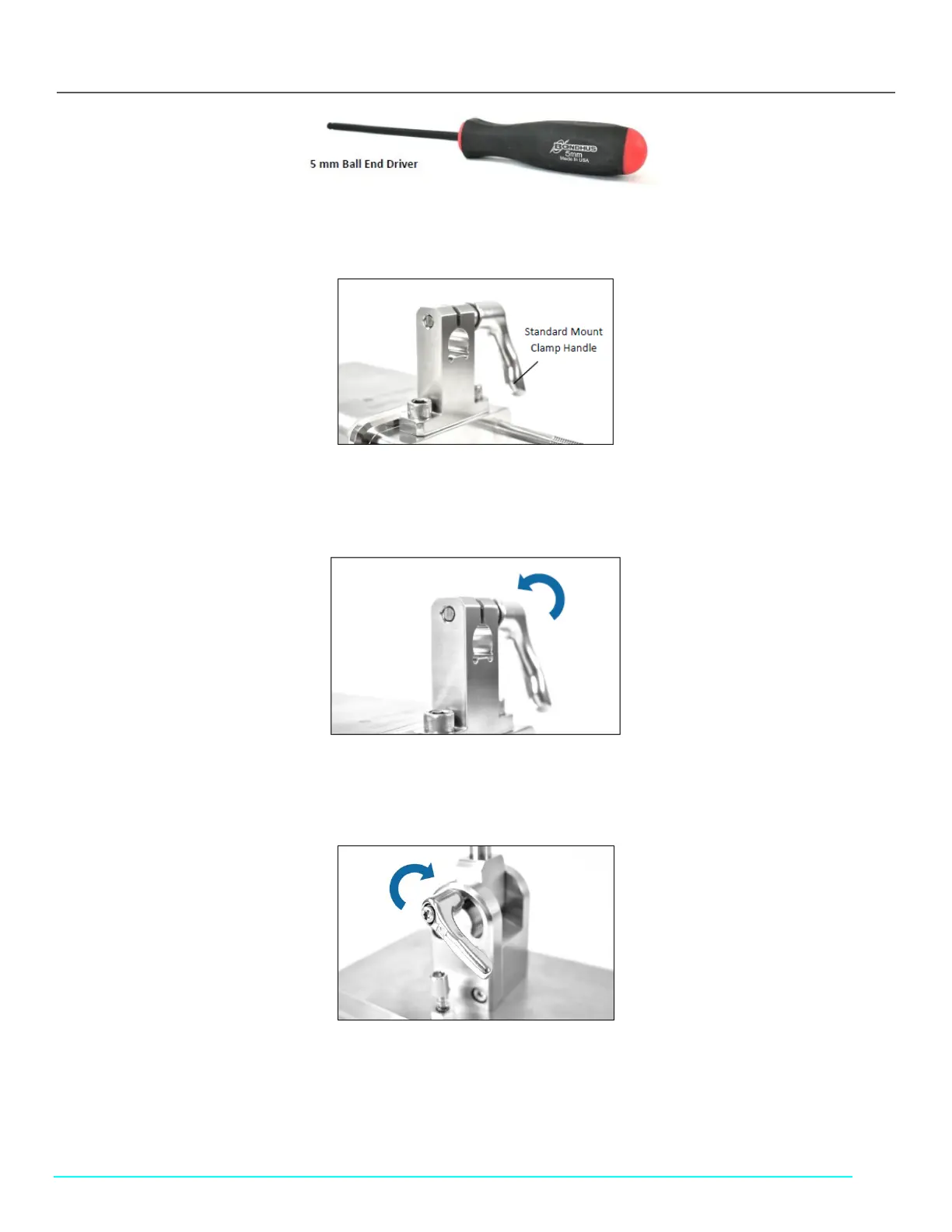
4. Install the Clamp Handle from the right side of the Standard Mount Clamp (Figure 17).
Figure 17. Clamp Handle Installation
5. Turn until the threaded post on the Clamp Handle starts to appear at the other end of the Standard Mount Clamp (Figure
18). Do not fully tighten.
Figure 18. Rotate Clamp Handle
6. Ensure the mounting post on the Standard Mount is fully vertical. Tighten the Mounting Post Clamp Handle, if not already
tightened (Figure 19).
Figure 19. Tighten Mounting Post Clamp Handle
7. Pick up the FlowVPX Head and align the hole in the clamp with the mounting post. Ensure the flattened location on the post
aligns with the flattened area on the clamp (Figure 20).



 To Next Page