45
eRev. 1.08/15/2023
12. Affix the FC connector nut by aligning and tightening it by hand on the threaded end of the Fibrette, above the FX
connector nut.
13. Load the FlowVPX Detector into the Detector Validation Adapter (DVA) unit.
• Ensure that the Detector Connector is facing out.
14. Insert the reference standard into the sample vessel included with the DVA. Fill the vessel at least two-thirds full.
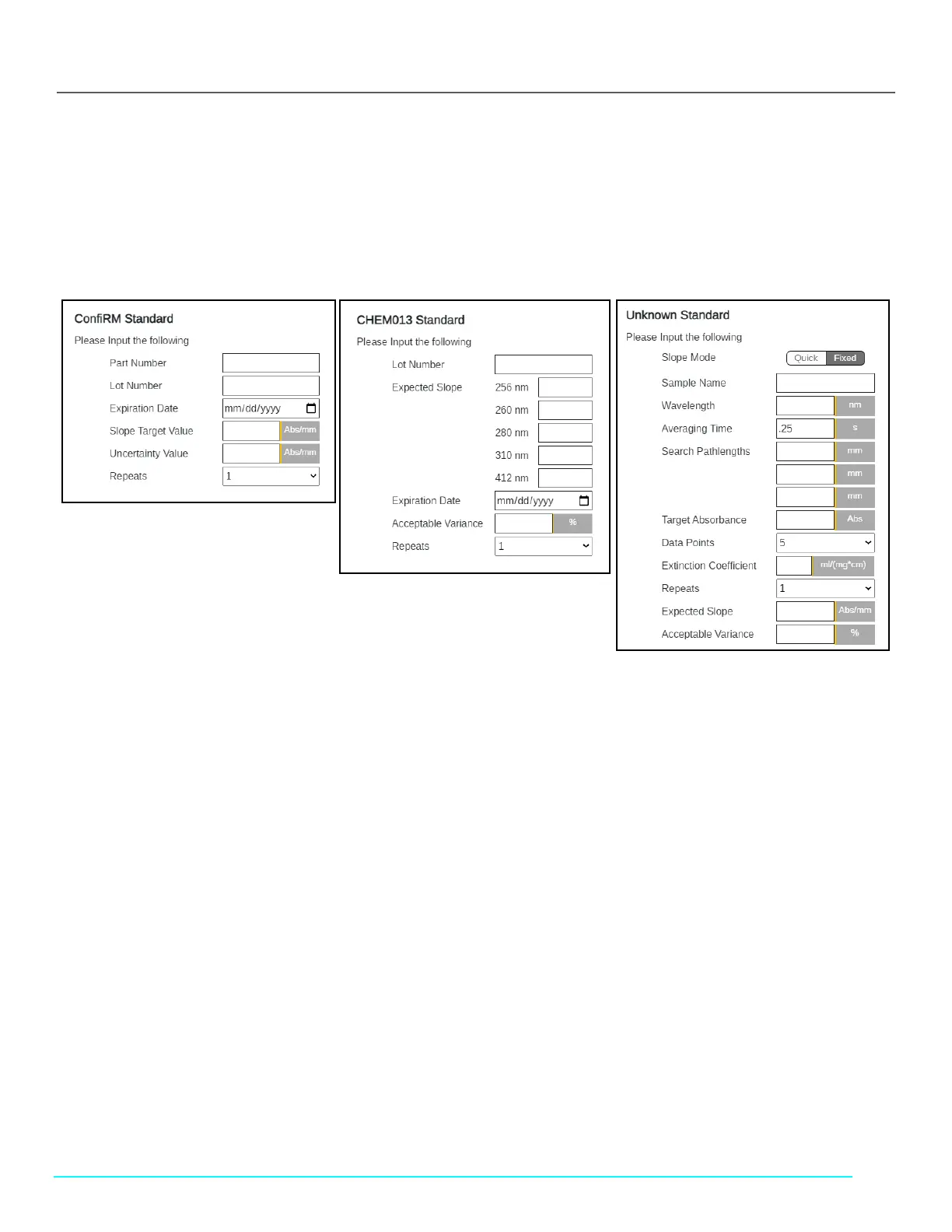
• Select the appropriate reference standard from the list and input the required information (see Figure 53).
• If the reference standard is unknown, complete the Unknown Standard fields.
Figure 58. Reference Standard Information Fields
15. Load the filled sample vessel into the DVA unit.
• Place the loaded sample vessel into the vessel holder.
• Take the vessel holder and place it on the DVA unit.
16. Place the assembly into the DVA unit.
• Carefully place the FlowVPX Head assembled with the loaded System Suitability Adapter on the Detector
Validation Adapter.
17. Affix the XSA unit to the DVA unit.
• Tighten the two thumbscrews using a 5 mm screwdriver to securely attach the FlowVPX Head to the Detector
Validation Adapter.
18. Wait for ViPER to search for the Zero Position.
• If the Zero Position is successfully found, click Continue.
• If the Zero Position is not located, retry the search.
19. Connect the Delivery Fiber to the FC connector nut.
• The other end of the Delivery Fiber should be connected to the Cary 60 spectrophotometer.
• Ensure the key on the Fiber connector lines up with the keyway on the FC nut, then hand-tighten.
20. Connect the Detector Cable to the Detector connector of the FlowVPX Detector.
• Ensure that the other end of the Detector Cable is connected to the Cary 60 spectrophotometer.
21. Please wait while the transmission check is performed.
• If the %Transmission is displayed, the check was successful.
• If the transmission check fails, users are then prompted to retry until a successful %Transmission is read.
22. Once the check is complete, click Continue.
23. Please wait while ViPER runs the reference material.



 To Next Page