24
eRev. 1.08/15/2023
8. Connecting the FlowVPX Instrument to the Cary 60 Spectrophotometer and Computer
If using the Beams System, skip to section 9 below.
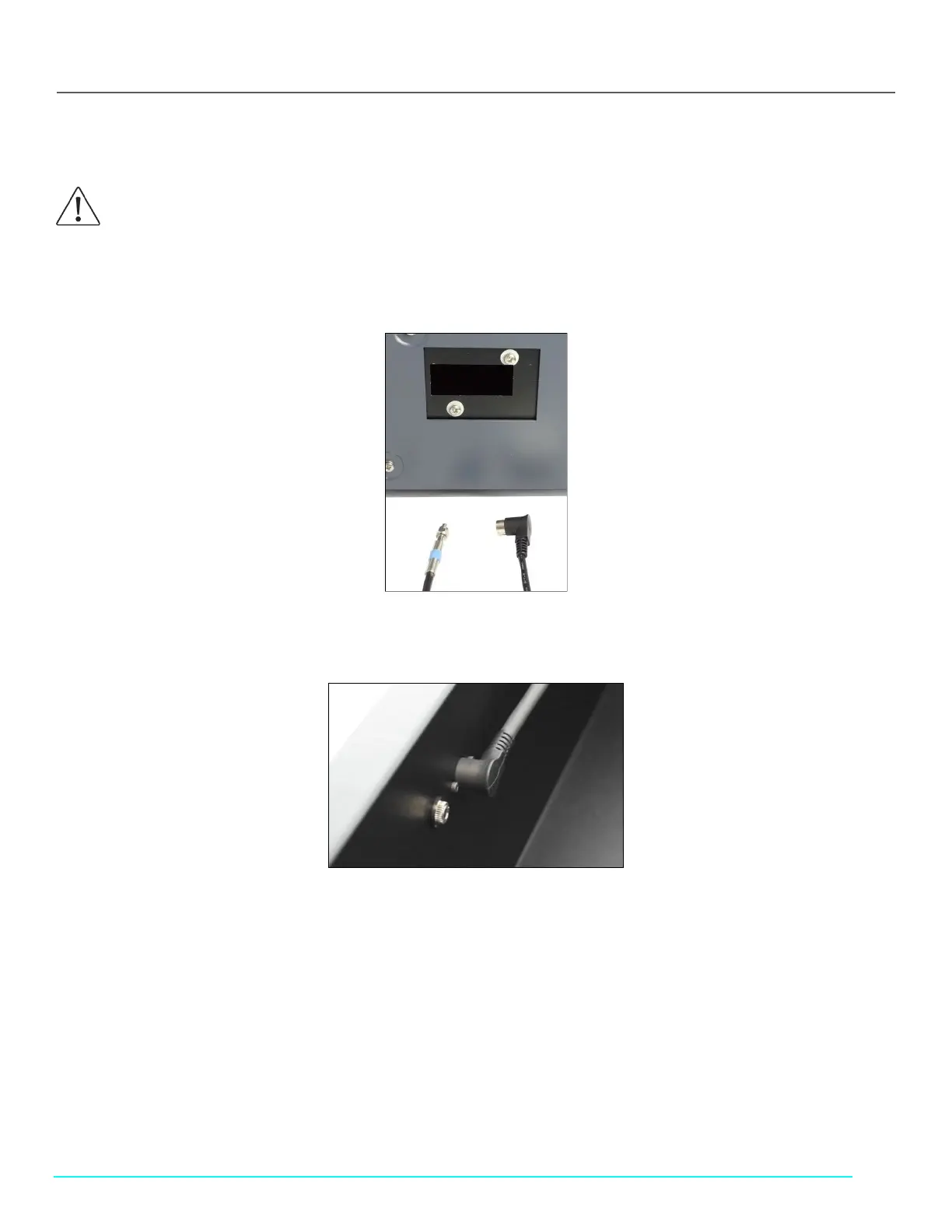
1. Pass the Detector Cable (EC0196) and the Delivery Fiber (SMA/hex-nut end) through the open accessory port at the back of
the Cary 60 spectrophotometer into the sample compartment (see Figure 23).
Figure 23. Accessory Port in Back of Cary 60 Spectrophotometer
2. Connect the black, right-angle plug of the Detector Cable into the wall of the Cary 60 sample compartment (Figure 24).
Figure 24. Detector Cable in Sample Compartment
3. Connect the Cary 60 power cable (supplied with the Cary 60) to the back of the Cary 60. Then connect the plug to an
approved outlet (Figure 25).
4. Connect the Cary 60 USB cable, (supplied with the Cary 60) to the back panel of the Cary 60. Connect the other end to a
USB port on the computer (Figure 25).
CAUTION: Avoid bending the Delivery Fiber past a 2" radius to ensure integrity of internal optical fiber.



 To Next Page