www.resourcedm.com
Revision 2.3 Page 21 of 72
Commissioning & Service Guide DMTouch
Warning
Please Note
The specifications of the product detailed on this
Set-Up Guide may change without notice. RDM
Ltd. shall not be liable for errors or for incidental
or consequential damages, directly and indirectly,
in connection with the furnishing, performance or
misuse of this product or document.
Ensure that all power is
switched off before
installing or maintaining
this product
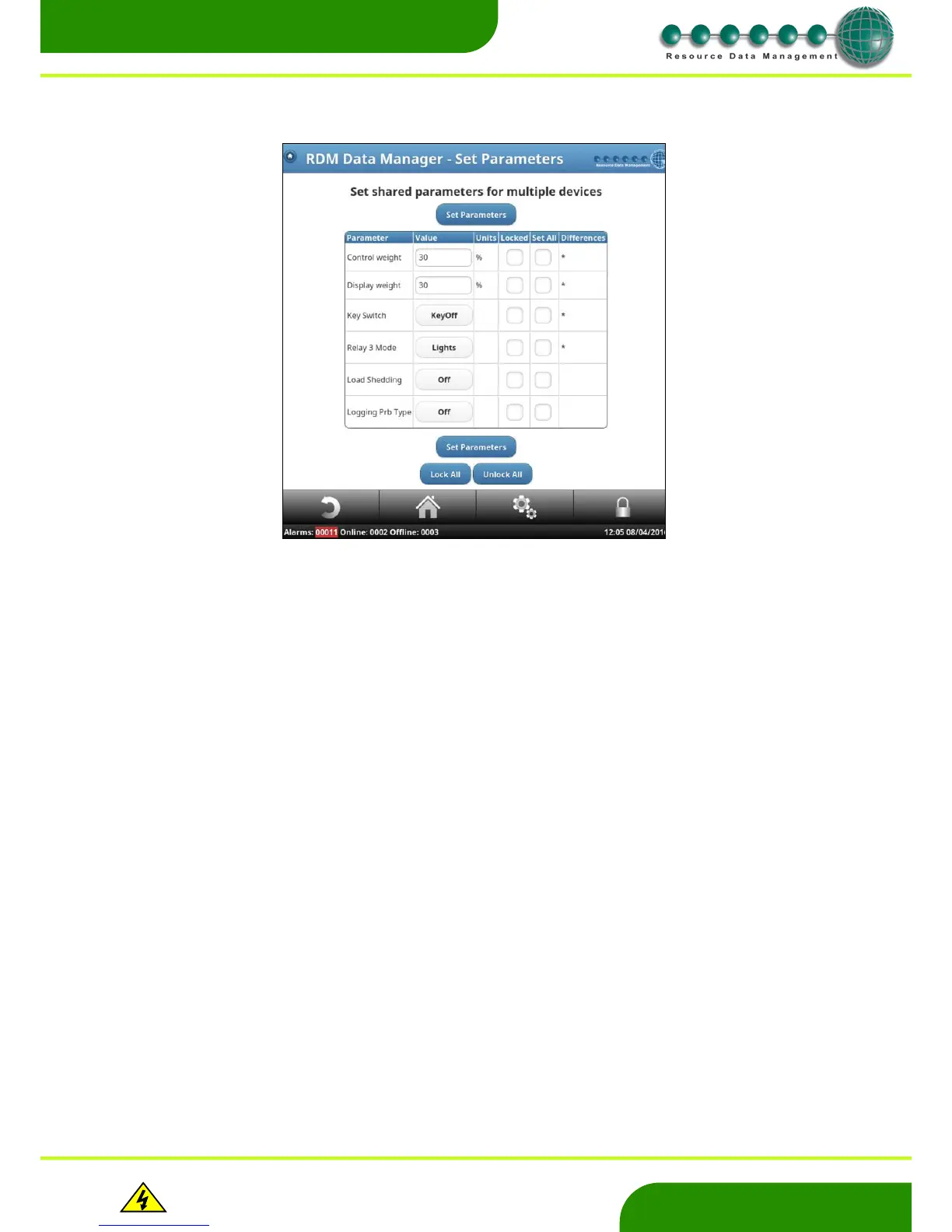
The following page will list all the selected parameters to be changed. Make the desired changes and click on ‘set parameters’. This will
update the selected parameters in all the previously selected devices.
Note: The ‘differences’ column will indicate if the parameter varies from the previously selected devices. Where there is no asterisks, the
‘shared parameters’ are all identical.


 To Next Page