8004708 Cellometer™ Ascend User Manual Rev A 11
Chapter 3. Instrument Description
This chapter describes the Cellometer Ascend instrument components, device label and system specifications.
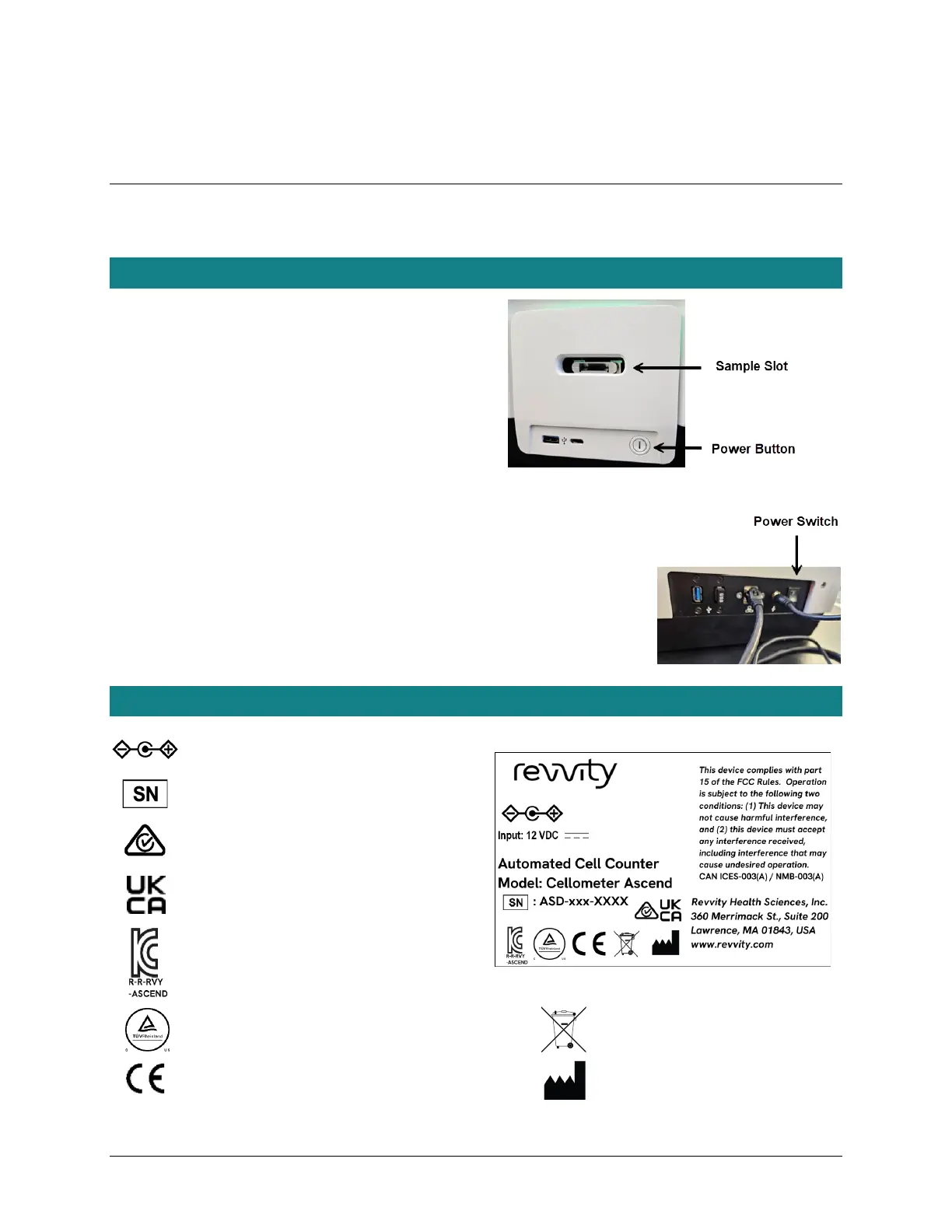
ASCEND COMPONENTS
Sample Slot: Counting chamber slides are inserted
into this slot for viewing (accepts only one slide at a time).
Ports: One port on front of instrument (USB A).
Three ports on back of instrument (two USB A
and one Ethernet).
Power Button: Toggles instrument from Run mode
(power ON) to Standby mode (power OFF).
Power Switch: Controls power going to instrument.
Power Cord Connector Input: Port used to
connect the power supply to the Ascend.
Device Label: Lists the instrument serial number (SN),
model, manufacturer and input power requirement.
DEVICE SN LABEL
Polarity DC Power Connector
Serial Number
Australian RCM Mark
UK Conformity Assessment Declaration of
Conformity to UK Directives
Korean Certification for EMC Directives
and Registration Number
NRTL Safety Mark
Waste Electrical and Electronic
Equipment Directive (WEEE)
European Conformity Mark
Manufacturer



 To Next Page