8004708 Cellometer™ Ascend User Manual Rev A 31
Chapter 8. Matrix Counting and Analysis Workflow
This chapter presents the basic workflow for counting cells using the Cellometer Ascend powered by Matrix
software, including best practices and tips.
For a complete reference on using Matrix software, see the Cellometer Matrix Software User Manual for details.
PERFORMING A COUNT
If you are using a Favorite containing pre-defined parameter settings, performing a count can be as simple as
selecting that favorite and inserting the prepared sample slide. Favorites enable users to select previously saved
counting parameter settings and instantly run samples without having to choose an application, thus bypassing the
setup process and the Preview screen (if Skip Preview feature is enabled). Scans that are performed frequently can
be run with minimal software interaction.
To customize count parameters before performing a count, choose an assay and enter parameter settings, load the
samples, and then preview the samples (if Skip Preview feature is enabled) before tapping the Count button.
Choosing Data Acquisition Workflow
1. In the Navigation Bar, tap the Acquire tab (if not already displayed by default) to display the Setup screen.
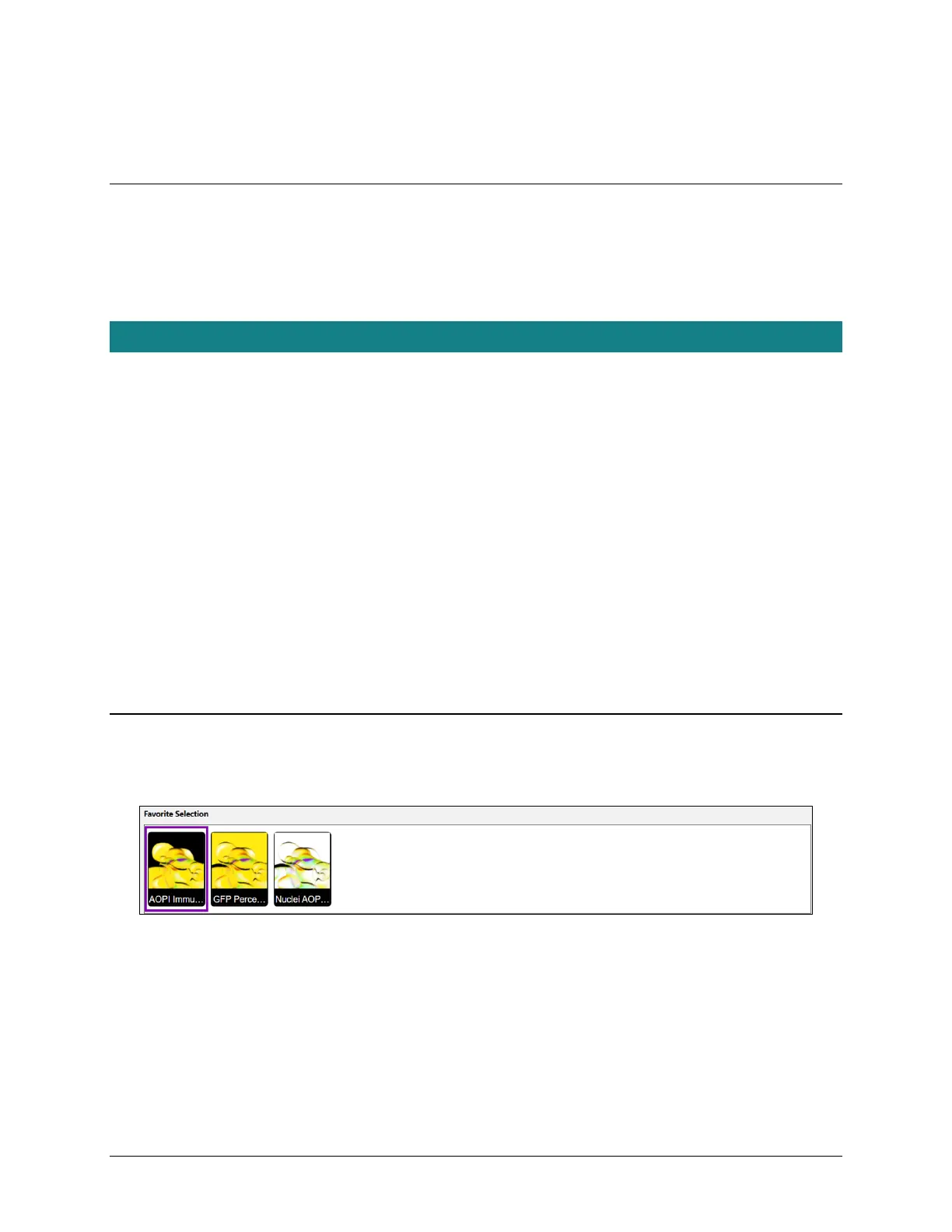
2. Either select a favorite from the Favorite Selection panel (see Selecting a Favorite on page 31) or choose an
assay and customize parameter settings for a count in the General, Consumable Details, Well Names, and
Reports and Exports areas (as described in Entering Parameter Settings on page 32).
SELECTING A FAVORITE
The Favorite Selection panel is displayed across the top of the Setup screen and highlights either the last used
favorite or the system default. Scroll across the panel to select a favorite.
To run the selected favorite, simply tap the Preview button (if enabled; skip to Previewing Samples on page 33) or
the Count button (see Tapping the Count Button on page 36) to proceed.
To run an assay available in the dropdown, users can customize parameter settings before performing a count.



 To Next Page