Chapter 5. Operation
8004708 Cellometer™ Ascend User Manual Rev A 20
Note: This instrument is a touch-screen device enabling users to interact directly with GUI by tapping gently on
screen elements (e.g., tabs, icons, dropdowns, or buttons) using a finger or stylus pen. As an alternative, a USB
mouse may be connected.
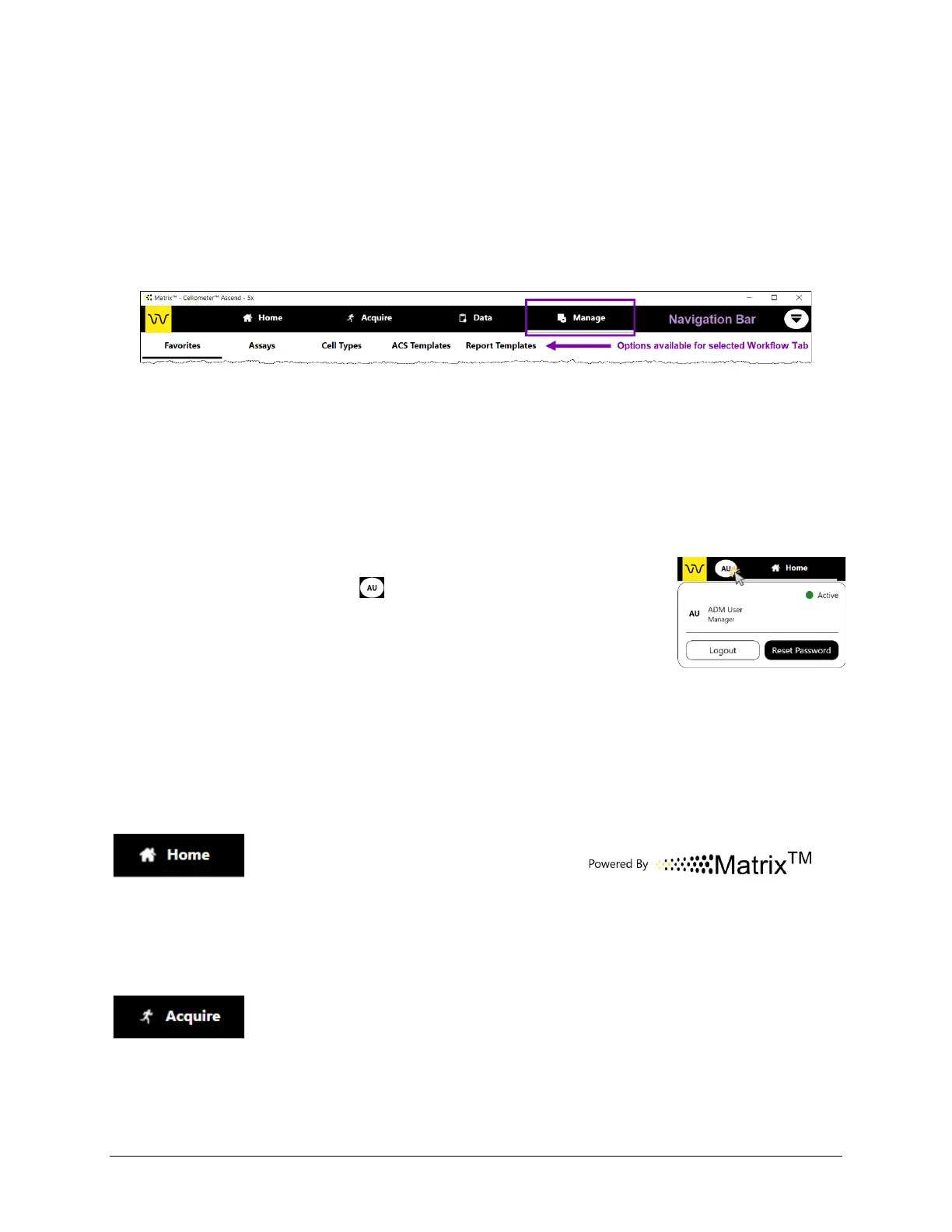
Navigation Bar
The Navigation Bar visible across the top of the screen is always displayed and contains the Home, Acquire, Data
and Manage tabs. Tapping on a tab displays options for that tab (if available) in a secondary Options Bar.
Functionality of Navigation Bar elements is described below.
Workflow Tabs: The Home, Acquire, Data and Manage tabs represent key
areas of functionality as described in Workflow Tabs, below. Tapping a tab may
display options for that tab (if available) in a sub navigation bar.
If the Matrix 21 CFR Part 11 module is enabled, additional Roles, Users, and
Audit Trail tabs are displayed.
User ID/User ID Card: If the Matrix 21 CFR Part 11 module is enabled, the
identity of the currently logged in user is displayed. Tapping the User ID
displays the User ID Card which contains the Logout and Reset Password
buttons. See the Cellometer Matrix Software User Manual for details on using
module functionality.
Workflow Tabs
Functionality associated with each workflow tab is described below. Note that tapping the Acquire or Data tab
launches a series of sequential screens that guide you through a process, while options in the Manage tab may be
individually selected at any time to perform distinct tasks.
Home Tab: Displays the instrument and Matrix software logos.
Also contains the About Matrix™ button which displays software version details and
Support contacts, as well as the Generate Diagnostic Report/Clear All Logs buttons
used to assist Support with troubleshooting technical issues. See Viewing Software
Version on page 24 and Generating Diagnostic Reports on page 50.
Acquire Tab: Selects the Data Acquisition workflow. In the Acquire tab you can
either select a favorite (with all assay settings pre-defined) or enter General and
Consumable Details information to select an assay before advancing to preview the
sample and confirm focus/ fluorescent exposure for each channel. See Performing a
Cell Count starting on page 31 for more information.



 To Next Page