5.2 System Configuration
5.2.1 GSD file
A GSD file which contains the setup information of IO device communication is
required when configuring the PROFINET IO controller.
Users can download the GSD file through the following steps:
1. Click on http://www.boschrexroth.com/dcc.
2. Choose “Frequency converter -> EFC 3610 (or EFC 5610)” from the naviga-
tion bar on left-hand side of the operation interface.
3. Choose “Download area” tab from right-hand side of the interface.
4. Click on “DEVICE_DESCRIPTIONS_MULTI-ETHERNET_EFCX610_xxxx-xx-
xx.ZIP” to download the ZIP file.
5. Extract the ZIP file and get the GSD file.
"xxxx-xx-xx" indicates the date.
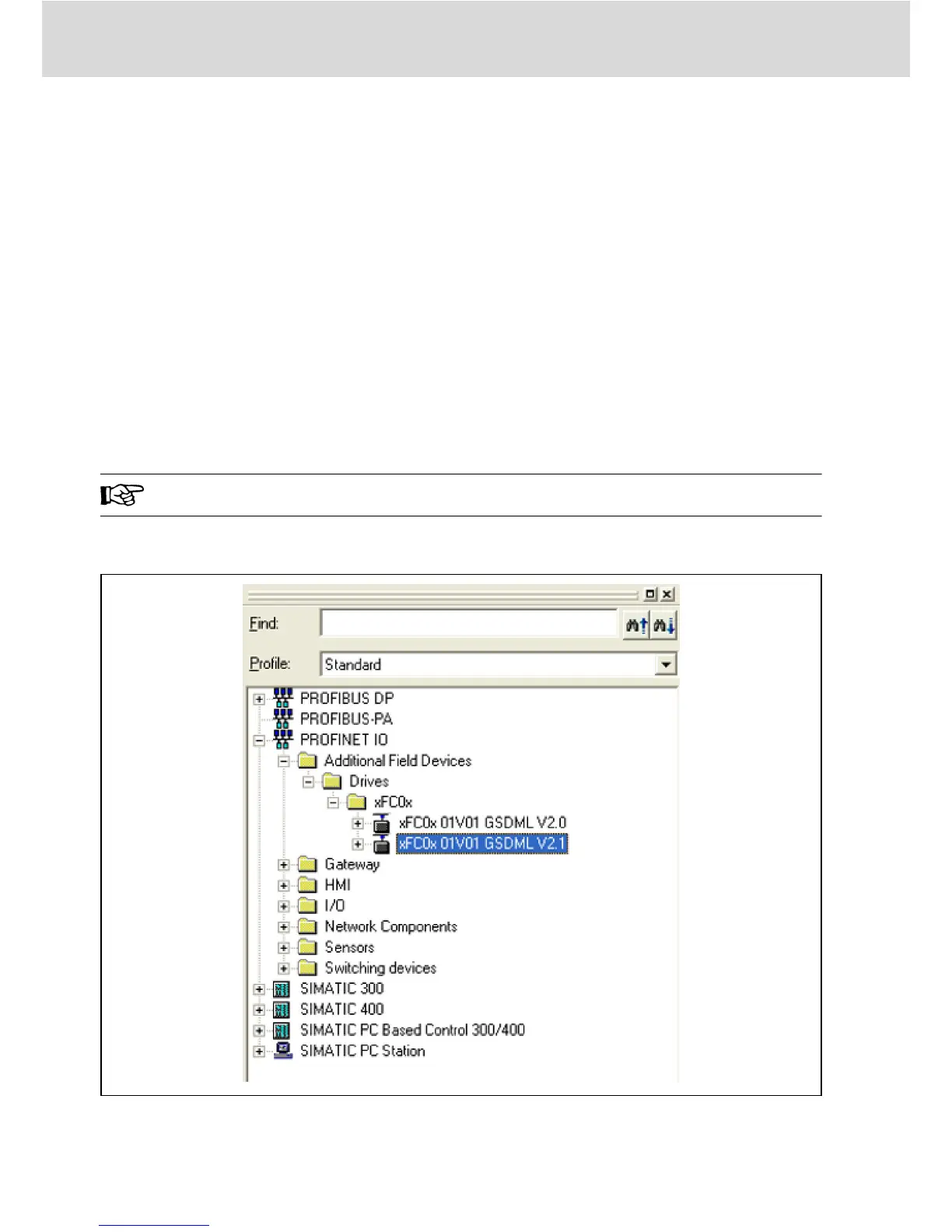
The following is the instruction of installing the GSD file on the Simatic Manager
software tool. It can be found in the hardware catalog.
Fig. 5-1: Hardware catalog
Bosch Rexroth AG
PROFINET IO
Multi-Ethernet Card
16/61
DOK-RCON0*-XFCX610*MUL-IT02-EN-P


 To Next Page