User Manual Bearing System RT-300
Issue: 2017/06/27 [Rev 1.04.c] Page 11 of 79 12-9-1-0013-9-2-0001-3-1-60
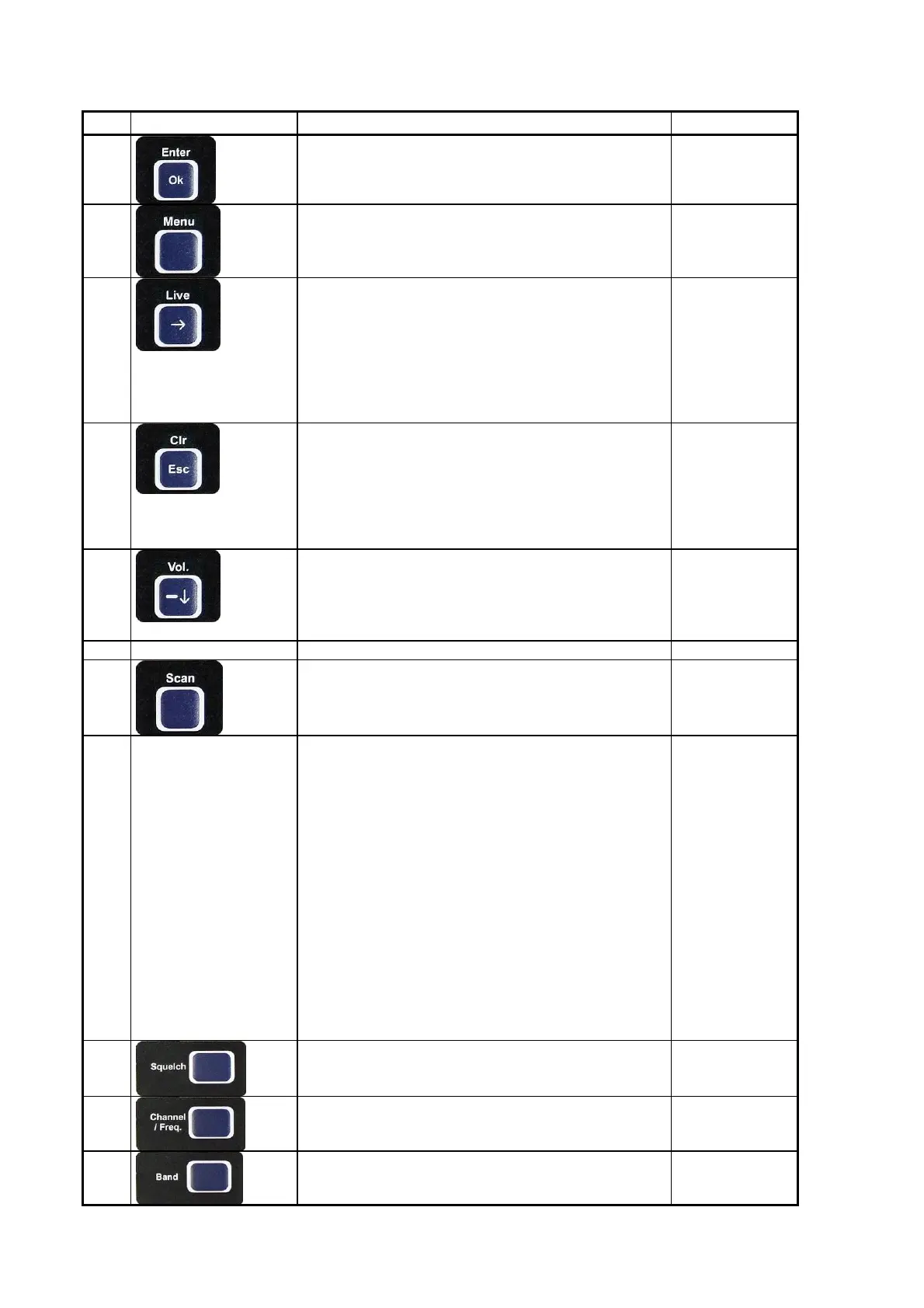
Pos. Designation Function see chapter
06
Confirms input or selection
07
Call-up menu or leaving menu 6
08
Live : In bearing-mode: displaying unaveraged
bearing values, if key is pressed.
: - In menu-mode: moves selecting field
upwards
- In selecting-mode: increases value to
maximum
- In frequency-/ channel-selecting-mode:
moves decimal to the right
5.2.9
09
Clr : In bearing-mode: cancelling bearing
average store
Esc : In selecting-mode: jumps to next higher
level
In adjusting-mode: ignores last not
confirmed input and jumps to next higher
level
5.2.10
10
Vol. - : In bearing-mode: decreases audio volume
: In menu-mode: moves selecting field
downwards
: In adjusting-mode: decreases value for one
step
5.2.5
11 Speaker Internal speaker output
12
In bearing-mode: activating and de-activating of
scan-function (confirming with ”OK”)
5.2.7
13 LC-Display Depending of operating mode display of following
information:
bearing mode:
- bearing value
- reference direction
- signal strength
- squelch threshold
- active frequency / channel
- status report
- time since last bearing
- scan function
- “selective squelch” (ELT only)
selecting-mode: - Menu
(Menu) - menu level
adjusting-mode: - adjusting range / menu
- limit values
- active buttons
5.1.3
14
Activating squelch adjusting mode 5.1.7
15
Activating mode for channel selection (maritime
band) or frequency selection (airband)
5.2.3
16
change-over between maritime band and airband 5.2.2



 To Next Page