User Manual Bearing System RT-300
Issue: 2017/06/27 [Rev 1.04.c] Page 33 of 79 12-9-1-0013-9-2-0001-3-1-60
In case of wrong display contrast please proceed as follows:
- Switch off device using key 1 < On/Off >.
- Keep pressed key 7 < Menu > and
- Switch on device using key 1 < On/Off >.
- Release key 7 < Menu >.
The contrast adjustment has the default value. If desired, proceed with a new contrast
adjustment.
6.2.1.2 Menu: BEARING
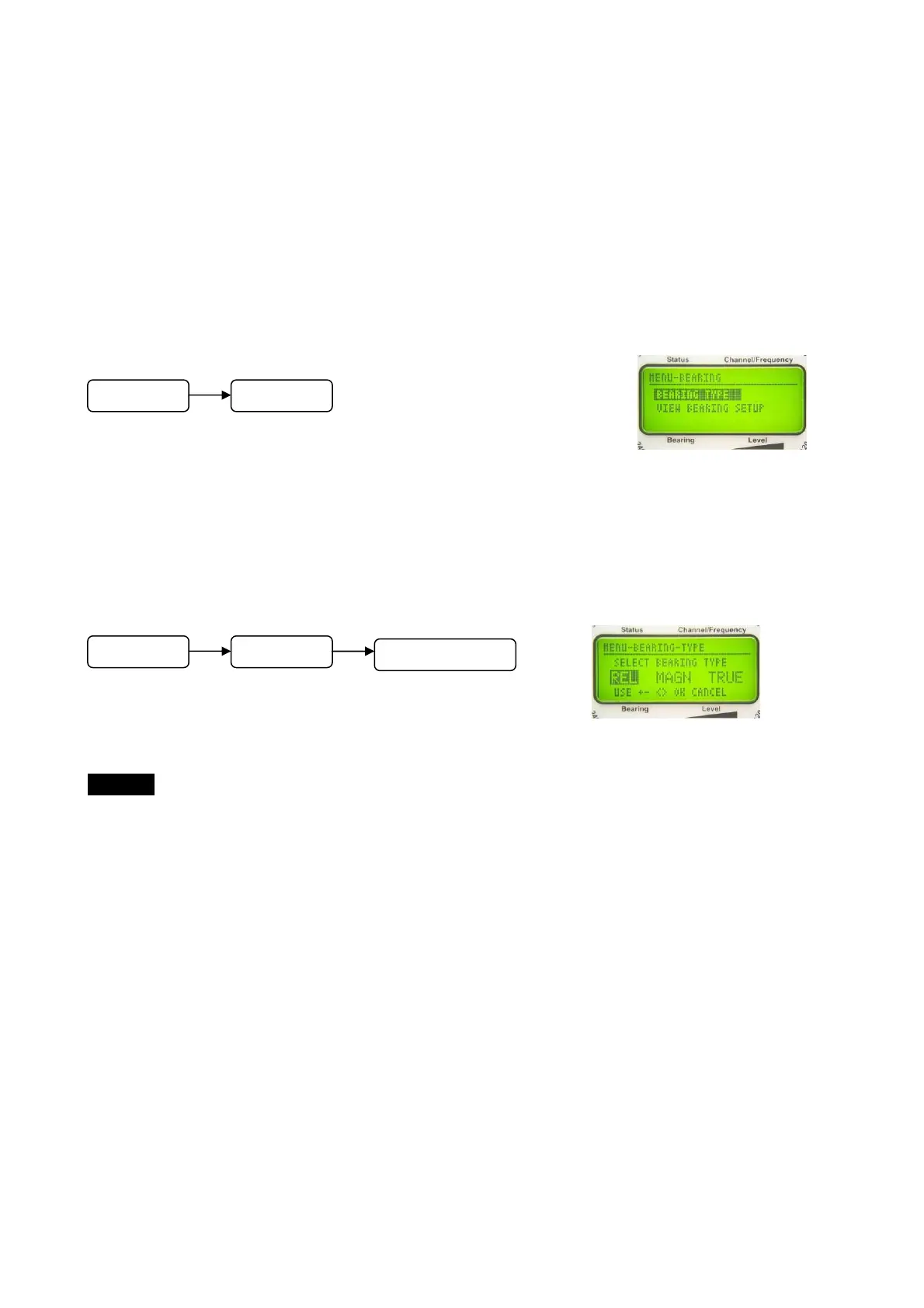
In the submenu BEARING the reference direction of the bearing value display may be selected
(see Fig. 7: Display). Furthermore, all relevant bearing setups can be observed.
6.2.1.2.1 Selecting Bearing Reference Direction: Selecting Function BEARING TYPE
In the submenu BEARING select function BEARING TYPE.
The submenu as shown in Fig. 34 will appear.
- Select reference direction by using keys 8 < > respectively 3 < >. The selection is shown
inverted.
- Confirm selection by using key 6 < Ok >.
- Key 9 < Esc > will reject the adjustment, the device is returning to the next higher menu level.
In the main menu this will finish the menu mode.
6.2.1.2.1.1 Reference Direction: Relative Bearing - REL
The digitally indicated bearing value is relative to the antenna´s longitudinal axis. If mounted
correctly, it is corresponding to the vessel´s (vehicle´s) longitudinal axis.
Fig. 33
Fig. 34
M
n
BEARING
M
n
BEARING
BEARING TYPE



 To Next Page