User Manual Bearing System RT-300
Issue: 2017/06/27 [Rev 1.04.c] Page 44 of 79 12-9-1-0013-9-2-0001-3-1-60
6.2.1.5.2 SETUP Menu RECEIVER
In setup menu RECEIVER all adjustments can be done
concerning the bearing receiver and it´s functions.
Following adjustments can be done in submenu RECEIVER:
Menu short designation Meaning see chapter
CHANNEL MODE (not
available for UHF/VHF-
Version)
Selecting frequency tuning (in the
maritime band) by either selection of
channel number or by input of
frequency.
6.2.1.5.2.1
POWER ON DEFAULTS Selection if system starts, when
switching on, with last selected
adjustments or with factory default.
6.2.1.5.2.2
AFC MODE Activating / deactivating of AFC
(automatic frequency control)
6.2.1.5.2.3
6.2.1.5.2.1 Frequency Selecting Mode in the Maritime Band: CHANNEL MODE
Usually the operating frequency in the maritime band is selected by an
allocated channel number. The bearing system offers the possibility to
input directly the frequency. In submenu SETUP – RECEIVER -
CHANNEL MODE you can make this setup.
CHANNEL MODE Operating Order
ON Frequency input by entering channel number
OFF Direct frequency input
NOTE
Selection is only possible in the maritime band.
Operating:
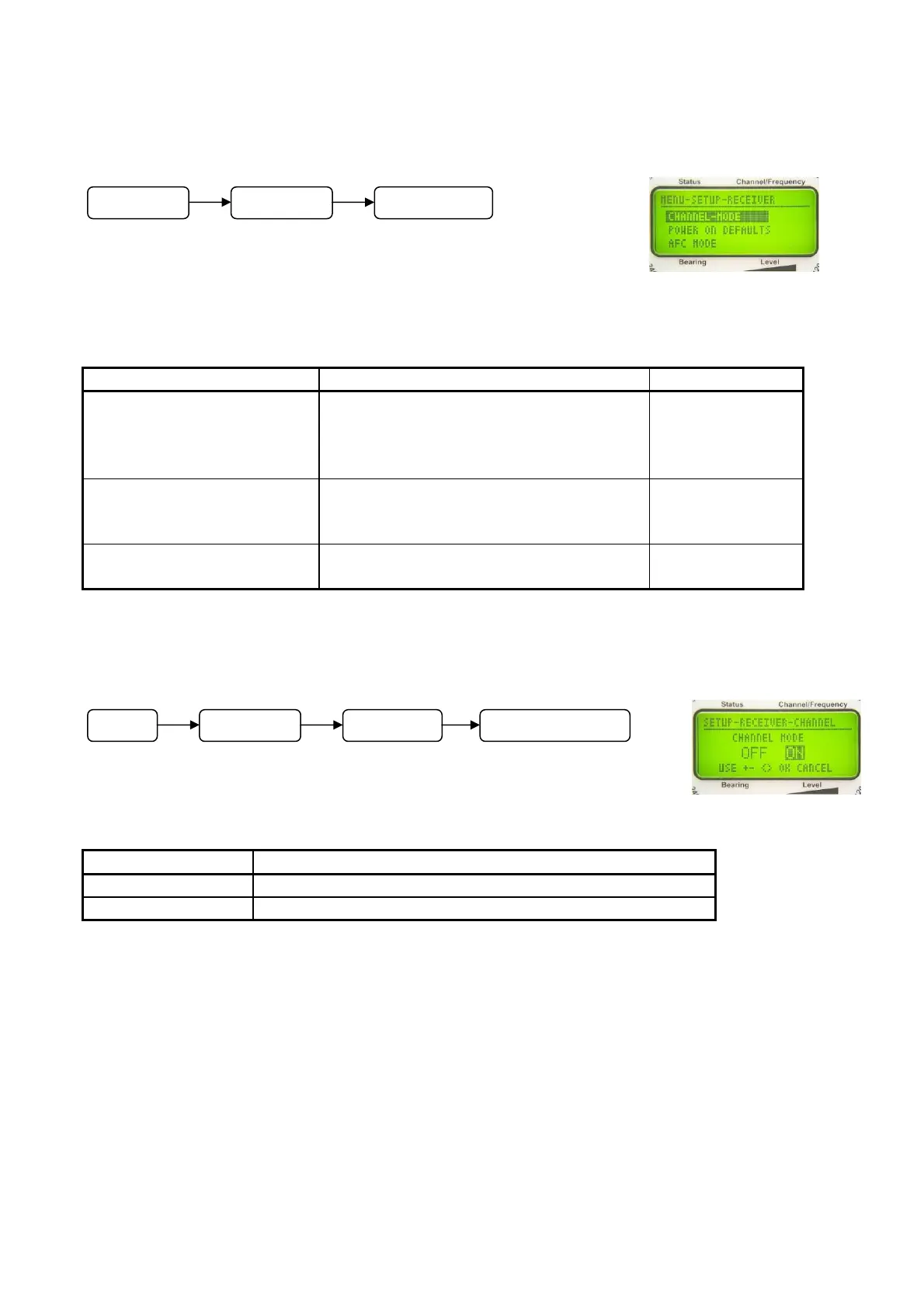
- In submenu SETUP - RECEIVER select function CHANNEL MODE, see Fig. 61.
- With keys 5 < + > respectively 8 < > and 10 < – > respectively 3 < > select ON or OFF.
- The active selection is shown inverted.
- Confirm selection with 6 < Ok >.
- Key 9 < Clr > will reject the selection. The device will return to the next higher level of the
menu.
Fig. 60
Fig. 61
M
n
SETUP RECEIVER
M
n
SETUP RECEIVER CHANNEL-MODE



 To Next Page