User Manual Bearing System RT-300
Issue: 2017/06/27 [Rev 1.04.c] Page 18 of 79 12-9-1-0013-9-2-0001-3-1-60
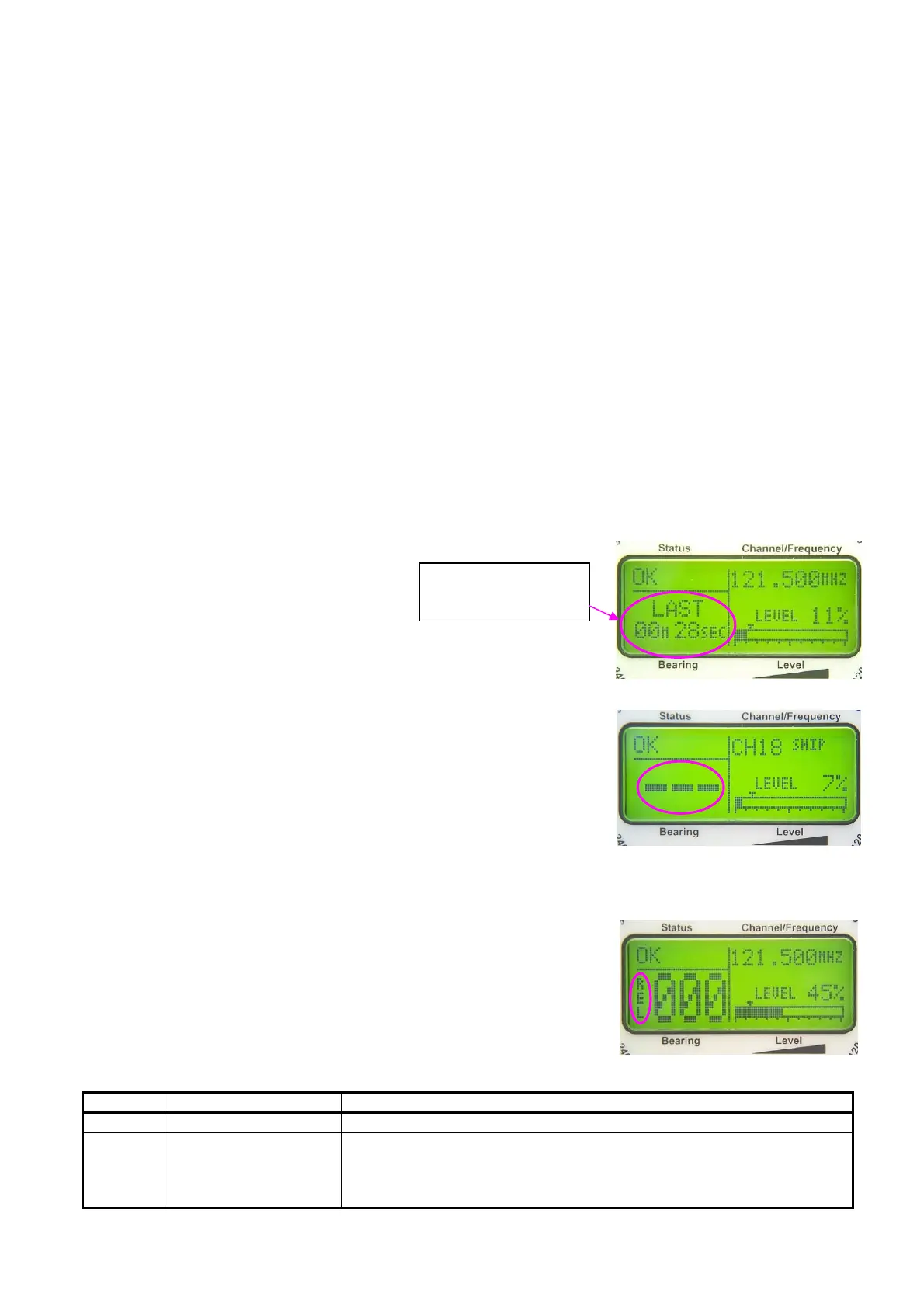
Indicating 28 sec
since last bearing
5.1.3 LC -Graphic-Display
The centered LC-Display is showing all relevant bearing data, adjustments and status reports.
Background brightness may be adjusted in submenu LIGHT/LCD - DIM LCD, contrast in
submenu LIGHT/LCD - CONTRAST.
When adjusting, the range of adjustment will be displayed as well as the active keys and their
function:
- In menu-mode all selecting fields and adjustments are displayed.
- In bearing-mode the graphic display is divided into following fields:
- bearing valuel digital
- direction of reference
- signal level
- squelch-level
- frequenzy- / channel-display
- status-display
- SCAN-display
- selektiver squelch (only ELT)
- status of alarm-contact
5.1.4 Digital Bearing Value Display
Receiving a bearable signal, the
bearing value will appear in the
display`s lower left area as a 3-digit
figure with a resolution of 1°. If there
is no more signal available, the display will start flashing for a
certain time, alternately showing in the display „LAST“
(adjustable in submenu: SETUP - BEARING - LAST TIME).
After that the information, „last bearing“ will be shown for
10 min, indicating the duration since the last bearing.
After 10 min without signal three dashes are displayed.
Fig. 9
5.1.5 Direction of Reference
The selected direction of reference is displayed left of the
digital bearing value.
Following directions of reference may be selected:
Display Direction of reference Remarks
REL relative bearing relative to longitudinal axis of antenna (north – south)
MAG magnetic north bearing relative to magnetic north
optional internal compass module required or
compass information via NMEA interface required, input of variation
(see 6.2.1.5.4.5.3)
Fig. 8
Fig. 10



 To Next Page