User Manual Bearing System RT-300
Issue: 2017/06/27 [Rev 1.04.c] Page 22 of 79 12-9-1-0013-9-2-0001-3-1-60
the last stage before shutting down. If the system was switched on before separating from the
operating voltage, it will be switched on after applying the operating voltage. If it was switched
off, it will remain switched off.
5.2.2 Switching the Band: Key 16 < Band >
The bearing system is able to receive and to bear frequencies in two different bands. The
VHF/UHF-Version is covering a certain frequency range in the UHF airband (241.00 ... 243.000
… 245.00 MHz) as well as a certain frequency range in the VHF airband (118.00 ...121.500 ...
124.00 MHz) where the international distress frequency is located.
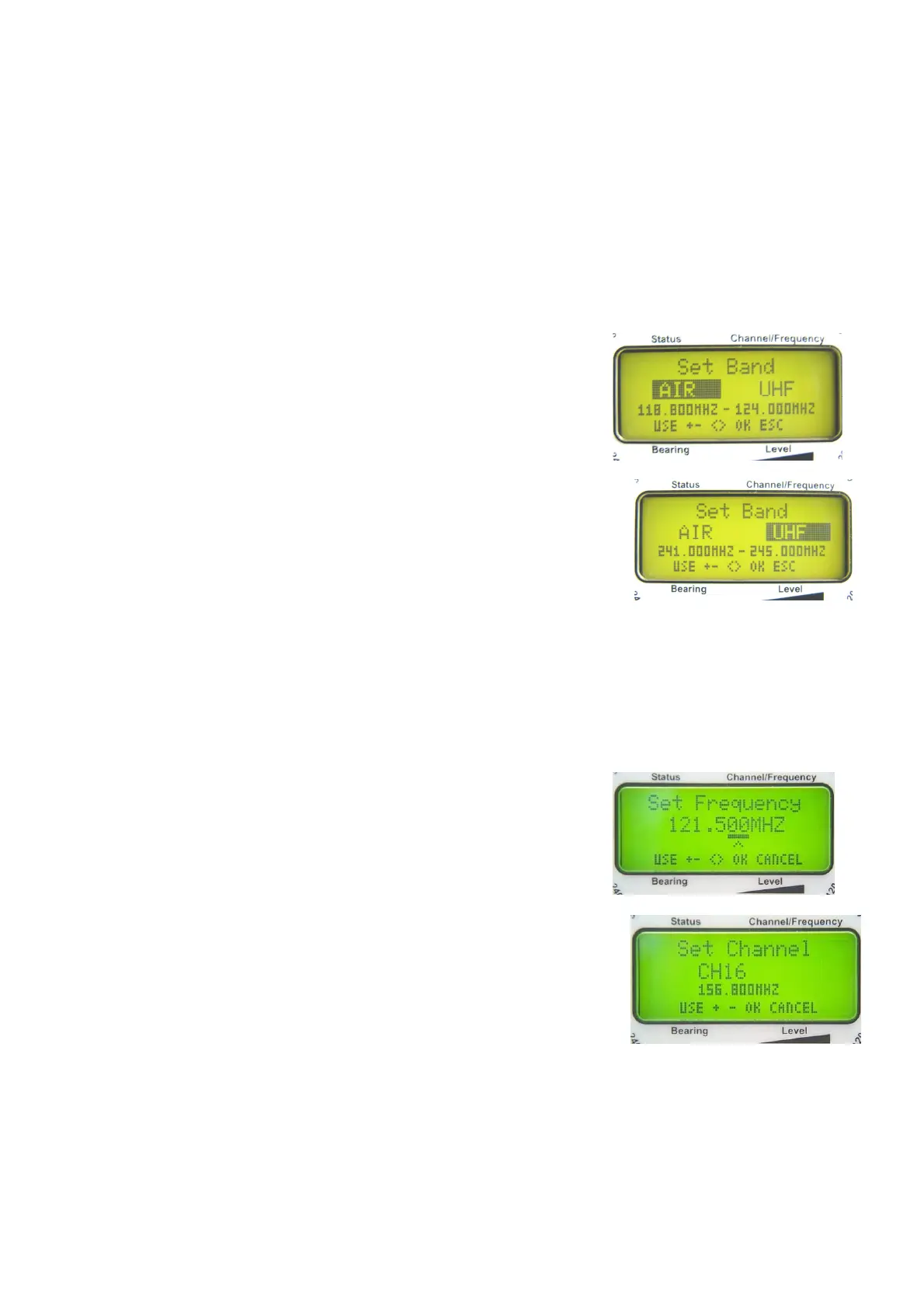
- Pressing key 16 < Band >, the menu for selecting the
frequency band will appear in the LC-display (see Fig. 15
and Fig. 16).
- Use keys 5 < + >, 10 < - >, 3 < > or 8 < > to select
one of the two bands.
- The inverted band is selected.
- Use key 6 < Ok > to confirm the selection. The device is
returning into bearing mode.
- If the selection has to be rejected, use key 9 < Esc >. The
device is returning into bearing mode, keeping the previous
adjustment.
- If the confirmation isn´t executed within 16 sec, the device is
returning automatically into the bearing mode, keeping the
previous adjustment.
- In the third line the available frequency range is indicated.
- In the fourth line the active function keys are shown.
5.2.3 Selection of Frequency / Channel: Key 15 < Channel / Frequ. >
Selecting the operational frequency in the airband is usually
done by direct input, with an incremental width of 25 kHz.
In the maritime band each frequency has an assigned
channel number. Selecting the frequency in the maritime
band is usually done by putting in the desired channel
number. However, the direct frequency input in the maritime
band can be done as shown in menu 6.2.1.5.2.
Airband and UHF:
- After pressing key 15 < Channel / Freq. > the „Set
Frequency“- window will appear on the display (see Fig. 17).
- Keys 3 < > and 8 < > are selecting the decimal, the
location is underlined.
- Keys 5 < + > and 10 < – > are increasing respectively decreasing the corresponding value.
NOTE
Inputs will be accepted only in the admitted frequency range.
Fig. 15
Fig. 16
Fig. 17
Fig. 18



 To Next Page