User Manual Bearing System RT-300
Issue: 2017/06/27 [Rev 1.04.c] Page 31 of 79 12-9-1-0013-9-2-0001-3-1-60
Pressing key 7 < Menu > in the bearing mode will call up the main menu. Following submenus
may be selected:
a) LIGHT/LCD: Adjustments of the LC-display´s lighting, keyboard, LED-circle and the
display´s contrast
b) BEARING: Selection of reference direction for the digital bearing value
Indication of relevant bearing parameters
c) INFO: Indication of received transmitter identification
Indication of receiver-parameters
Indication of DCU-parameters
Indication of operating parameters
d) SOUNDS: Adjustment of the keyboard´s volume
Adjustment of the alarm signal´s volume
e) SETUP: Selection of bearing parameters
Receiver adjustments
Configuration of interface
Selection of bearing value compensation with compass
Other adjustments
Reset of factory defaults
f) SERVICE: Displays and parameters required for service purposes
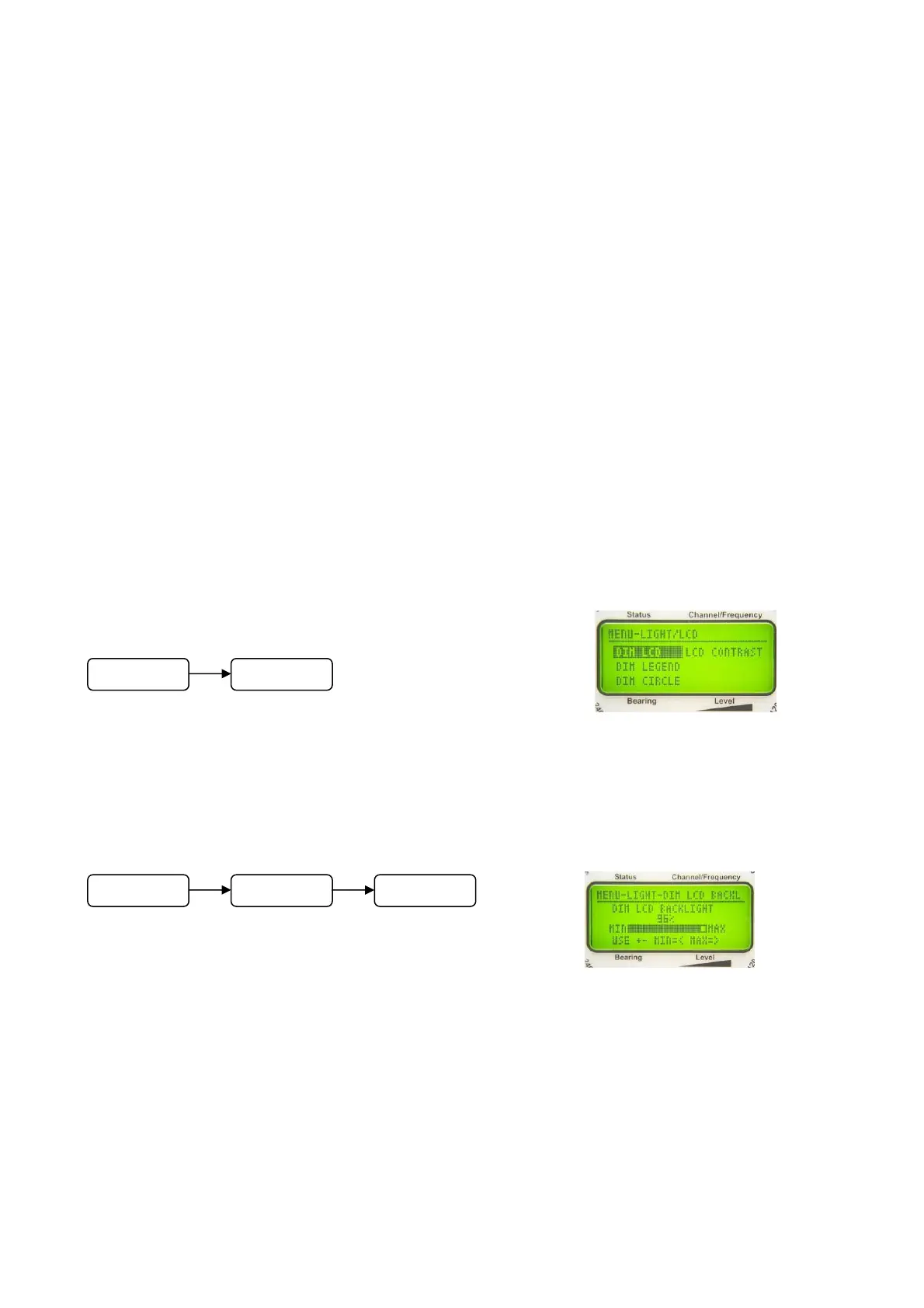
6.2.1.1 Menu LIGHT/LCD
In the submenu LIGHT/LCD all lighting adjustments for
display, keyboard and contrast can be done.
6.2.1.1.1 Adjusting Brightness of LC- Display: Function DIM LCD
In the submenu LIGHT/LCD select function DIM LCD.
The bar graph as shown in Fig. 29 will appear.
Keys 5 < + > and 10 < – > adjust background lighting of the LC-
display.
Keys 8 < > respectively 3 < > will switch the brightness to maximum or will switch off the
lighting.
Confirm adjustment using key 6 <Ok>.
Fig. 28
Fig. 29
M
n
LIGHT/LCD
M
n
LIGHT/LCD DIM LCD



 To Next Page