User Manual Bearing System RT-300
Issue: 2017/06/27 [Rev 1.04.c] Page 61 of 79 12-9-1-0013-9-2-0001-3-1-60
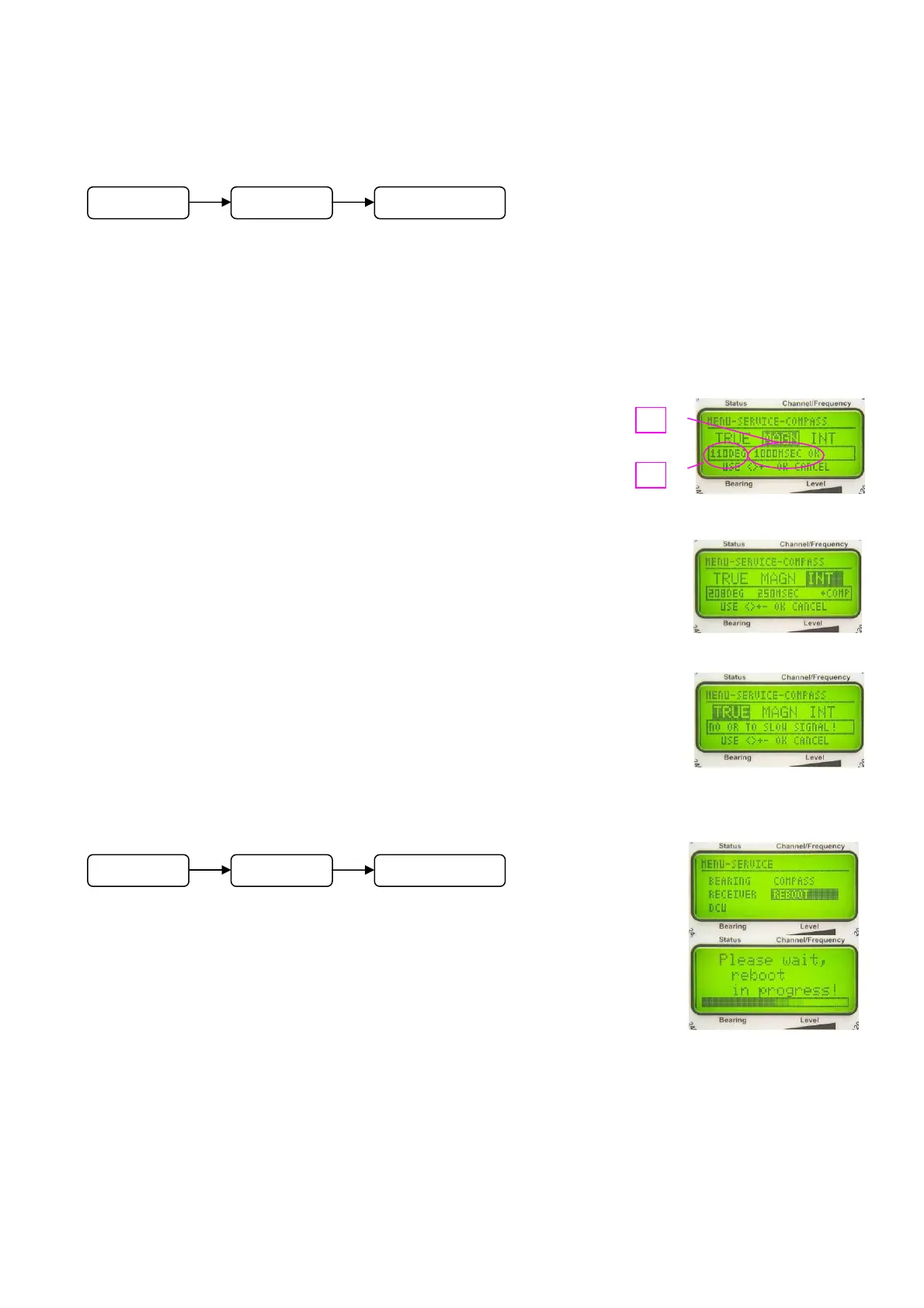
6.2.1.6.4 Service Menu: COMPASS
In submenu SERVICE - COMPASS the compass data, available for the different reference
directions respectively the internal (optional) compass module, are displayed.
Select the reference direction using key 3 < > and 8 < >.
If there are available NMEA-data as shown in Fig. 93 the graphic display will show bearing
value and data transmitting velocity. The LED-circle will show the present bearing too.
Example Fig. 93:
1. Data transmitting velocity (every 1000 ms one set of data);
OK is indicating, that all data can be interpreted.
2. Present heading
Example Fig. 94:
Internal compass
Compass heading = 208°
Data transmitting velocity: 250 ms
Heading compensation: activated (+COMP)
Example Fig. 95:
No compass data available for reference direction geographic north or
too few data to be interpreted.
6.2.1.6.5 Service Menu: REBOOT
Confirming REBOOT using key 6 < Ok > in submenu SERVICE -
REBOOT will restart the microprocessor of the DCU.
During booting the display is showing „Please wait, reboot in progress!”
as in Fig. 96.
Fig. 93
Fig. 94
Fig. 95
Fig. 96
M
n
SERVICE COMPASS
M
n
SERVICE REBOOT



 To Next Page