User Manual Bearing System RT-300
Issue: 2017/06/27 [Rev 1.04.c] Page 26 of 79 12-9-1-0013-9-2-0001-3-1-60
5.2.7.2 Activating Scanning Function
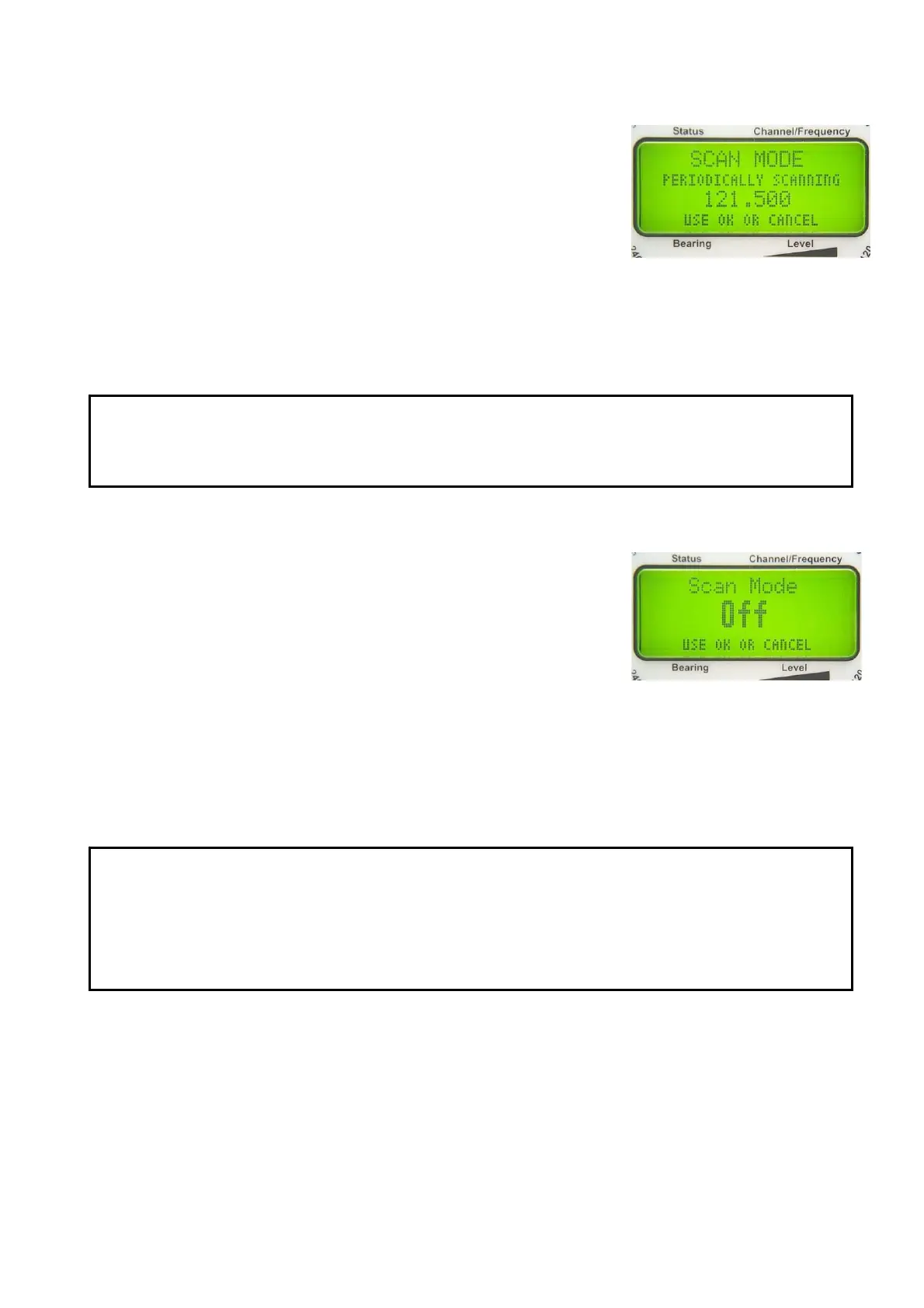
Pressing key 12 < Scan >, the scanning window in the display is
opened as shown in Fig. 23. Confirming within 5 sec with key 6
< Ok > activates the scanning function. The display „SCAN“ will
appear in the LC- display. (see Fig. 7: Display).
NOTE
- During the scanning process bearing isn´t possible on the
operating frequency.
- If a continuous signal is beared on the operating frequency, there is no scanning on the
distress frequency possible (only possible in signal gaps).
5.2.7.3 Deactivating Scanning Function
Pressing key 12 < Scan >, the scanning window in the display is
opened as shown in Fig. 24. Confirming within 5 sec with key 6
< Ok > deactivates the scanning function. The display „SCAN“
will disappear in the LC- display.
5.2.8 Function Repeat: Key 3 < Repeat >
If no more bearable signal is received, the last bearing value will still be indicated for 10 sec,
and then the display of the bearing value will disappear (see 5.1.4). By actuating key 3 <
Repeat > the last bearing value will be shown once more.
Fig. 23
Fig. 24
ATTENTION
If there is no compass compensation activated (see 6.2.1.5.4), the indicated
bearing value is corresponding with the vessel´s heading at the time of the last
bearing. If there was a change of heading in the meantime, this change has to be
taken in consideration!
ATTENTION
We strongly recommend always activating the scanning function in order to
minimize the risk of missing an alarm signal.



 To Next Page