User Manual Bearing System RT-300
Issue: 2017/06/27 [Rev 1.04.c] Page 46 of 79 12-9-1-0013-9-2-0001-3-1-60
- The active selection is shown inverted.
- Key 6 < Ok > will confirm selection.
- Key 9 < Clr > will reject the selection. The device will return to the next higher level of the
menu, working with the previous adjustment.
6.2.1.5.3 SETUP Menu: SERIAL
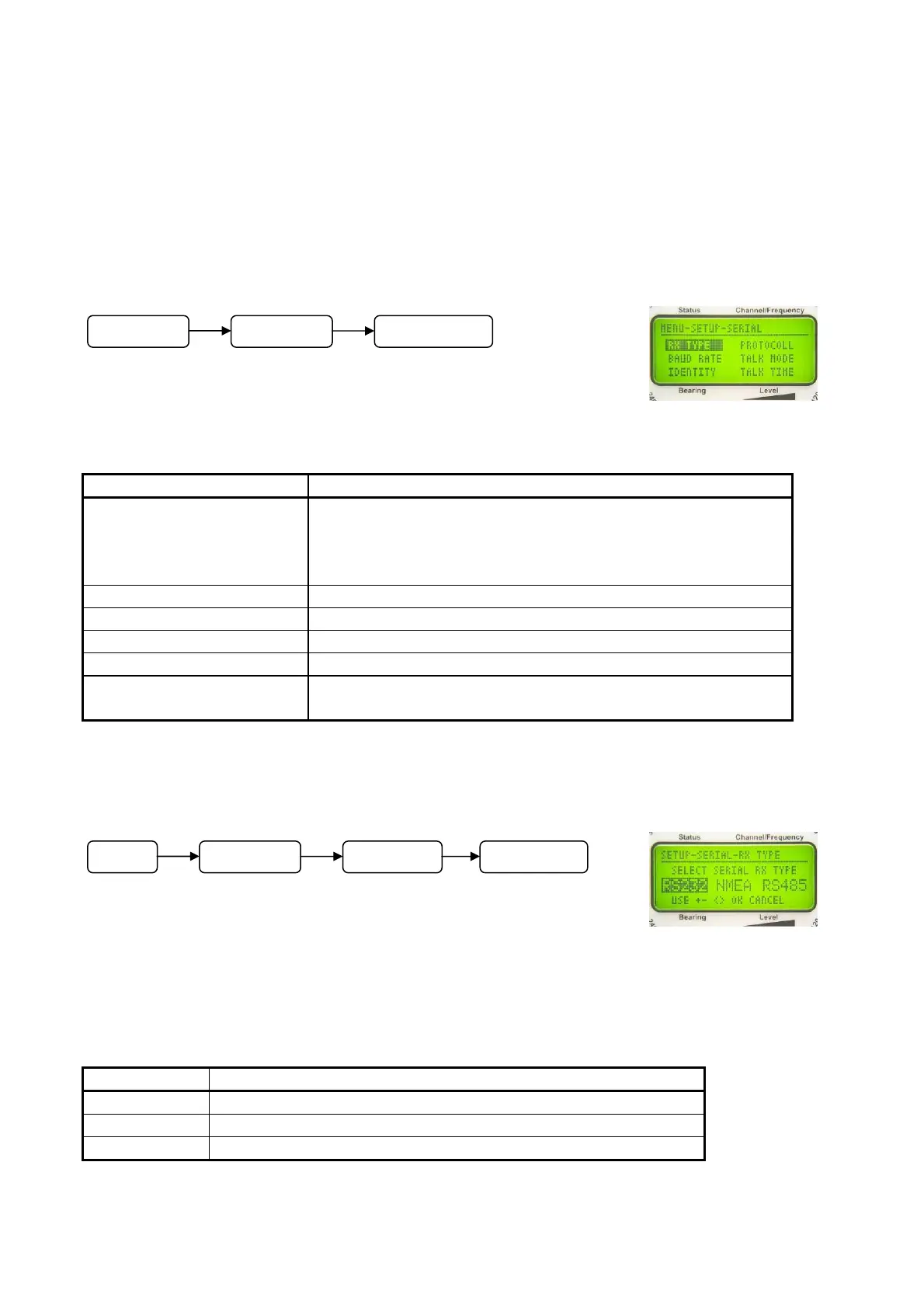
In submenu SETUP - SERIAL all adjustments concerning
interfaces and their function are done.
Following adjustments can be done in submenu SERIAL:
Menu Short Designation Meaning
RX TYPE Selection of type of interface
- RS-232
- RS-485
- RS-422 (NMEA)
BAUD RATE Adjusting velocity of data transmission
IDENTITY Selecting address-codes
PROTOCOLL Selecting data protocol
TALK MODE Selecting transmitting mode
TALK TIME Adjusting of transmitting repeating interval in TALK
MODE „Auto“
6.2.1.5.3.1 Selecting Type of Serial Interface for Data Reception: SELECT SERIAL RX
TYPE
For
data exchange, the bearing system is offering three different
interfaces:
- RS-232
- RS-485
- RS-422 (NMEA)
In setup-menu SERIAL - RX TYPE the interface for data reception can be selected.
Designation Meaning
RS232 Active interface RS-232
NMEA Active interface RS-422 (NMEA)
RS485 Active interface RS-485
NOTE
Fig. 64
Fig. 65
M
n
SETUP SERIAL
M
n
SETUP SERIAL RX TYPE



 To Next Page