User Manual Bearing System RT-300
Issue: 2017/06/27 [Rev 1.04.c] Page 52 of 79 12-9-1-0013-9-2-0001-3-1-60
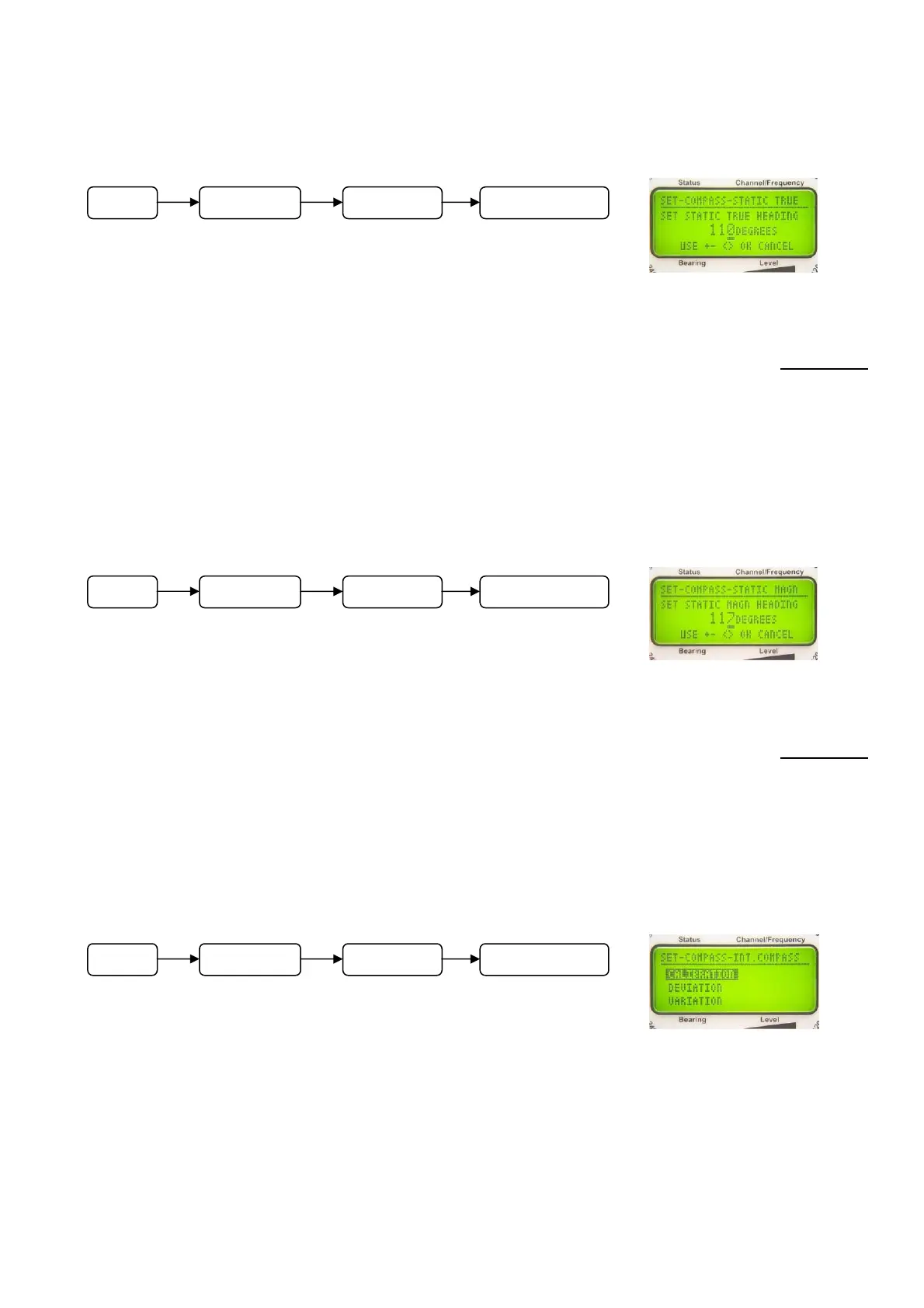
6.2.1.5.4.3 Input of Static True Value: SET STATIC TRUE HEADING
In submenu SETUP – COMPASS - STATIC TRUE a constant
value (angle) can be related to the direction of reference STATIC
TRUE (fixed, static mounting, referring to true north).
Operating:
- Keys 3 < > and 8 < > are selecting the decimal. The selected digit is shown underlined.
- Increase / decrease the corresponding value by using keys 5 < + > and 10 < – >.
- Key 6 < Ok > will confirm the selected value. The device will return to the next higher level.
- Key 9 < Esc > will reject the selected value. The device will return to the next higher level and
is working with the previous offset adjustment.
6.2.1.5.4.4 Input of Value ”Static magnetic”: SET STATIC MAG
In submenu SETUP - COMPASS - STATIC MAGN a constant
value (angle) can be related to the direction of reference STATIC
MAGNETIC (fixed, static mounting, referring to magnetic north).
Operating:
- Keys 3 < > and 8 < > are selecting the decimal. The selected digit is shown underlined.
- Increase / decrease the corresponding value by using keys 5 < + > and 10 < – >.
- Key 6 < Ok > will confirm the selected value. The device will return to the next higher level.
- Key 9 < Esc > will reject the selected value. The device will return to the next higher level and
is working with the previous offset adjustment.
6.2.1.5.4.5 Configuration of Internal Compass Module: INT. COMPASS
Is the bearing system equipped with the optional compass
module, following adjustments have to be done:
- Calibrating the compass
- Compensating of deviation (compass error)
- Adjusting of local magnetic variation
These adjustments can be done in submenu SETUP – COMPASS - INT. COMPASS.
6.2.1.5.4.5.1 Calibrating Compass: INT. COMPASS CALIBRATION
Fig. 74
Fig. 75
Fig. 76
M
n
SETUP COMPASS STATIC TRUE
M
n
SETUP COMPASS STATIC MAG
M
n
SETUP COMPASS INT. COMPASS



 To Next Page