jAdding Ink
129
4
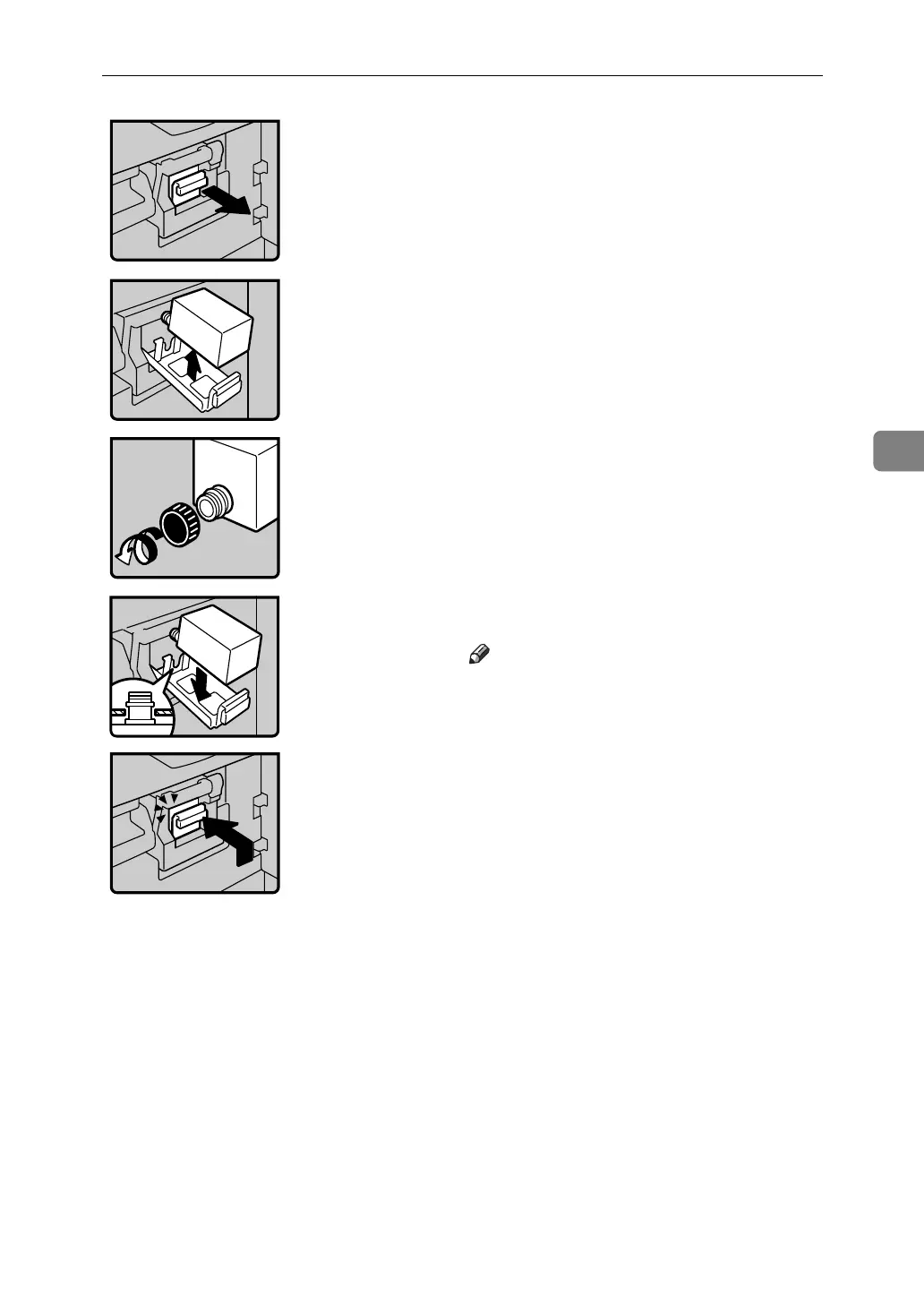
• 1: Open the front door.
2: Pull out the ink holder.
• 3: Remove the used ink cartridge.
• 4: Remove the cap of the new ink cartridge.
• 5: Insert the new cartridge into the ink
holder.
Note
❒ Always supply ink of the same color.
• 6: Return the ink holder to its original posi-
tion until it clicks.
7: Close the front door.
The machine will start idling to supply ink to
the drum.












 To Next Page