x Clearing Misfeeds
139
4
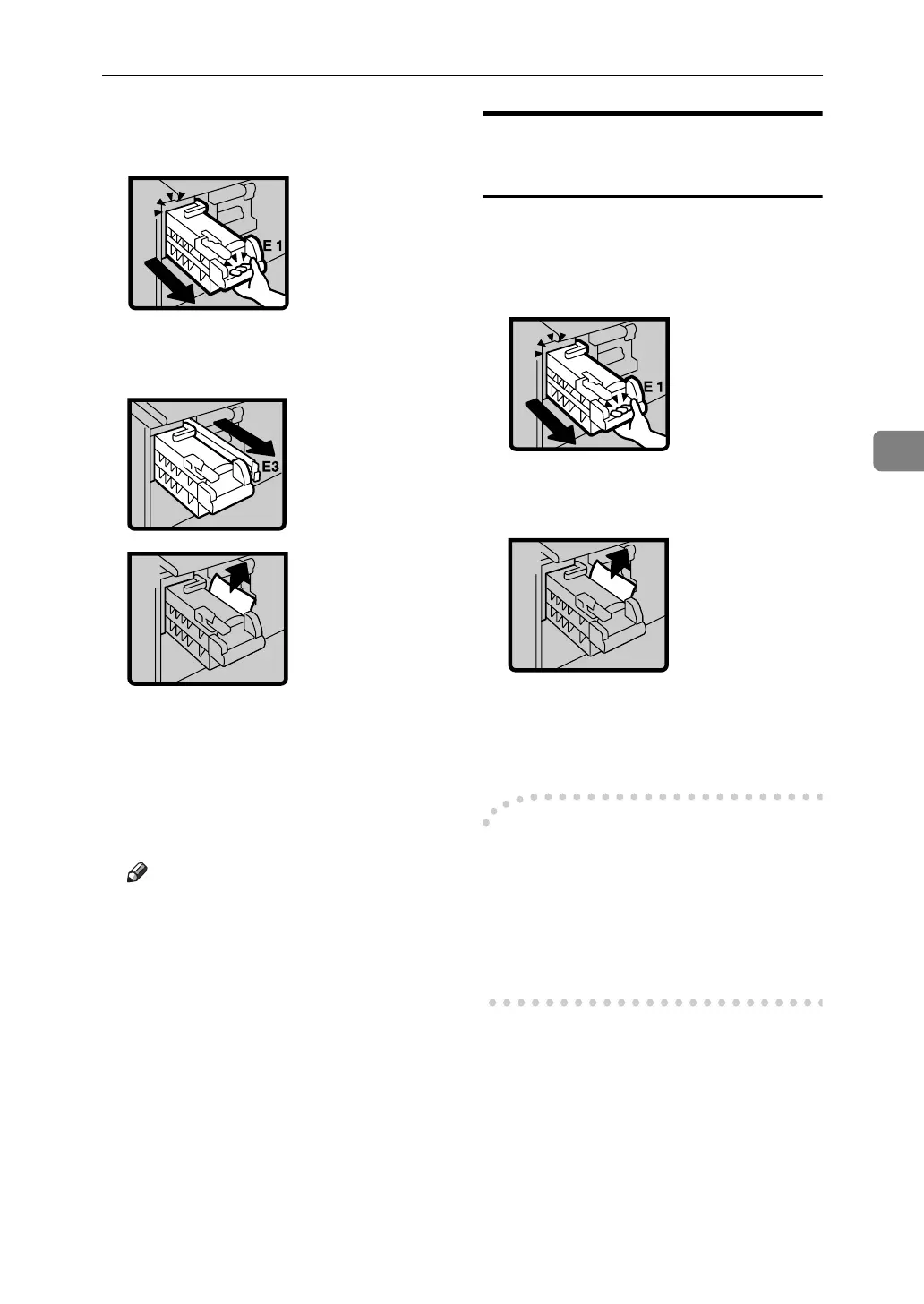
D Grasp handle (E1) and pull out
the master eject unit until it stops.
E Pull out lever (E3) and remove the
misfed master.
F Return lever (E3) and the master
eject unit to their original posi-
tions.
G Set the drum unit and close the
front door.
Note
❒ For setting the drum unit, see
p.112 “Changing the Color
Drum Unit”.
“x + E” Master Misfeeds in
the Master Eject Section
A Open the front door.
B Grasp handle (E1) and pull out
the master eject unit until it stops.
C Check where the misfed master
is. Remove the misfed master.
D Return the master eject unit to its
original position and close the
front door.
-If master misfeeds occur
frequently
If the master misfeeds frequently,
fragments of the master might be left
in the bottom of the master tray. Re-
move the fragments.












 To Next Page