Printing Functions
82
3
Format Overlay (Store + Store)
Note
❒ This function can be used only
when the optional HDD board is
installed.
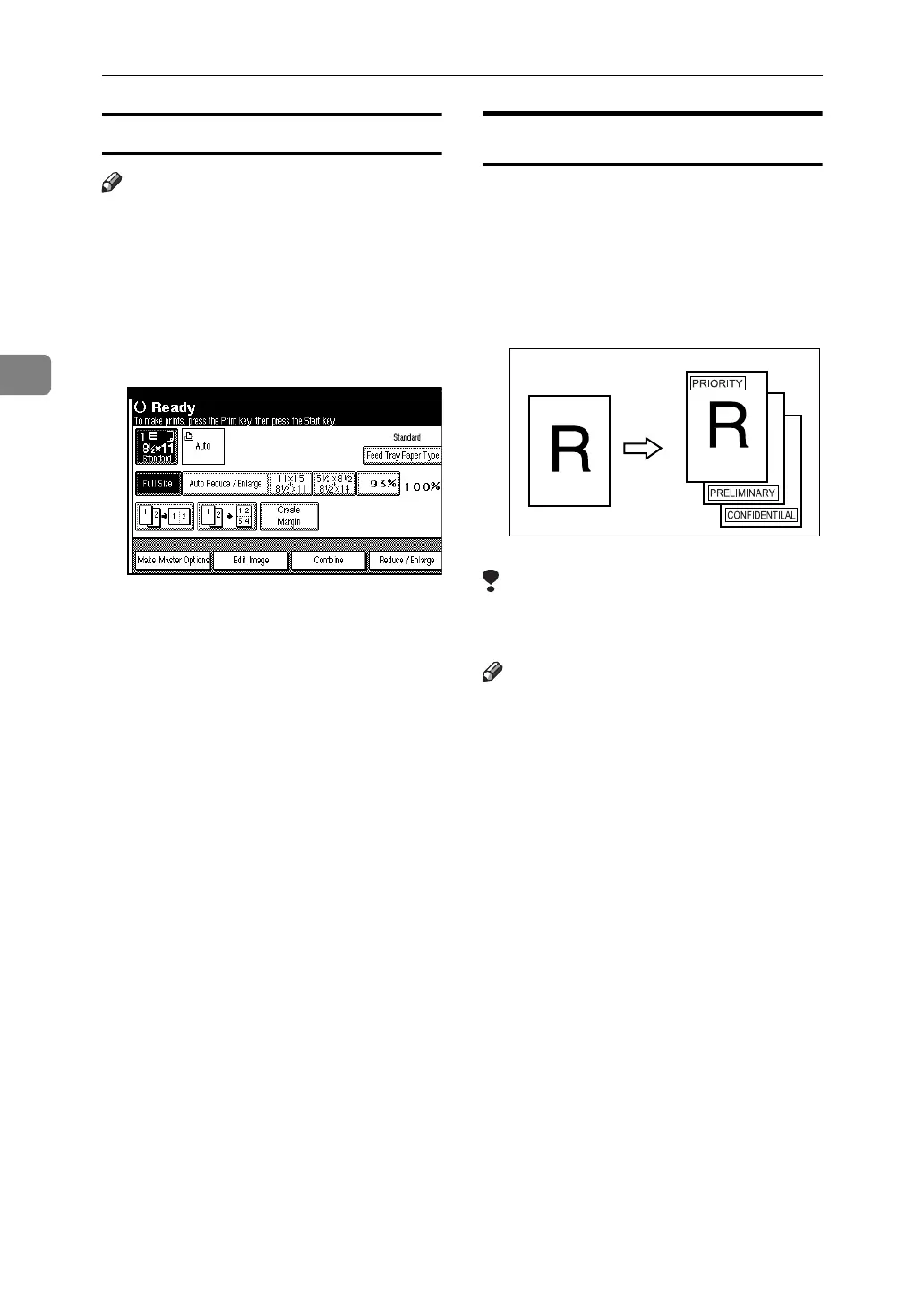
A Press the {Master Making} mode se-
lect key.
B Press [Edit Image].
C Press [Overlay].
D Press [Format Overlay (Store + Store)].
E Press [Stored File (Page 1)].
F Press the stored file name you
want to select as an original for-
mat, and then press [OK].
G Press [Stored File].
H Press the stored file name you
want to select as an overlay origi-
nal, and then press [OK].
I Press [OK] twice.
J Press the {Start} key.
Preset Stamp
One of the following three messages
can be stamped on prints with a
frame around it:
CONFIDENTIAL
PRIORITY
PRELIMINARY
Limitation
❒ Only one message can be stamped
at a time.
Note
❒ This function can be used only
when the optional HDD board is
installed.
❒ The message “CONFIDENTIAL”
is selected as a default. You can
change this setting with User
Tools. See p.162 “Stamp Type De-
faults”.
GRSTAM0E





 To Next Page