x Clearing Misfeeds
137
4
“x + D” Master Misfeeds in
the Master Feed Section
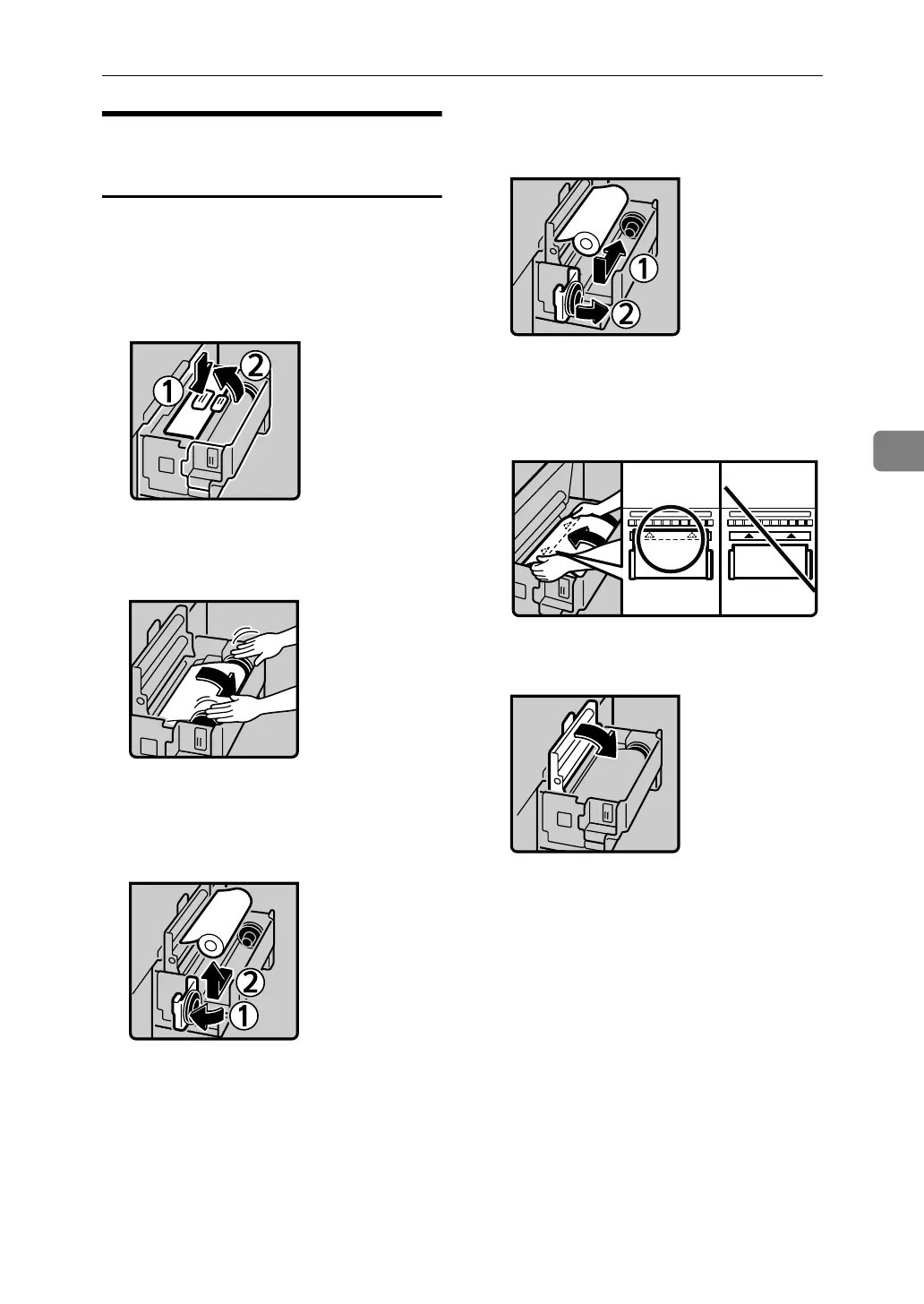
A Pull out the master tray until it
stops.
B Push the button and open the
master guide.
C Rotate the spool backward to re-
move the remaining masters.
D Open the master tray cover (1),
and then remove the master roll
(2).
E Reset the master roll (1), and then
close the master tray cover (2).
F Position the master roll so that the
edge reaches the interior of the
master holder.
G Close the master guide.
H Push in the master tray until it
stops.
AJK304S
ACY071S
ACY072S
ACY043S
ACY045S
ACY046S












 To Next Page