User Tools
166
5
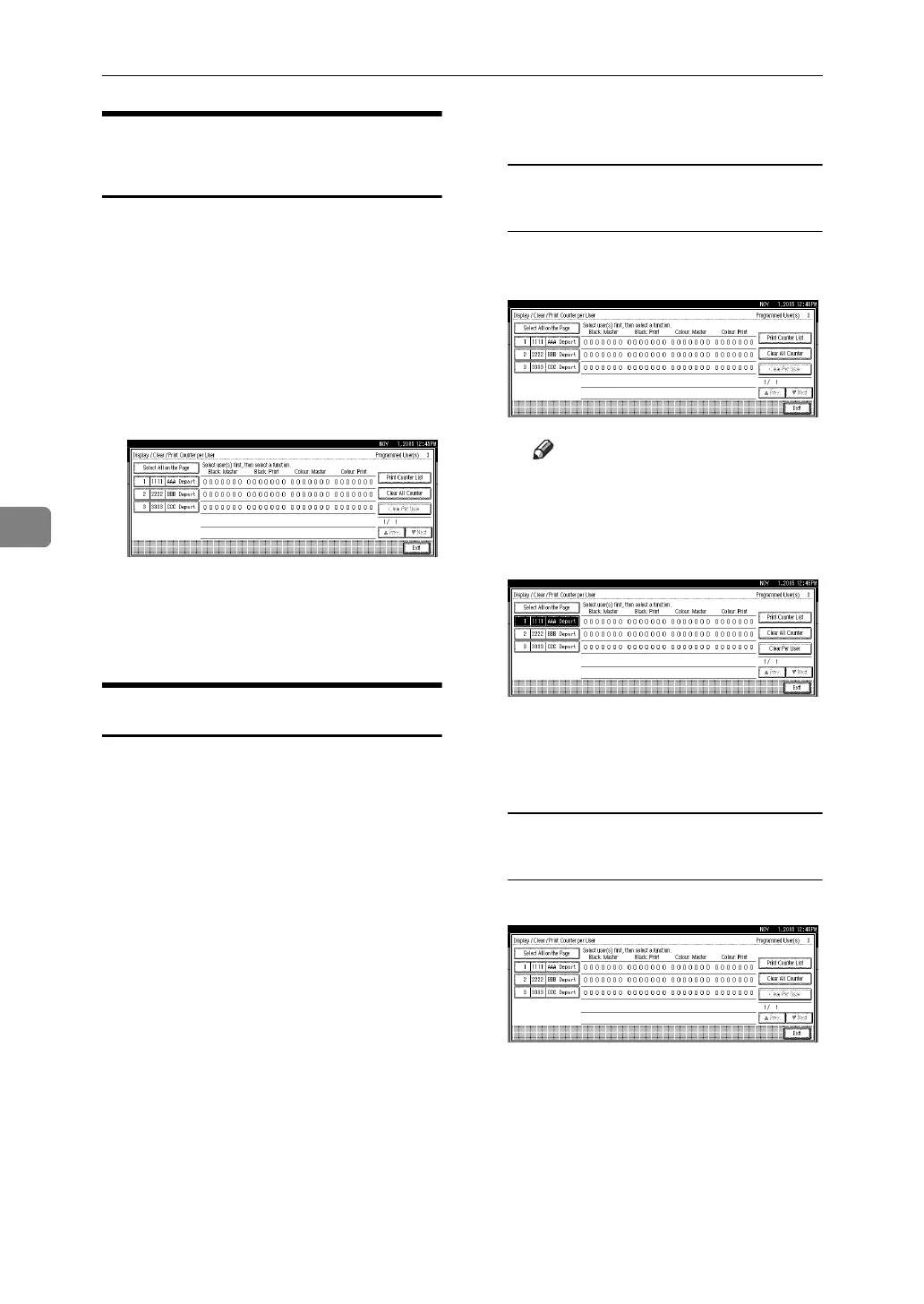
Printing the Counter for All
User Codes
A Press the {User Tools} key.
B Press [System Settings].
C Press [Administrator Tools].
D Press [Display / Clear / Print Counter
per User].
E Press [Print Counter List].
A confirmation dialog box will ap-
pear.
F Press [Yes].
Clearing the Counter
A Press the {User Tools} key.
B Press [System Settings].
C Press [Administrator Tools].
D Press [Display / Clear / Print Counter
per User].
E Select the user code to clear.
To clear the counter for each user
code
A Select the user code from the
left side of the display.
Note
❒ Press [Select All on the Page] to
select all user codes on the
page.
B Press [Clear Per User].
A confirmation dialog box will
appear.
C Press [OK].
To clear the counters for all user
codes
A Press [Clear All Counter].
A confirmation dialog box will
appear.
B Press [OK].
F Press [Exit].
G Press the {User Tools} key.





 To Next Page