After Printing
43
2
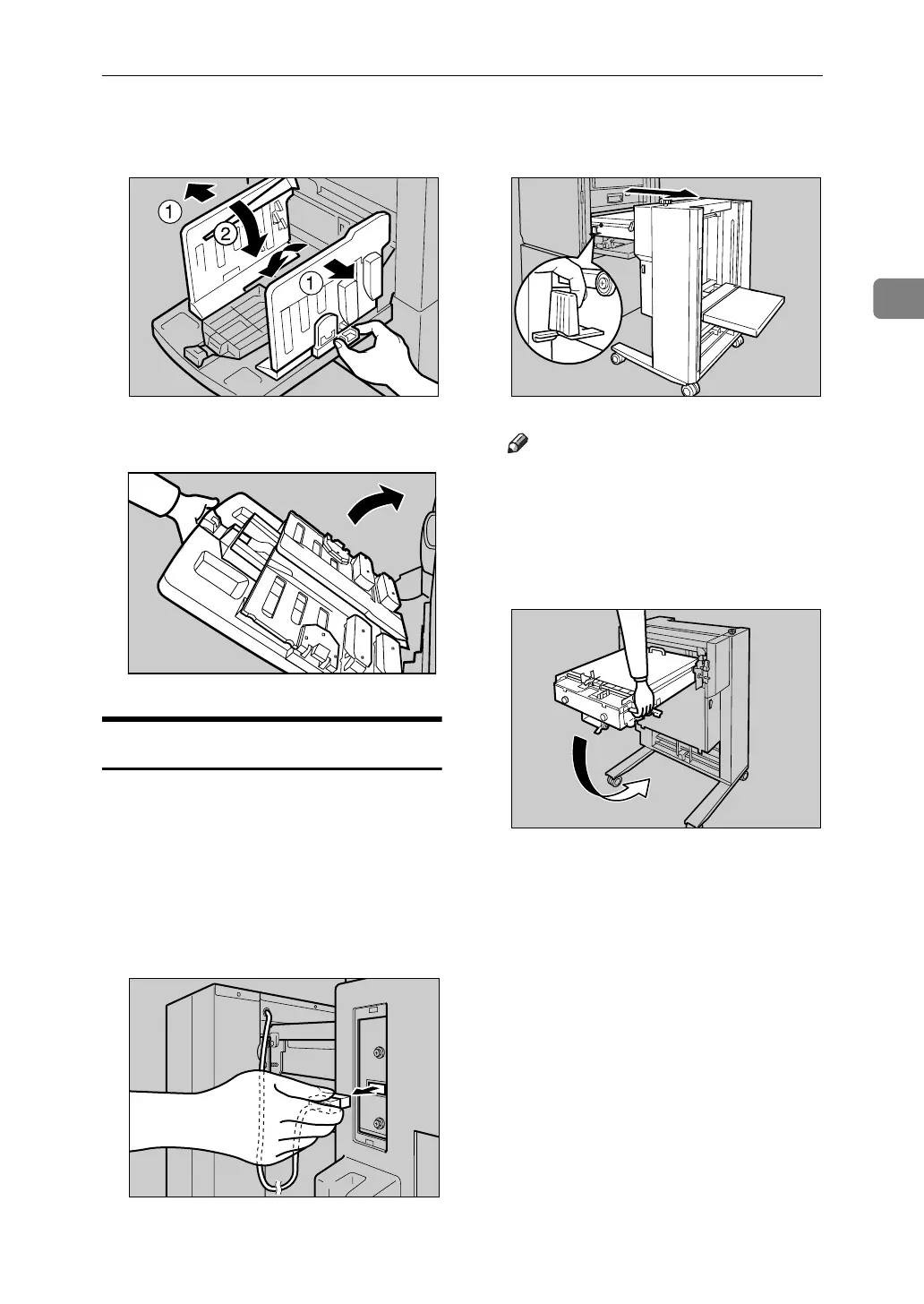
G Move the side plates to the widest
position, and then lower them.
H Close the paper delivery tray.
Uninstalling the LCIT
A Turn off the main switch of the
machine, and then turn off the
power switch of the LCIT.
B Unplug the power cord of the
LCIT from the wall outlet.
C Unplug the LCIT optical cable.
D While pulling the LCIT release le-
ver, detach the LCIT.
Note
❒ Be sure to hold the handle of the
intermediate feeding section
when you detach the LCIT.
E Fold the intermediate feeding sec-
tion.
ACY055S
ABL023S
ACY067S
ABQ009S
ABQ010S












 To Next Page