Basics
42
2
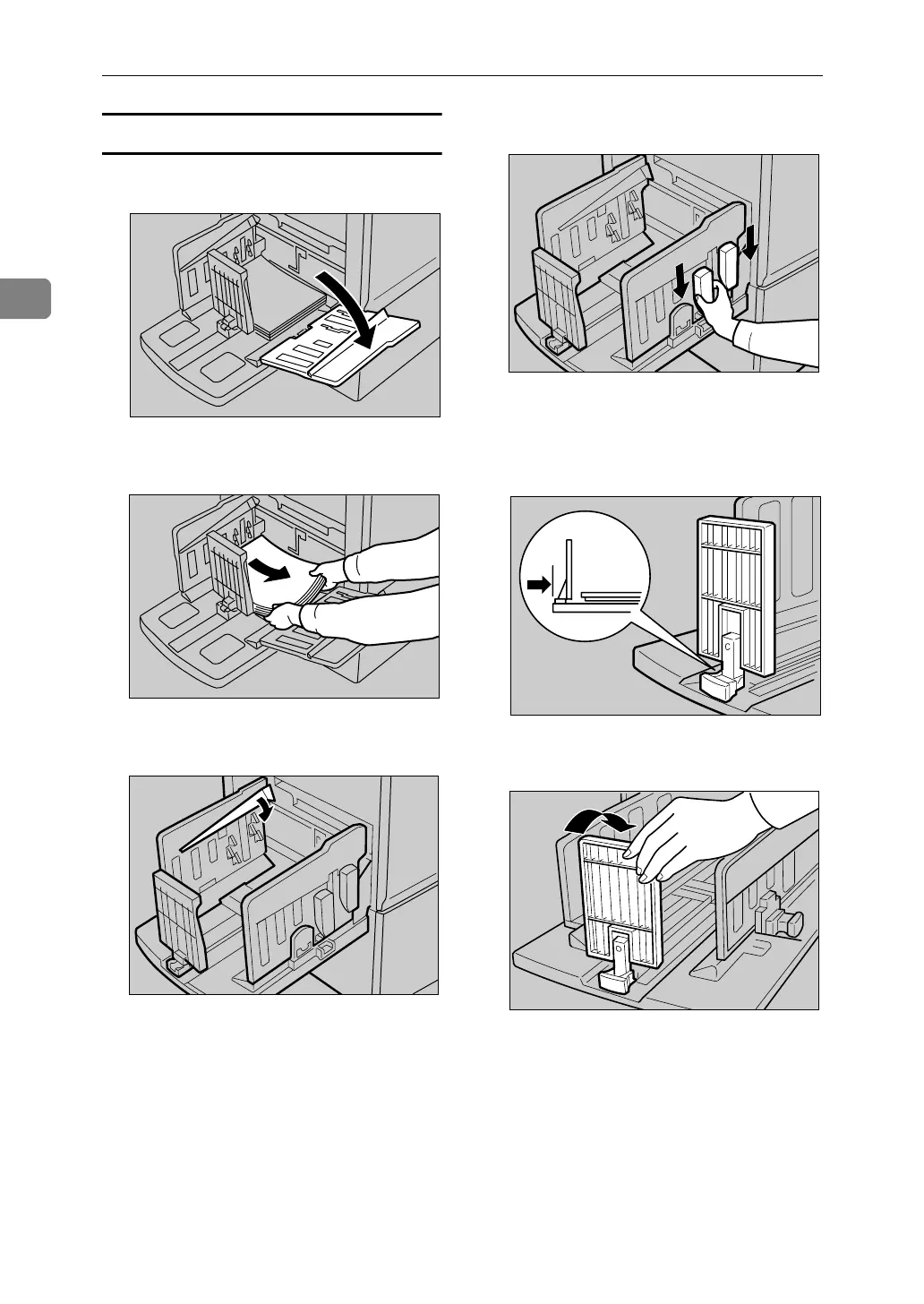
Folding the Paper Delivery Tray
A Slightly lower one of the side plates.
B Remove the prints from the tray.
C Lower the paper alignment wings.
D Slide the chocks down.
E Move the paper delivery end plate
until its handle is flush with the
end of the tray.
F Lower the paper delivery end plate.
ACY050S
ACY051S
ACY059S
ACY060S
ZFRH190E
ABL054S



 To Next Page