Troubleshooting
130
4
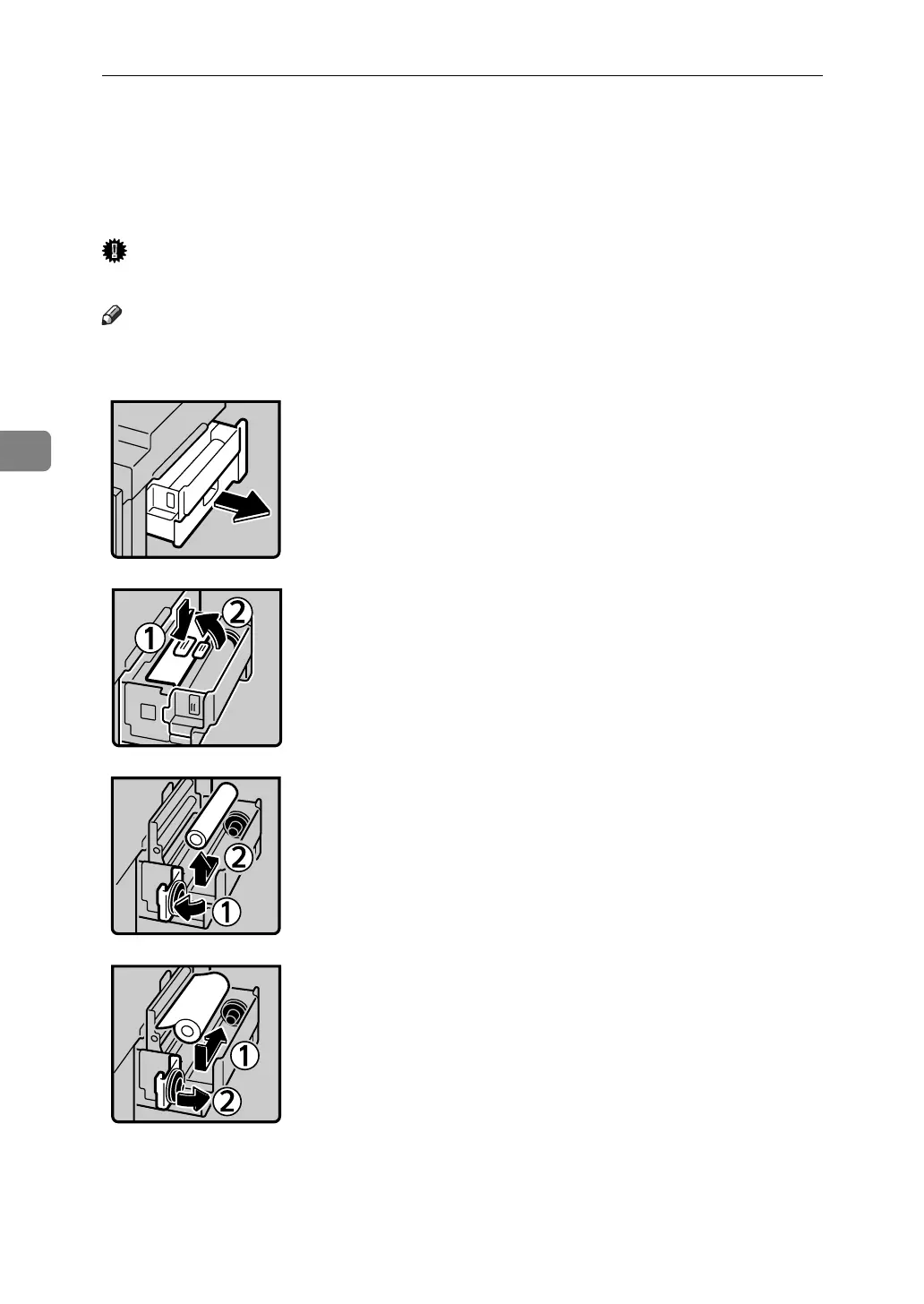
CReplacing the Master Roll
When C lights, it is time to replace the master roll. It also lights when the master
roll is not set properly.
Important
❒ Faults may occur if you use the master roll other than the recommended type.
Note
❒ When the Master End indicator is lit, it is necessary to replace the master roll
even if some master remains on the old roll.
• 1: Pull out the master tray until it stops.
• 2: Push the button.
• 3: Open the master guide.
• 4: Open the master tray cover.
• 5: Remove the used master roll.
• 6: The new master roll must be positioned
as shown in the illustration.
• 7: Close the master tray cover.
ACY040S
AJK304S
ACY042S
ACY043S












 To Next Page