Basics
44
2
Placing Originals
When using the exposure glass, place
the originals face down.
When using the ADF, place the origi-
nals face up.
Placing Originals on the
Exposure Glass
A Lift the exposure glass cover.
Note
❒ Be sure to lift the exposure glass
cover more than 30 degrees.
B Place the original face down on
the exposure glass. The original
should be aligned with the left
scale.
1. Left scale
2. Positioning mark
C Lower the exposure glass cover.
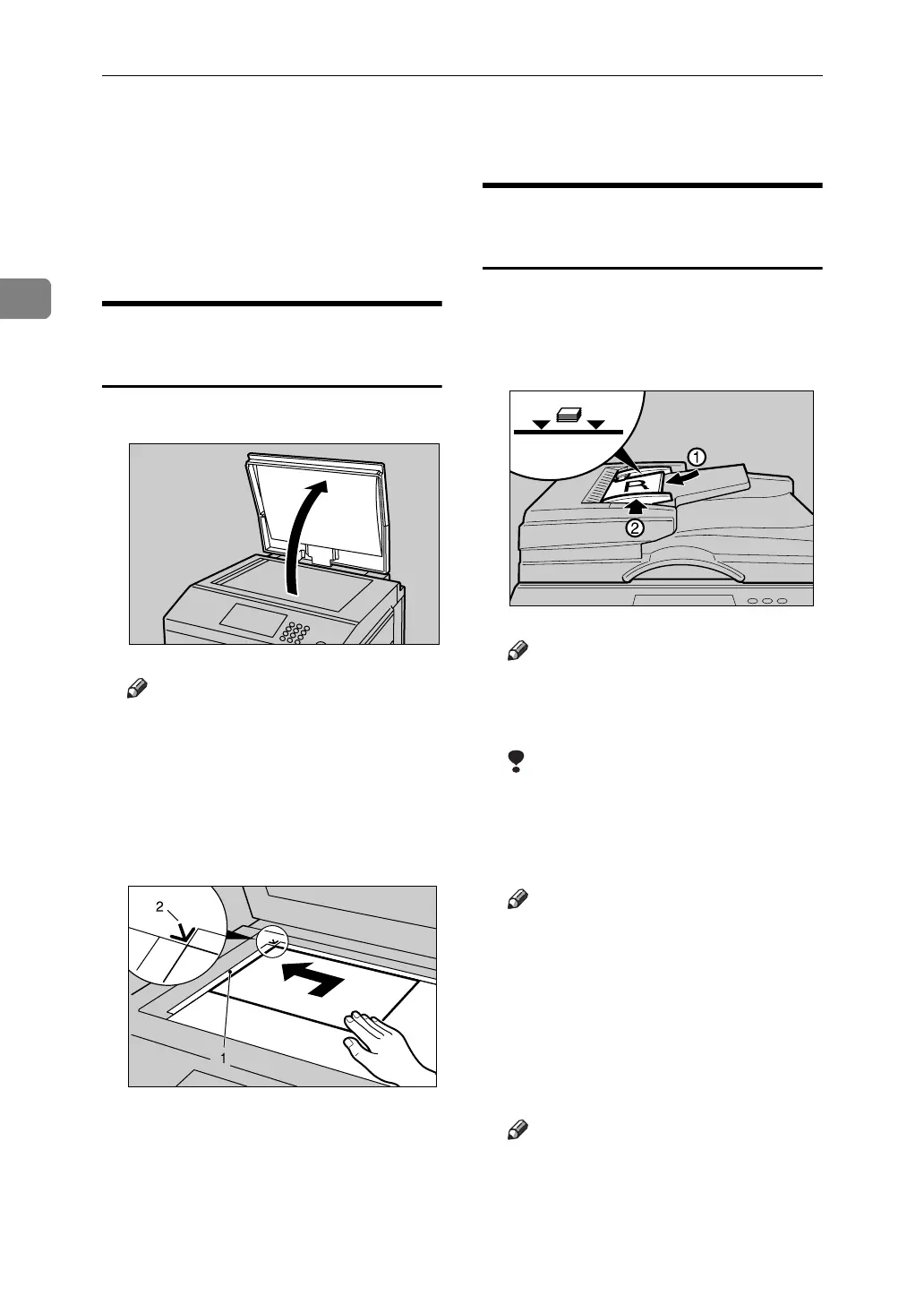
Placing Originals in the Auto
Document Feeder
A Adjust the guide to the original size.
B Insert the aligned originals face
up into the ADF.
Note
❒ To avoid originals misfeeding,
fan the originals before placing
them in the ADF.
Limitation
❒ Approximately 50 originals (80
g/m
2
, 20 lb) can be inserted at a
time in the ADF. The first (top)
original will be fed first.
Note
❒ To avoid jamming, fan the orig-
inals before placing them in the
ADF.
❒ The guides must fit snugly against
both sides of the stack.
C Adjust print settings as necessary,
and then press the {Start} key.
Note
❒ If the next original has been
placed in the ADF before the
machine stops, that original is
fed automatically.
AJK109S
ACY058S
AJK153S












 To Next Page