Basics
54
2
Selecting Original Type
The following can be selected as the
original document type.
❖ Text
Specify this if the original docu-
ment consists primarily of text.
❖ Text/Photo
If the original document contains a
combination of text and photo-
graphs, it is printed using the opti-
mum image balance.
Note
❒ Contrast can be selected.
❖ Photo
Specify this for photographs, pic-
tures, or colored documents.
Note
❒ Contrast and screen can be se-
lected.
❖ Pencil
Specify this for originals
drawn/written in pencil.
Note
❒ Set documents drawn/written
in pencil on the exposure glass.
❖ Pale
When printing pale colors, the
master is created using pale color
print.
Note
❒ Masters are normally produced
using [Text].
❒ If [Photo] is selected for original
documents that contain both text
and photographs, text may appear
too light. If this is the case, select
[Text / Photo] .
❒ Black ink printed using [Pale] can
produce a grayish color.
❒ Colored ink printed using [Pale]
can produce pale colors for back-
ground images.
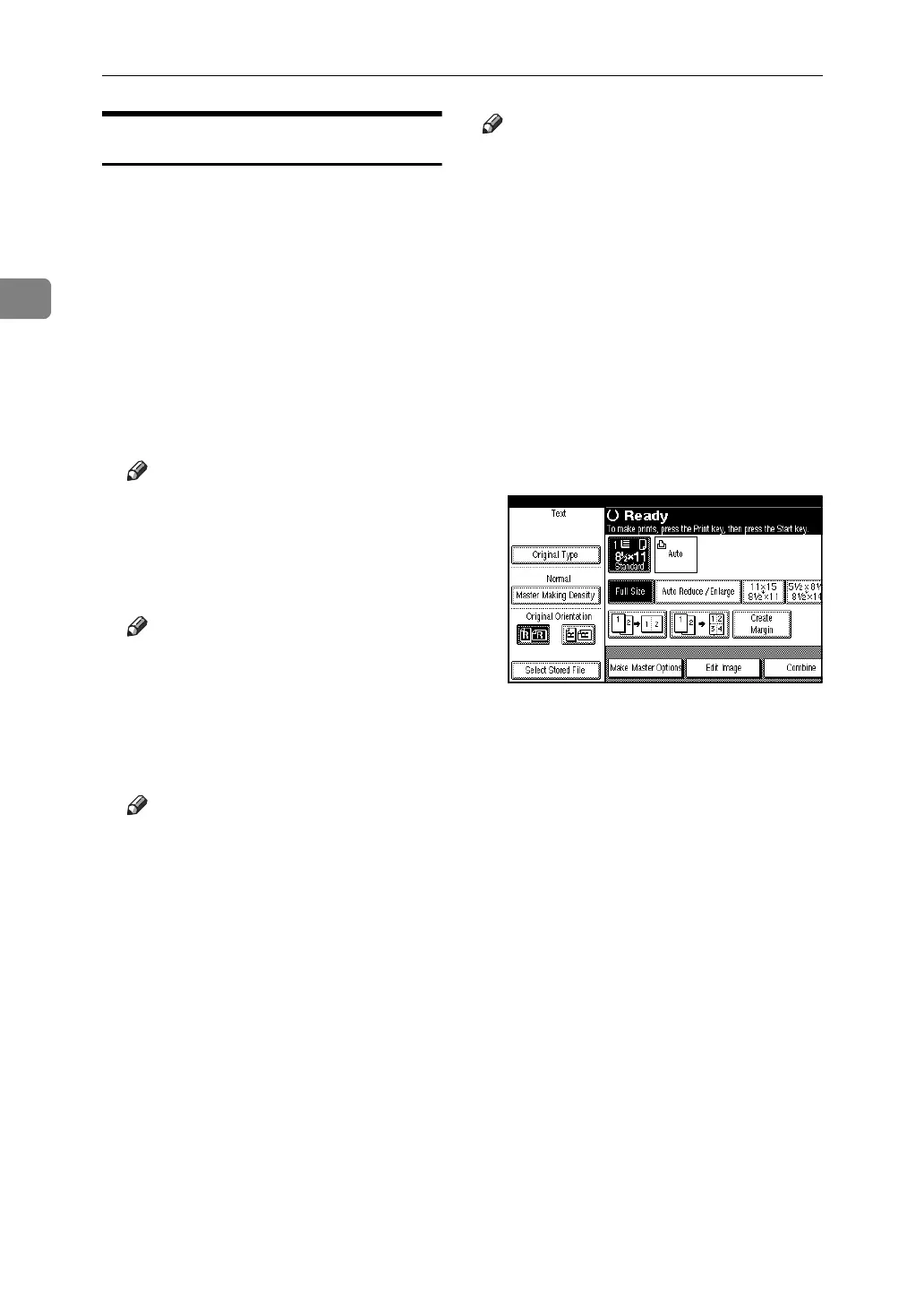
A Press [Original Type].





 To Next Page