Troubleshooting
140
4
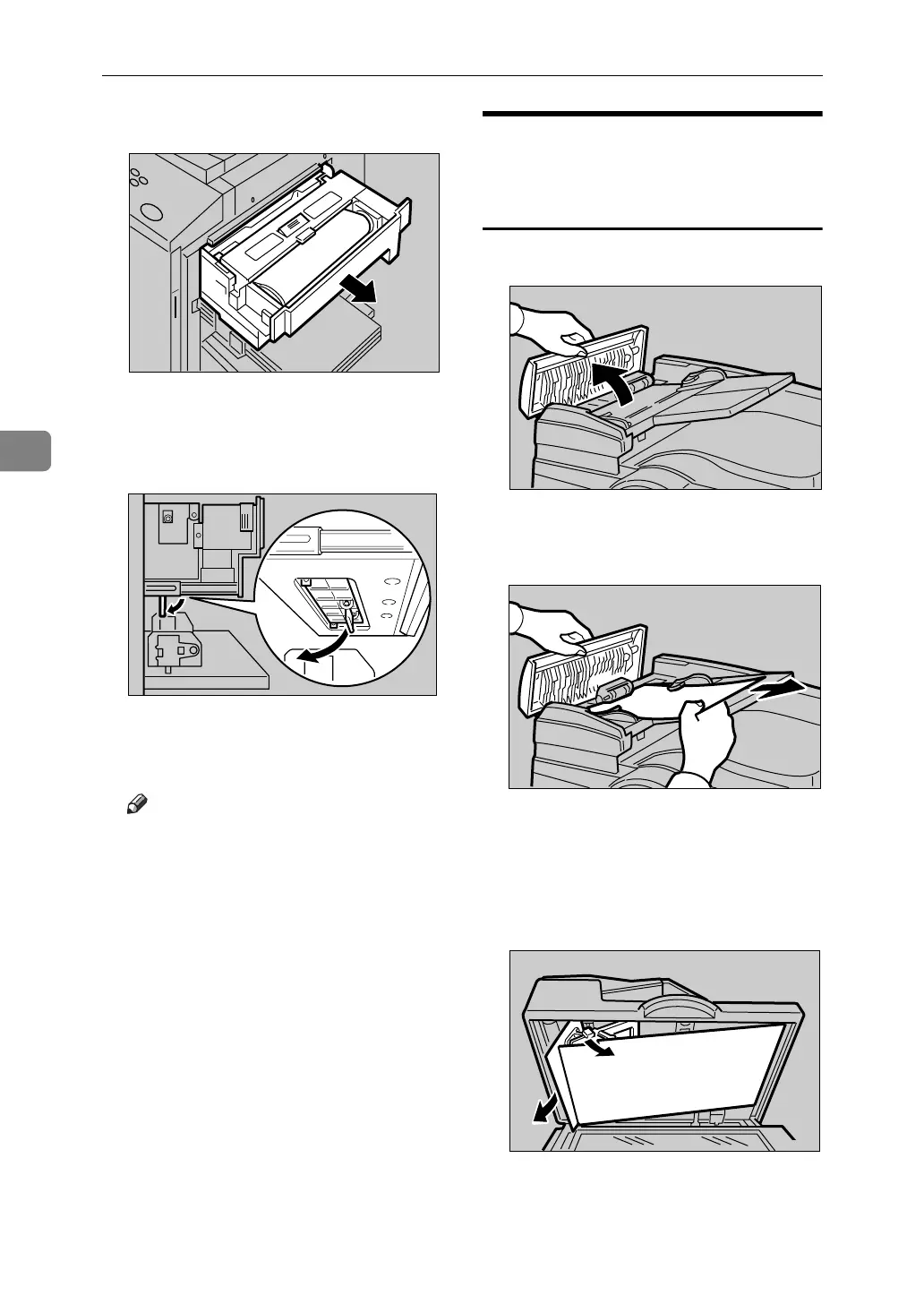
A Slide out the master tray.
B Open the cover at the bottom of
the master tray while holding the
lever and remove the fragments.
C Close the cover and slide in the
master tray.
Note
❒ Make sure that you securely
close the cover before sliding in
the master tray.
“x + P” Original Misfeeds
Occur in the Auto Document
Feeder
A Open the ADF cover.
B Pull out the misfed original gen-
tly.
C If you cannot remove misfed orig-
inals as in step B, open the ADF.
D Pull the green knob towards you
and remove the misfed original.
E Return the document feed sheet
to its original position.
ACY048S
ZFXH201E
ZDCY090E
ZDCY120E
TPEH220E












 To Next Page