After Printing
41
2
After Printing
This section shows you how to return
the paper feed tray and paper deliv-
ery tray to their original positions.
Folding the Paper Feed Tray
and Delivery Tray
Folding the Paper Feed Tray
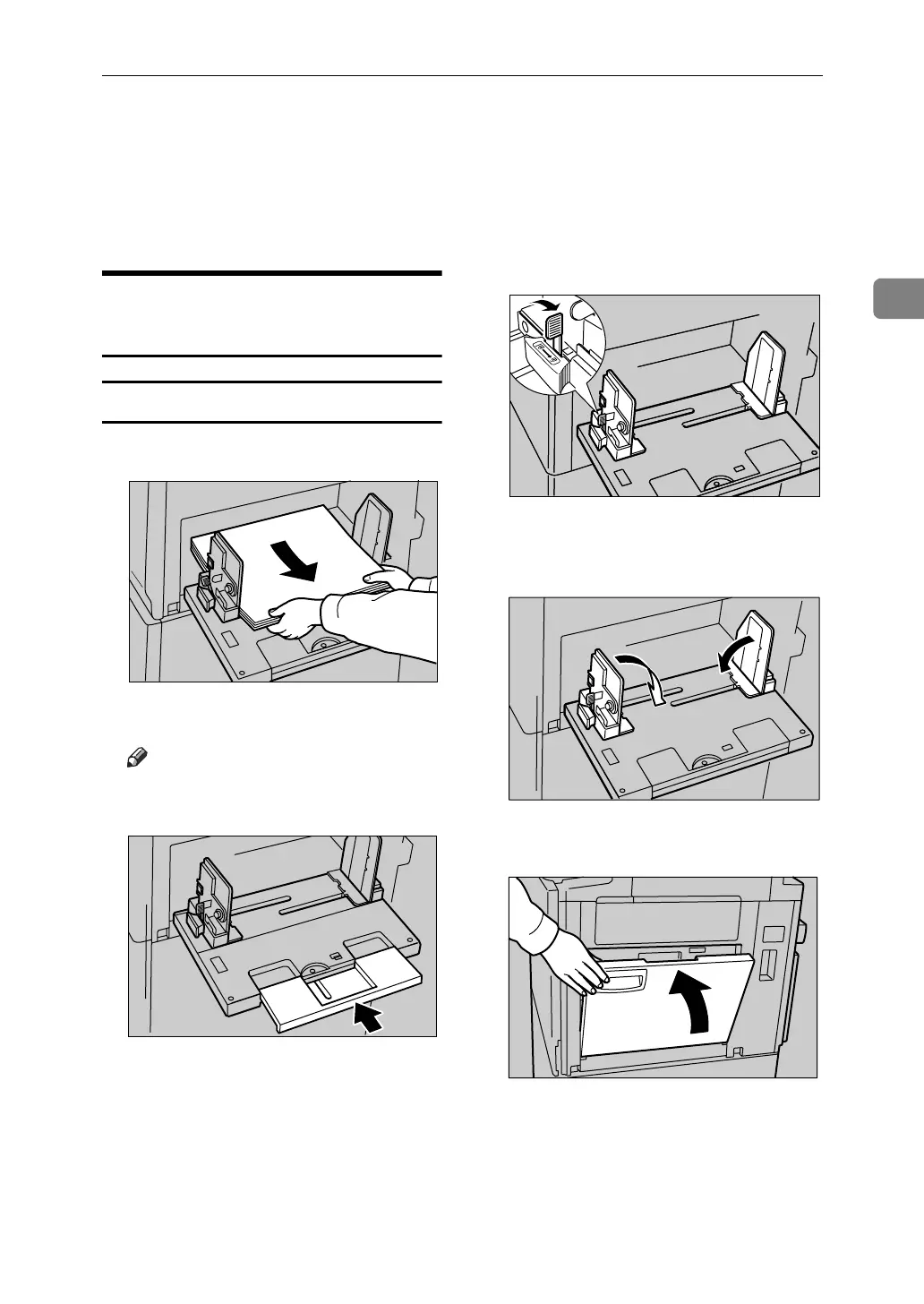
A Remove the paper from the tray.
The paper feed tray will lower.
Note
❒ If the extender has been slided
out, push it back.
B After the paper feed tray has
stopped moving, raise the paper
feed side plates knob lock lever to
release the side plates.
C Adjust the side plates to A4L, and
then lower them.
D Gently close the paper feed tray.
ACY009S
ACY010S
ACY011S
ACY012S
ACY013S












 To Next Page