Booklet Unit
Booklet Stapler
Preparation
• Remove booklet unit (page 29)
• This procedure describes removal of the booklet stapler after the booklet unit has been removed.
• Actually, the booklet stapler can be easily removed before removing the booklet unit.
• Removing the booklet stapler from the booklet stapler unit is recommended. This makes the booklet
unit lighter and easier to handle.
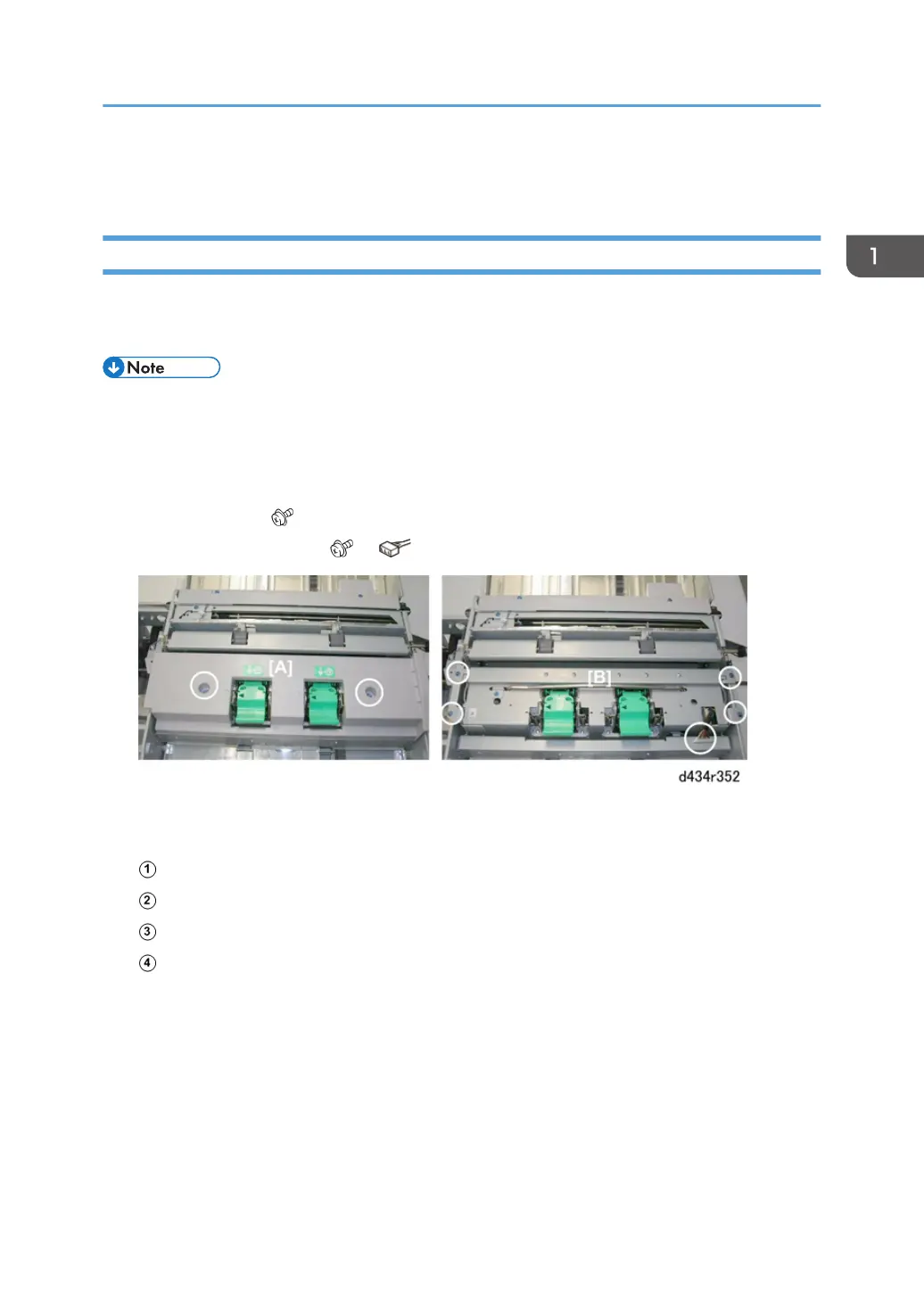
1. Remove cover [A] ( x2).
2. Remove the stapler unit [B] ( x4, x1)
3. Lift the stapler unit [A] out with its handle.
4. Four sensors are behind the stapler unit:
Rear jogger fence HP sensor
Front jogger fence HP sensor
Bottom fence HP sensor
Folder unit entrance sensor
Booklet Unit
135



 To Next Page