Proof Tray Exit Motor
Preparation
Remove:
• Rear upper cover (page 15)
• Rear lower cover (page 16)
• Top rear cover (page 22)
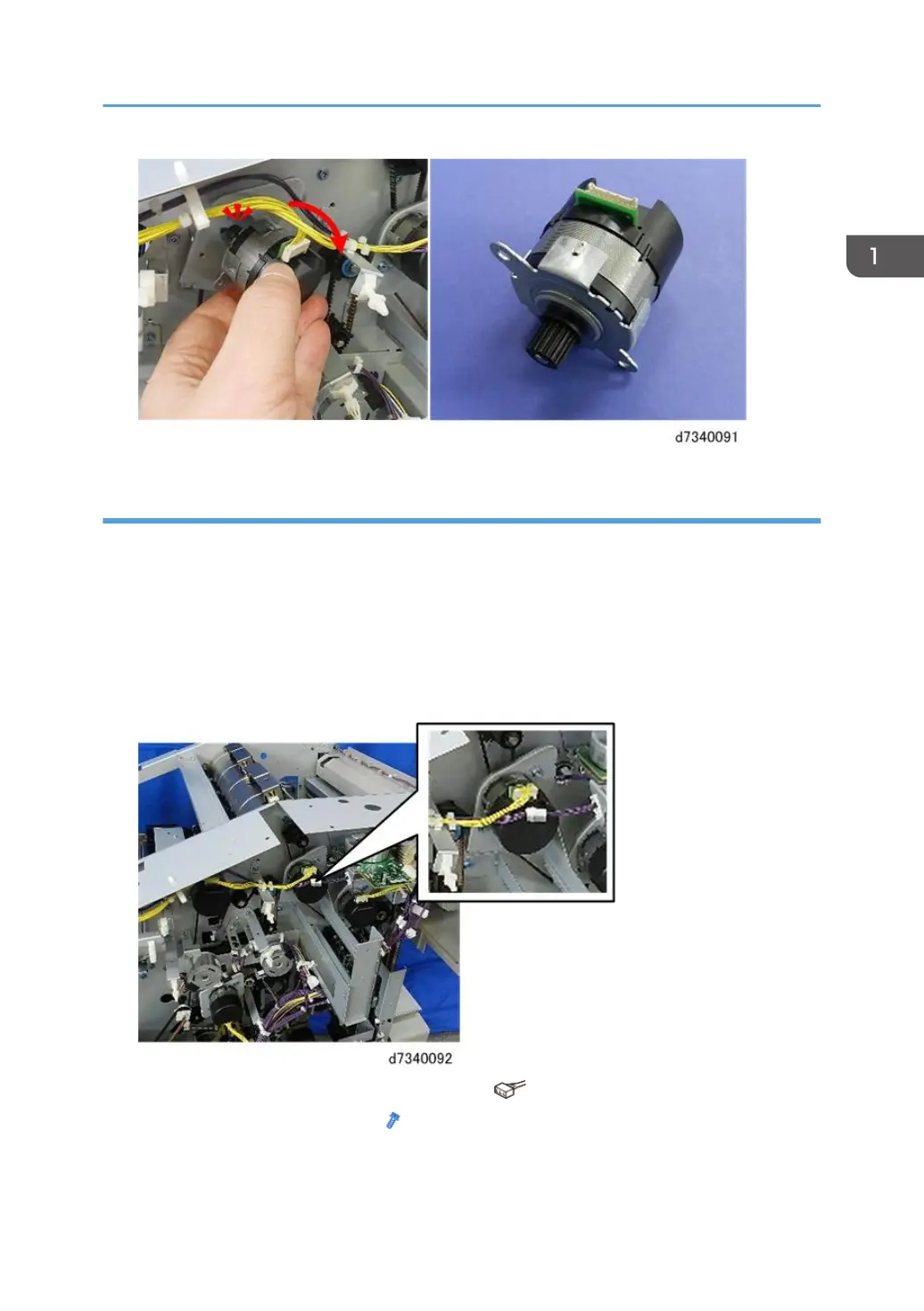
1. The proof tray exit motor is located here.
2. Disconnect motor and harness in front of motor [A] ( x2).
3. Disconnect motor from bracket [B] ( x2).
Proof Tray
57



 To Next Page