Proof Tray Exit Sensor, Proof Tray Full Sensor
Preparation
Remove:
• Upper inner cover (page 19)
• Top rear cover (page 22)
• Shift tray jogger unit (page 22)
• Left upper cover (page 23)
• Proof tray (page 20)
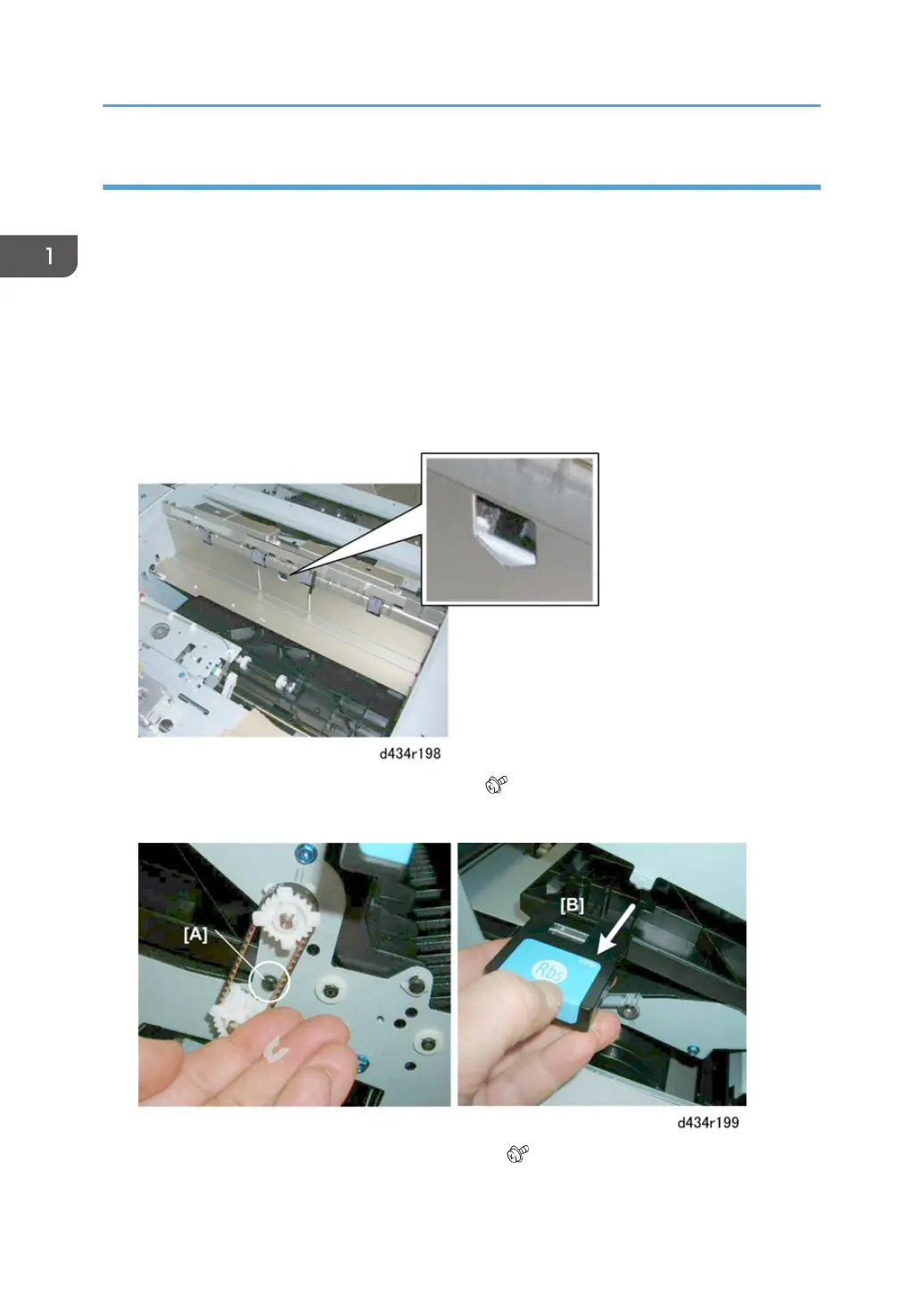
1. These sensors are mounted on the same bracket under the paper path cover.
2. At the front, disconnect the shaft [A] of plate Rb5. ( x1)
3. Remove Rb5 [B]
4. Use a short screwdriver to remove bracket plate [A]. ( x1)
1. Replacement and Adjustment
60



 To Next Page