Special Adjustments
Horizontal Skew Adjustment
The booklet unit is adjusted for optimum performance before the finisher is shipped from the factory. Do
this adjustment only if the edges of folded booklets are not even.
1. Run a fold/staple job through the booklet unit with A3 (or DLT) paper.
2. Hold the folded sheet with the creased side pointing down and face-up (the same way that it came
out of the finisher).
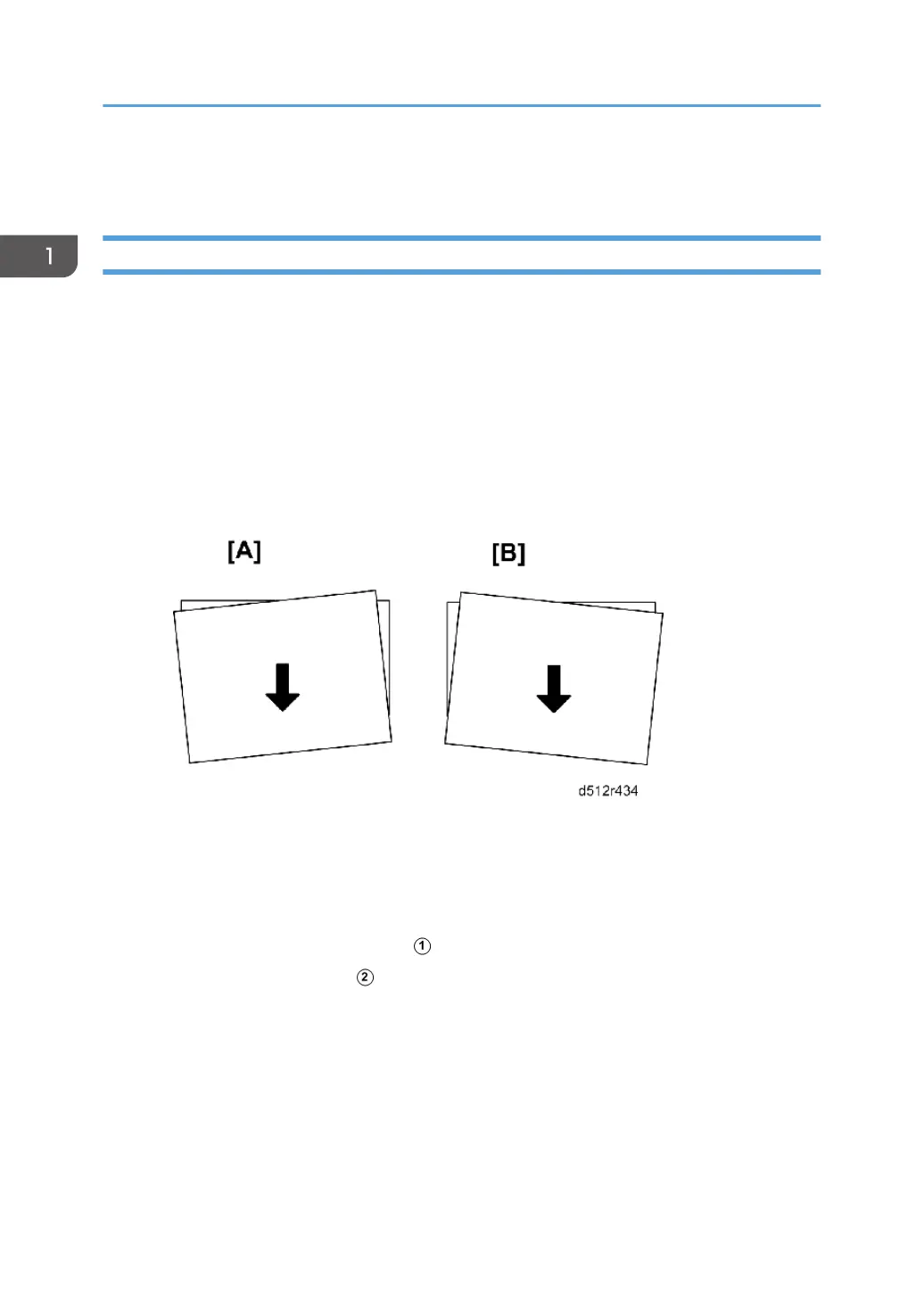
3. Referring to the diagram below, determine if the skew is [A] or [B].
• [A] indicates that the rear fence is low and must be raised.
• [B] indicates that the front fence is low and must be raised.
Preparation
• Pull the stack/staple unit out with handle Rb12
• Remove the lower inner cover Rb10, Rb11
1. Before doing any adjustment:
• Rotate the knob counter-clockwise so that it is loose.
• Rotate the knob clockwise until you feel some resistance, then stop.
1. Replacement and Adjustment
174



 To Next Page