• Open the front door.
• Front door (page 19
• Corner strip cover (page 20)
• Lower inner cover Rb10, Rb11 (page 17)
• Booklet stapler (recommended) (page 28)
• The booklet unit weighs about 18 kg (40 lb.) with the booklet stapler installed.
• The booklet stapler weighs about 3 kg (6.6 lb.)
• The booklet unit is lighter and easier to remove and re-install with the booklet stapler removed.
1. Make sure that the stack/staple unit is closed.
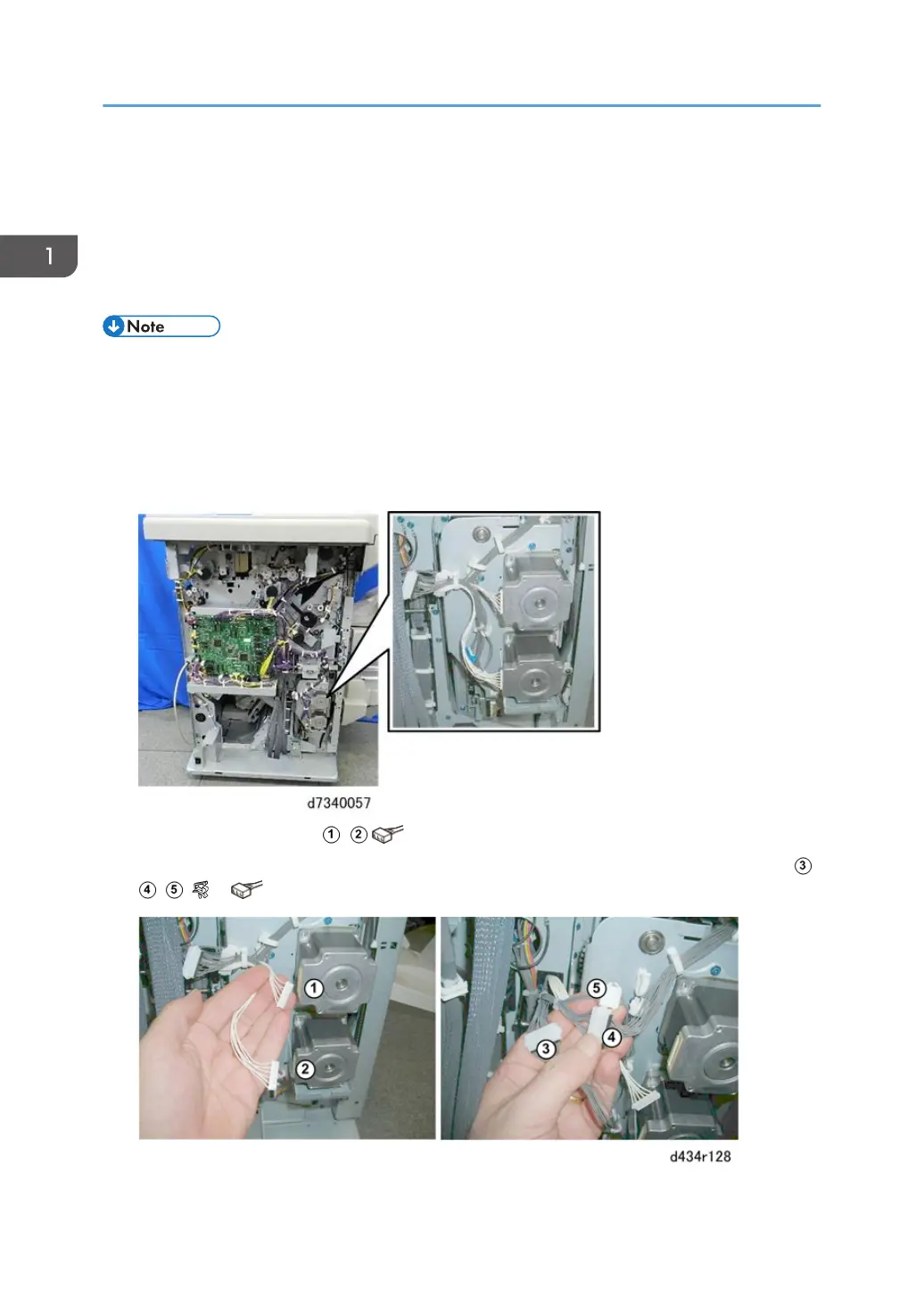
2. Locate the two motors attached to the rear of the stack/staple unit.
3. Disconnect the two motors , ( x2).
4. Disconnect the connectors of the other harnesses attached to the rear of the stack/staple unit at ,
, ( x2, x3).
5. Push the stack/staple unit [A] out about halfway, until you can see the two black connectors.
1. Replacement and Adjustment
30


 To Next Page
 Loading...


